7 LearnDash Add-Ons Worth Paying For in 2026
A practical look at 7 LearnDash add-ons that solve real problems for course creators, from quiz management and certificates to attendance and progress tracking.

Running an online course on WordPress usually starts with LearnDash, since it handles the core setup of courses, lessons, topics, and quizzes. It covers the basics well. But once your site grows and your student count climbs, the gaps start to show. That’s where LearnDash add-ons come in. The right ones save you hours of manual work, fix problems the core plugin wasn’t built to handle, and give your students a better experience. The tricky part is knowing which ones are worth the money, because not every add-on earns its place on your site.
This guide walks through seven LearnDash add-ons that pull their weight. Each one solves a specific problem, so you can match them to what your site actually needs instead of buying tools you’ll never touch. If you want a wider view later, the full list of best LearnDash add-ons covers more options.
Quick Summary
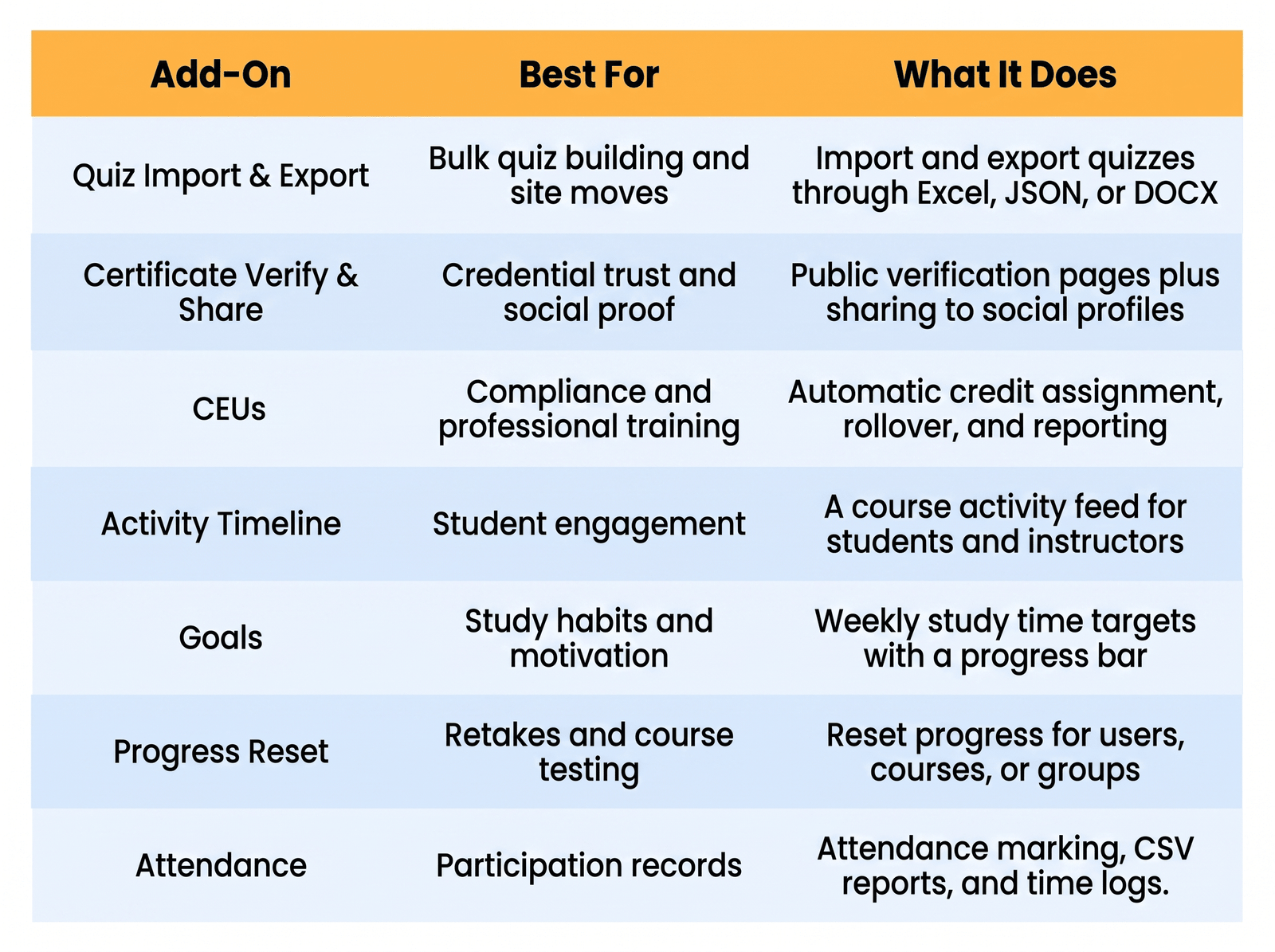
These seven LearnDash add-ons cover the areas most course creators struggle with once they scale. You get faster quiz building, verifiable certificates, credit tracking for compliance, student engagement tools, study goal setting, progress resets, and attendance records. Some are built for admins who want to save time, others focus on keeping students motivated and on track. Read the short breakdown of each below, then use the table to compare them at a glance.
LearnDash Add-Ons Compared at a Glance
1. LearnDash Quiz Import/Export
The LearnDash quiz import export add-on lets you build and move quizzes through a spreadsheet instead of typing them out one question at a time. You export your quizzes to a file, edit them offline, and bring them back in with the settings already applied. It’s built for anyone who deals with large quiz sets or site migrations.
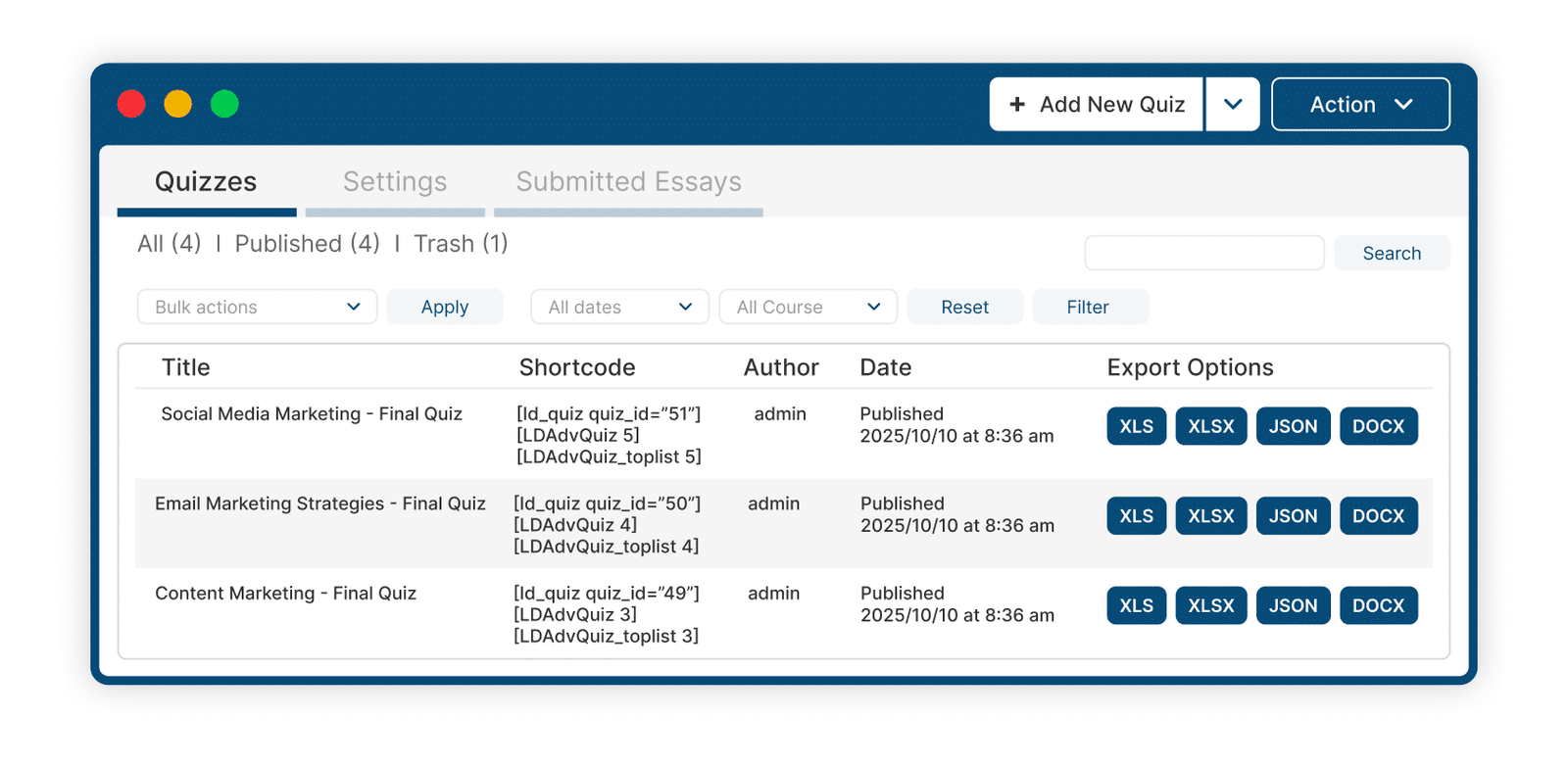
You can export every quiz to XLS, XLSX, or JSON with one click, then re-import the same file whenever you need. It also reads questions from a Word document, so teachers can prep content in a format they already know. The add-on supports all default LearnDash question types, plus the extra types from the Advanced Quizzes add-on and Multi-Question Categories. Like most tools here, it runs as a standard WordPress plugin, so setup stays simple.
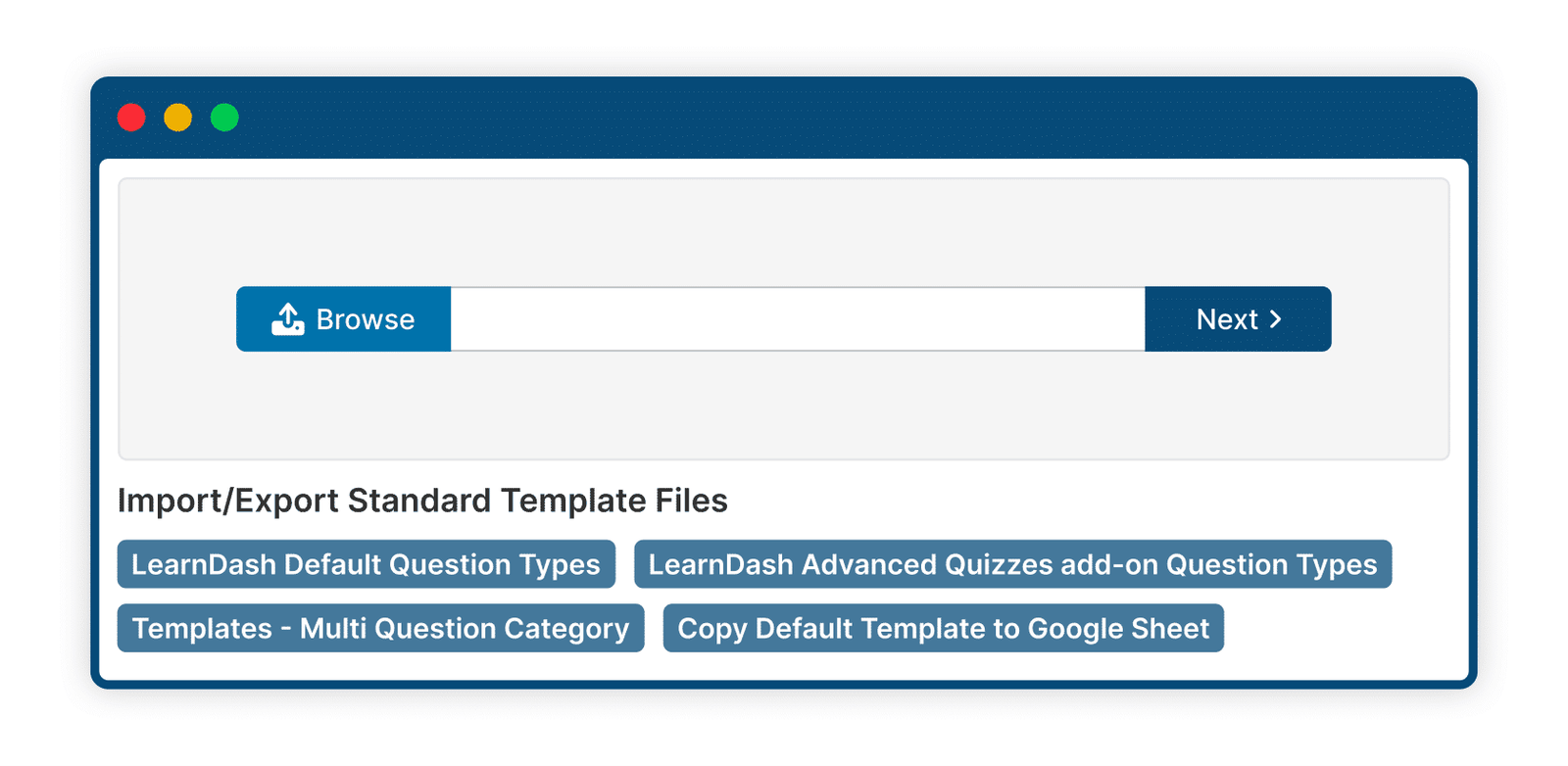
This LearnDash add-on fits course creators who build a lot of quizzes or manage more than one site. If you run staging-to-live transfers or hand sites off to clients, the export files double as clean backups you can reuse anywhere.
2. LearnDash Certificate Verify & Share
The LearnDash Certificate Verify and Share add-on lets anyone verify and share a certificate through a public verification page. Instead of fielding emails or relying on screenshots, students and employers can confirm a credential using a simple certificate ID. This removes the guesswork from certificate validation.

Students search by certificate ID on your site to pull up the verification details, and each certificate can carry a QR code that jumps straight to that page. They can share the certificate as an image and link on Facebook, LinkedIn, and X, or add it to a LinkedIn profile in one step. On the admin side, you pick which fields show, choose from templates or build your own, and turn sharing on or off per course, quiz, or group.
This works well for training providers and schools that need their credentials to hold up to outside checks. Employers can confirm a certificate without ever touching your admin area, which saves everyone time.
3. LearnDash CEUs
The LearnDash CEUs add-on tracks Continuing Education Units and CPD credits without the spreadsheet juggling. If your courses tie into professional certification or compliance, it keeps your credit records accurate and easy to pull. This takes a manual, error-prone job and makes it routine.
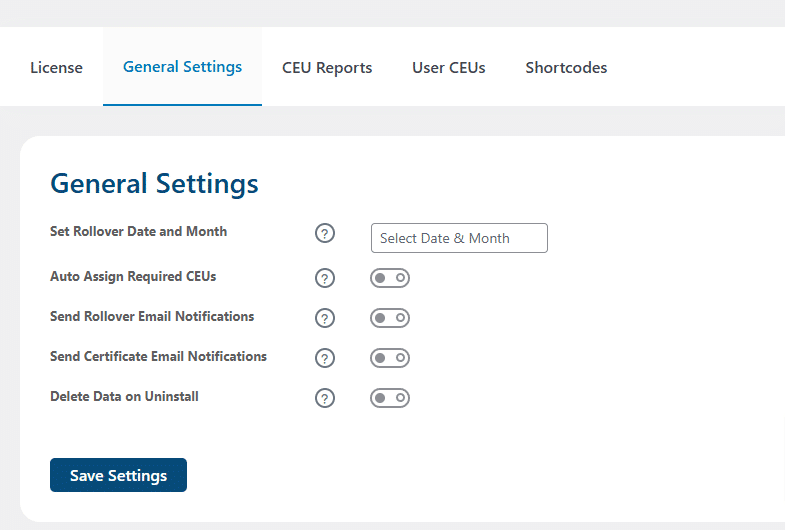
Credits get assigned automatically when a student enrolls, or you can assign them by hand for special cases. A rollover feature archives the current year’s credits on a set date and resets the columns, so records stay clean year over year. You also get summary and detailed reports that export to Excel, plus frontend shortcodes that let students check their earned credits directly. For setup details, the LearnDash documentation is a helpful reference.
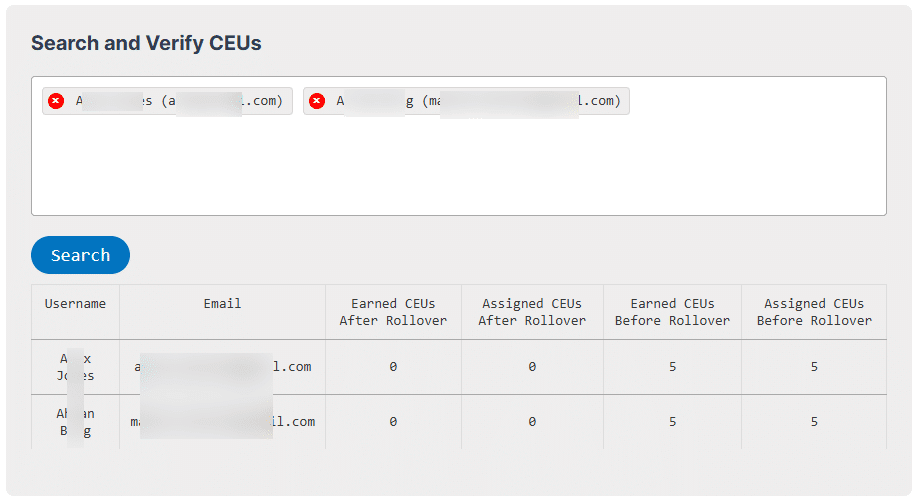
This LearnDash add-on earns its spot for anyone running regulated training, certification programs, or skill courses where accurate credit records aren’t optional.
4. LearnDash Activity Timeline
The LearnDash activity timeline add-on adds a live feed of course activity, similar to the streams you’d see on social apps. It shows students what their peers are doing, which helps a solo course feel more like a shared effort. That small nudge often keeps people moving.
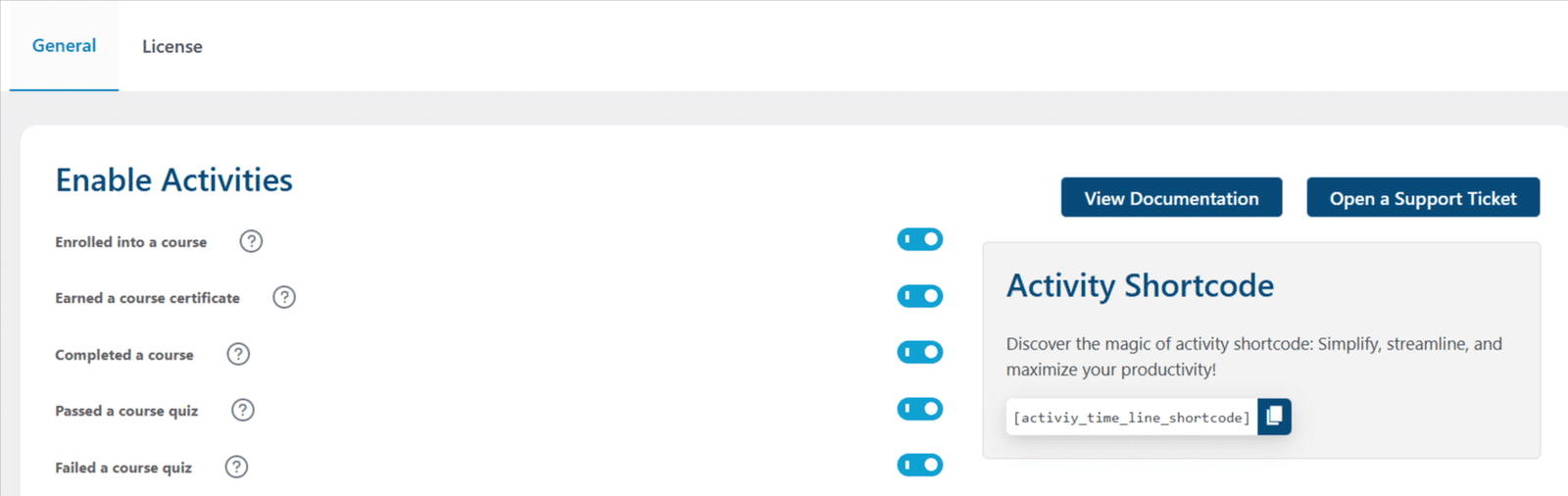
The feed sits in an activity tab on your courses and shows recent events like enrollments, completions, earned certificates, assignment submissions, comments, and quiz results with scores. You choose which activity types appear, and you set how many items show per page. A shortcode lets you drop the activity view on any page and pick the course it pulls from.
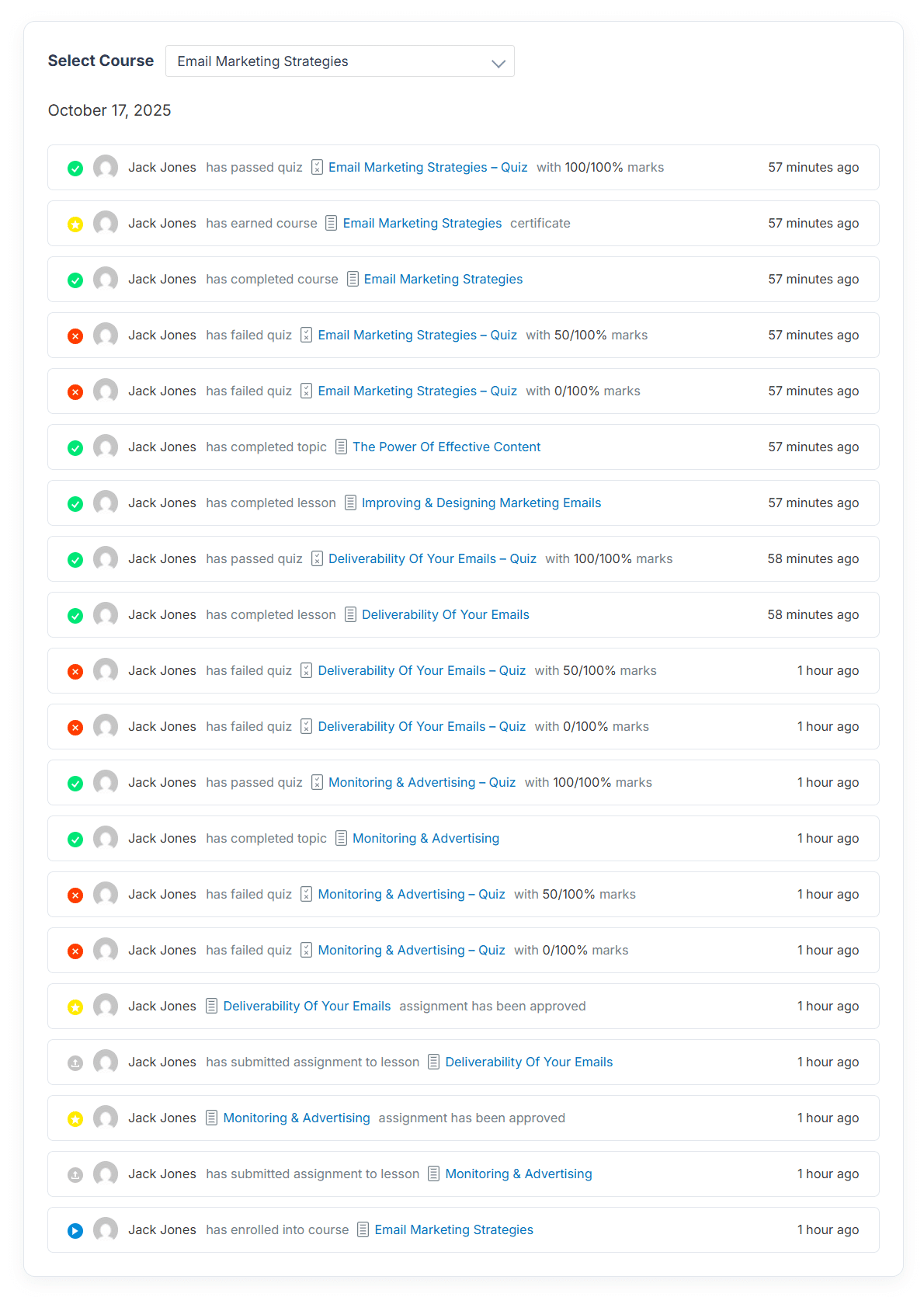
This fits community-style courses where a little friendly comparison keeps people moving. Instructors also get a quick read on who’s active and who’s fallen quiet.
5. LearnDash Goals
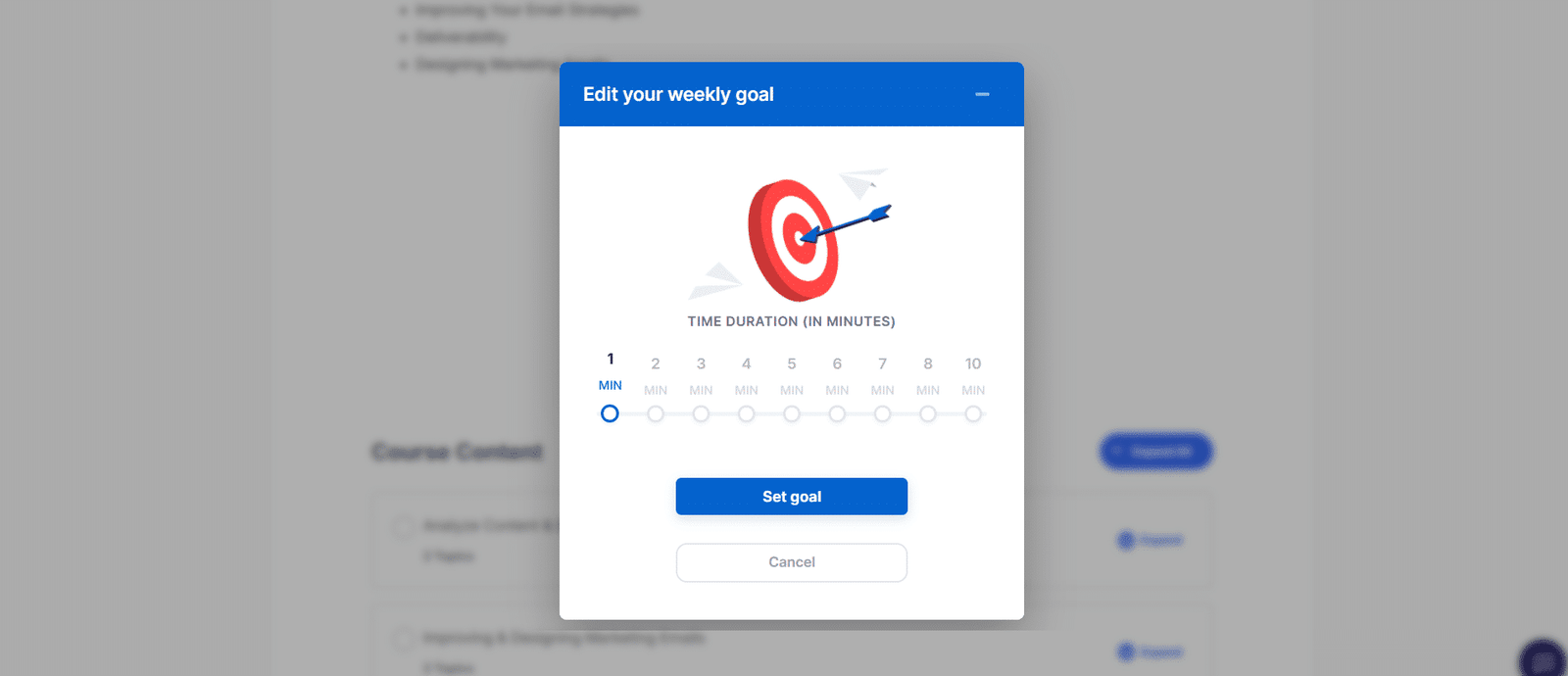
The LearnDash Goals add-on lets students set their own weekly study time and track it as they go. Instead of staring down a whole course, they work toward a small target they set themselves. That makes progress feel doable week to week.
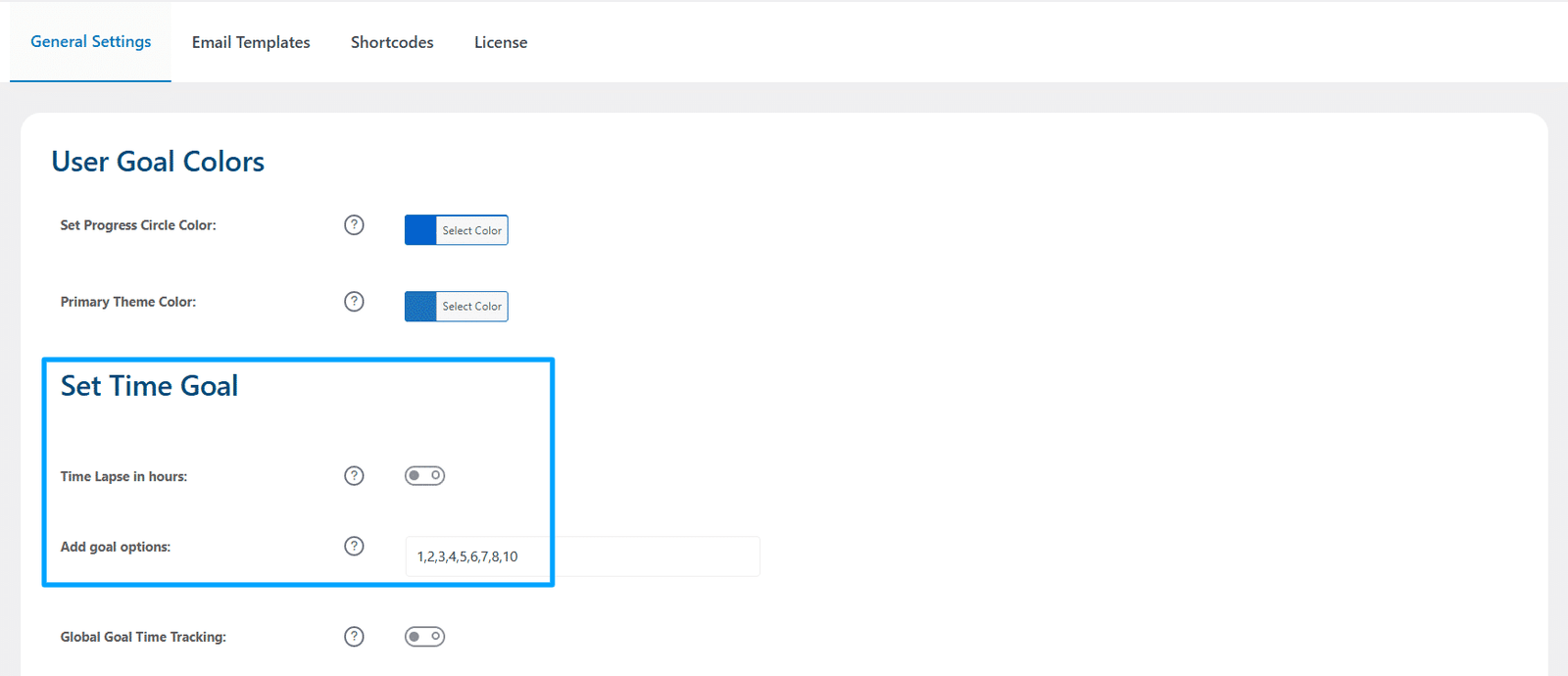
Every minute spent watching lesson or topic videos counts toward the target, and a progress bar shows how close they are. Students can adjust their goal anytime, and they get an encouraging email when they set one and a congratulations email when they hit it. Global time tracking turns on logging across all courses at once, and daily or weekly goal options tie into LearnDash achievements for reward notifications. If you want to pair this with course design tips, the LearnDash Academy has useful material.
This LearnDash add-on suits self-paced courses where motivation is the main hurdle. Giving students a small, personal target helps build a steady study habit.
Looking for a Ready-Made Solution?
Explore our WordPress, WooCommerce, and LMS plugins built to extend functionality without custom development.
6. LearnDash Progress Reset
The LearnDash progress reset add-on wipes and resets progress for single users, groups, or whole courses. When a student wants to retake a course or you’re testing one before launch, it saves you from clearing accounts by hand. You control exactly who gets reset and when.
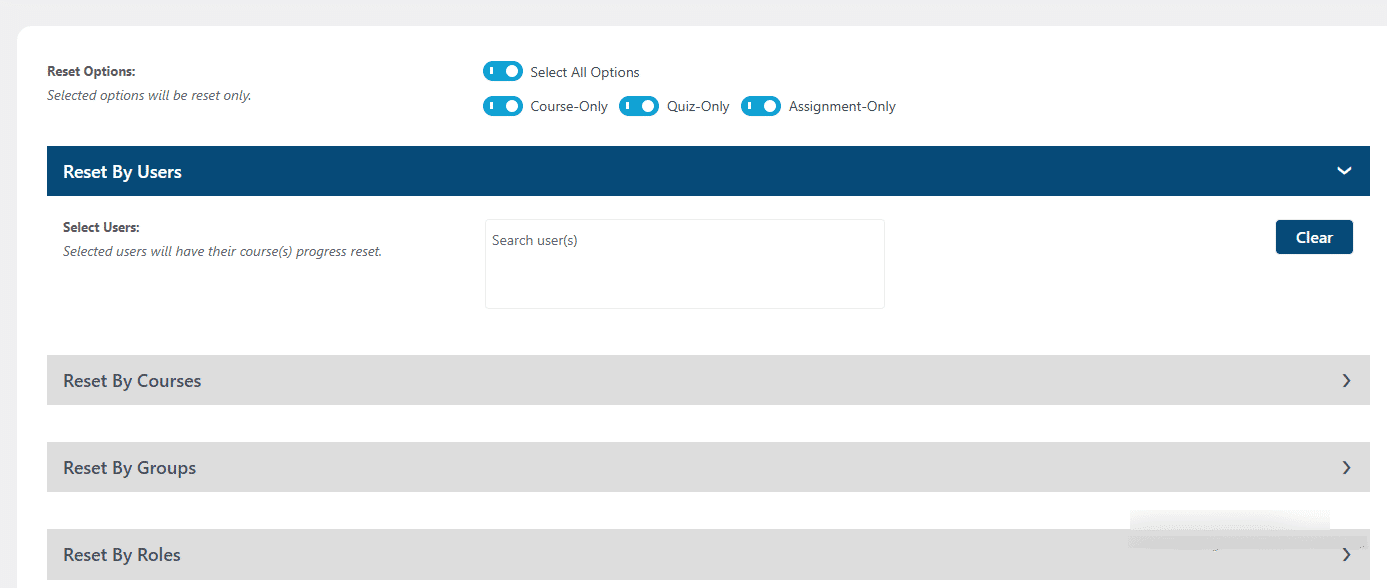
You can reset one student or many at once, mix and match specific users with specific courses, and schedule resets to run on a set date and time. Before anything gets wiped, you can pull a pre-reset report in Excel as a backup. Extra controls let you unenroll users after a reset, limit who can run resets by role, and even let students reset their own progress from the frontend.
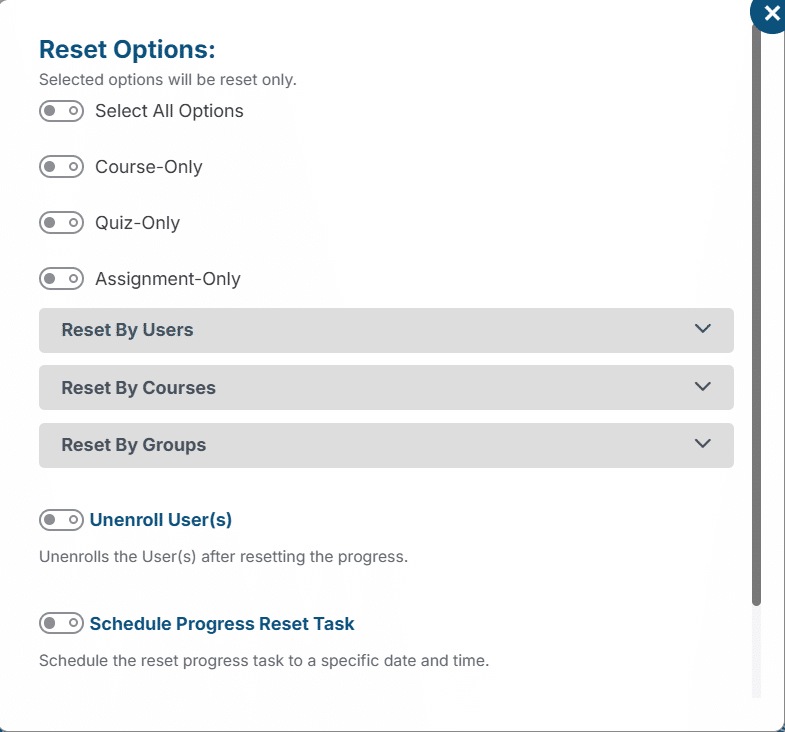
This add-on helps course sellers who offer retakes and teams who beta test courses with a group before opening the doors. The scheduling and backup options make it safe to use at scale.
7. LearnDash Attendance
The LearnDash attendance add-on records student participation inside LearnDash without any outside spreadsheets. When attendance ties into certification, funding, or compliance, a basic present-or-absent note isn’t enough. This gives you a full record you can stand behind.
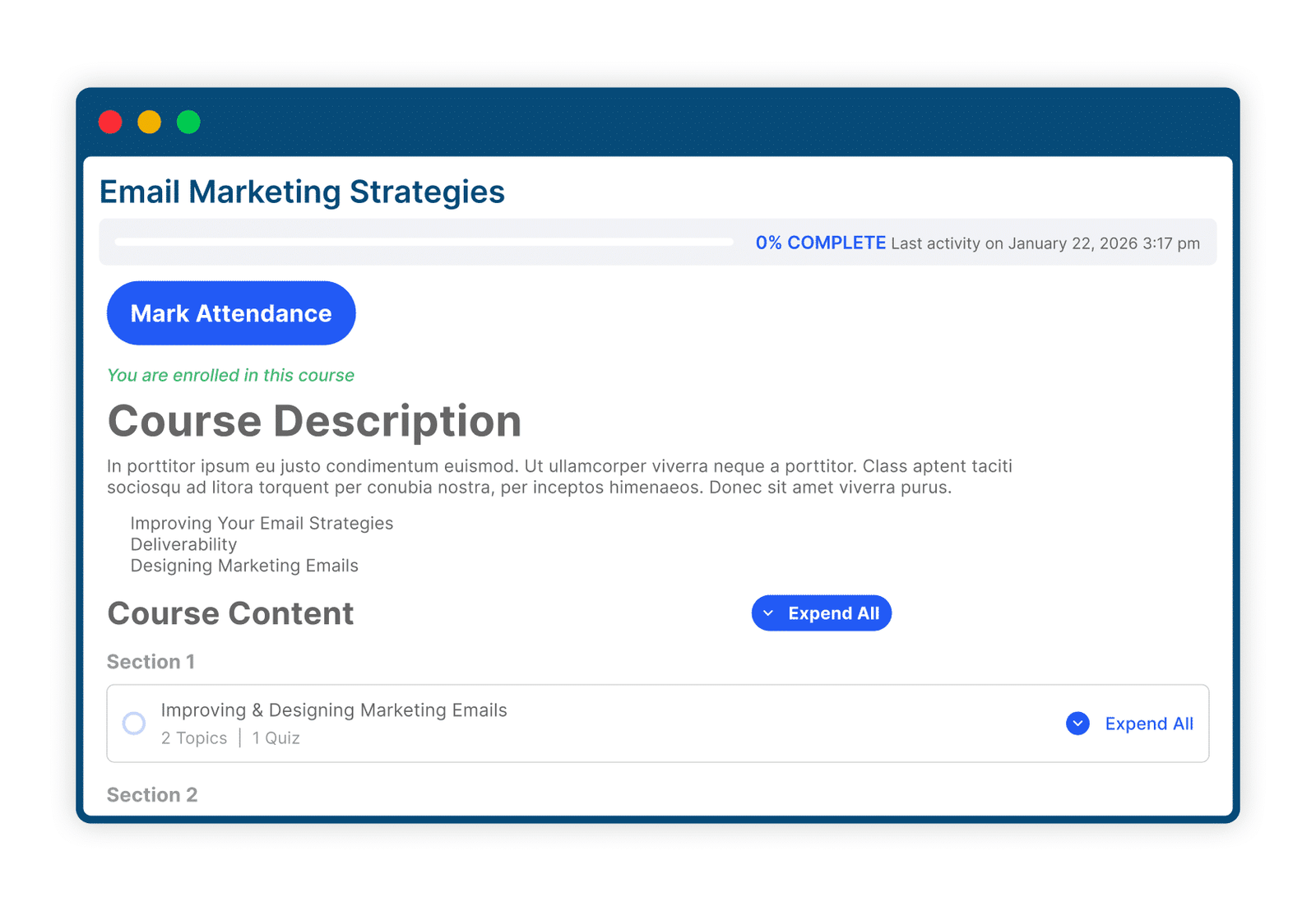
Students can mark their own attendance on lessons and topics, or you can restrict marking to admins and group leaders only. To keep self-marking honest, you can limit it to a single device. Admins pull detailed reports with filters and export them as CSV, show attendance stats on the frontend with shortcodes, and track the time students spend on courses, lessons, topics, and quizzes. Weekly or monthly email reports and a per-student attendance summary round it out.
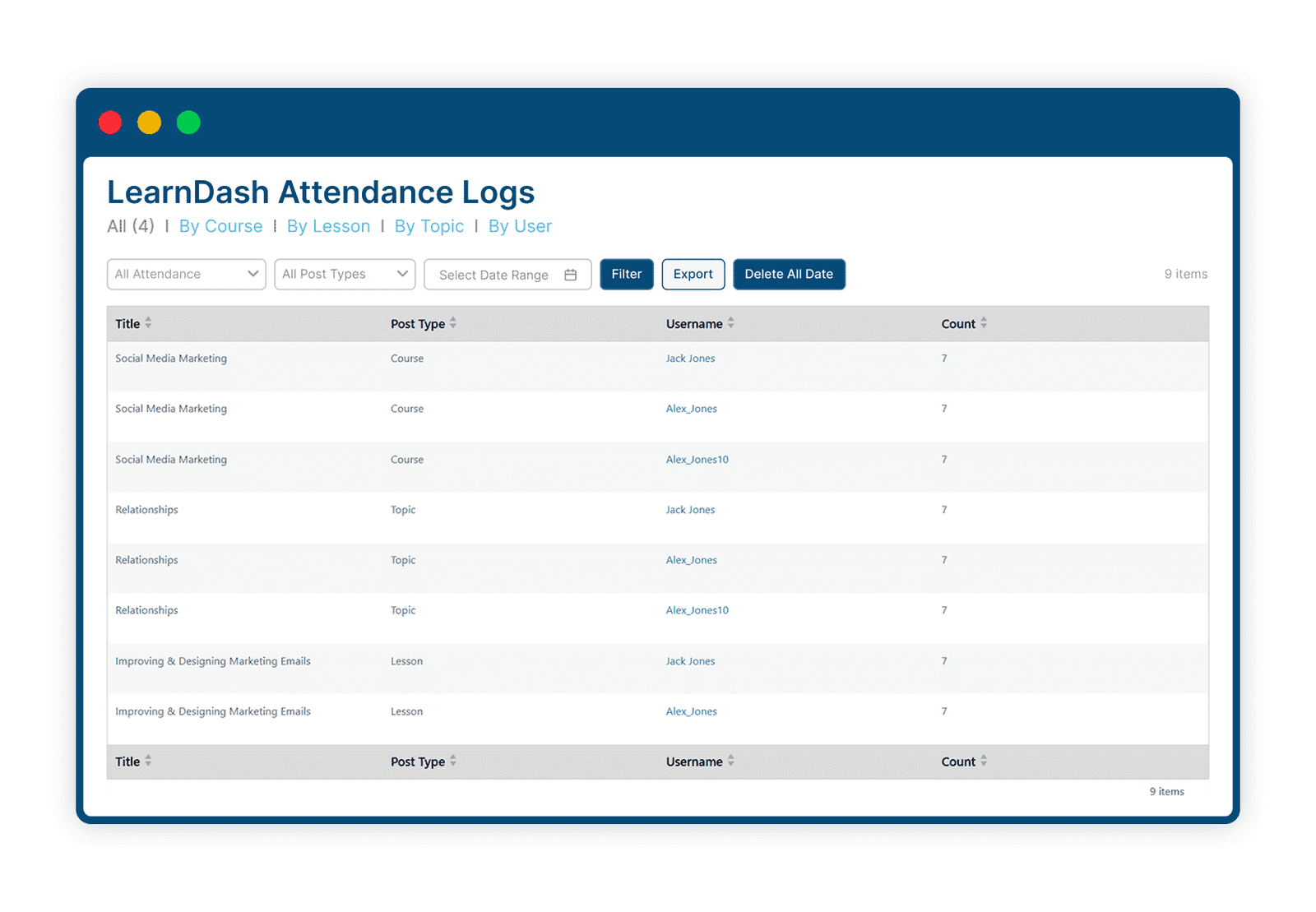
This LearnDash add-on fits regulated training and instructor-led programs where you need proof of participation, not just completion.
Key Takeaways
- Pick add-ons based on the problem you’re solving, not the feature count. Each of these seven targets a clear, specific need.
- For admin efficiency, Quiz Import Export and Progress Reset cut down the most manual work.
- For trust and compliance, Certificate Verify & Share, CEUs, and Attendance give you records that hold up to outside review.
- For student engagement, Activity Timeline and Goals keep learners motivated and moving through your courses.
- Most of these run on standard requirements and work together, so you can stack a few without conflict.
- Start with one or two that fix your biggest pain point, then add more as your site grows.
Final Thoughts
The LearnDash plugin gives you a solid foundation, but the difference between a functional course site and a seamless learning experience often comes down to the add-ons you use. The seven add-ons listed here each solve a real need, including quiz import/export, certificate verification and sharing, CEU management, activity timelines, goal tracking, progress resets, and attendance tools that help keep students engaged. Each LearnDash add-on fills a gap that the core plugin doesn’t address on its own.
Every site is different, so the right mix depends on what you’re running. A compliance-heavy training provider will lean toward CEUs and attendance, while a self-paced course creator might get more out of Goals and the activity feed. The good news is you don’t have to hunt across a dozen sources to find them, since they all sit in one place.
Take a look at the full LearnDash add-ons library to see these tools in action and find the ones that fit your setup. If you need something built to your exact spec, the team also handles custom plugin development for LearnDash sites. And if you’re not sure where to start or want a quick opinion before you buy, reach out through the contact page and someone will point you in the right direction.
Frequently Asked Questions
Do these add-ons work with the core LearnDash plugin?
Yes. All seven LearnDash add-ons are built to run on top of the core plugin and follow its data structure. You need an active LearnDash install for them to function, since they extend the core plugin rather than replace it.
Can I use more than one of these add-ons at the same time?
Yes. These LearnDash add-ons are made to run alongside each other, so you can combine a few based on your needs. For example, many sites pair Certificate Verify & Share with CEUs to cover both verification and credit tracking.
Which add-on is best for compliance training?
CEUs and Attendance are the two to look at. CEUs handle credit tracking and reporting, while Attendance gives you participation records and time logs. Together they cover most compliance reporting needs.
Do I need coding skills to use these?
No. These add-ons are built for course creators, not developers. Features like quiz imports and attendance reports work through the WordPress admin with templates and settings, so you follow the format instead of writing code.
Can students see each other’s activity or progress?
Only with the Activity Timeline add-on, and only for the activity types you choose to show. You control what appears in the feed, so you can keep it to completions and certificates or open it up wider.
Will Progress Reset delete data permanently?
It resets progress back to zero for the accounts you select, which does remove that progress data. To stay safe, you can generate a pre-reset backup report in Excel before running any reset.
How does certificate verification work for employers?
Employers verify a certificate from its public page using the certificate ID, a verification link, or a QR scan. They don’t need access to your site’s admin area, which keeps the process simple on both sides.
Can students set their own study goals?
Yes. The Goals add-on lets each student set a weekly study time target and track it with a progress bar. They can update the goal whenever they want, and the add-on sends encouragement and congratulations emails along the way.
Are these add-ons a good fit for a brand-new course site?
It depends on your goals. A new site usually does fine with one or two that solve an immediate need, like Goals for motivation or Quiz Import Export for fast setup. You can always add more as your student base grows.
Need Ongoing WordPress Maintenance & Support?
We handle updates, performance monitoring, security hardening, and technical fixes so your WordPress and WooCommerce site stays stable and secure.

How to Use LearnDash Student Quiz Builder (2026 Guide)
Learn how to use LearnDash Student Quiz Builder to let students create practice quizzes from the front end.
Read More...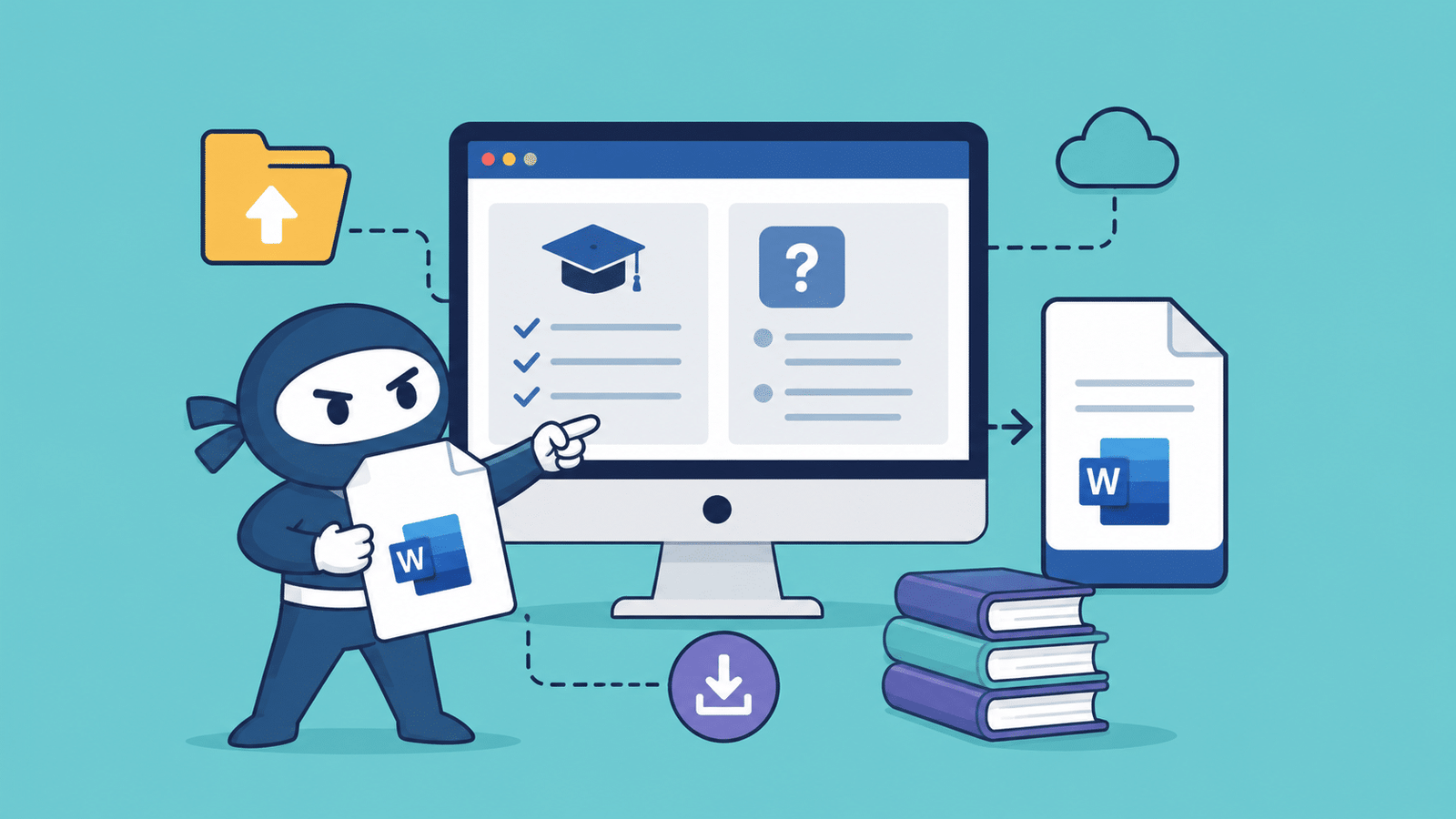
Introducing DOCX Compatibility for LearnDash Course & Quiz Import/Export
Discover DOCX support for LearnDash Course Import/Export and LearnDash Quiz Import/Export. Easily import and export courses and quizzes.
Read More...
Best WordPress Hosting for WooCommerce & LearnDash in 2026
5 WordPress hosting providers compared for WooCommerce and LearnDash. Verified pricing, real trade-offs, and a pick for every use case.
Read More...
