The WooCommerce Product of Day add-on allows you to promote your product every day by showing them to your customers.
Video Tutorial
Watch the tutorial video below for a quick walkthrough of the add-on’s features and setup process.
For detailed instructions, please continue reading the full documentation. If you still have any questions, feel free to submit a support ticket.
Installation
- Install the Woocommerce plugin & activate it.
- Install the WooCommerce Product of Day add-on and activate it.
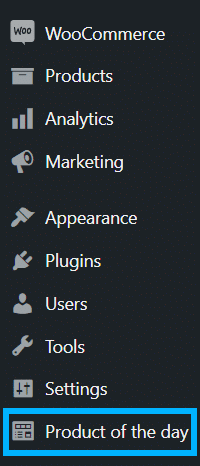
- There will be a new “Product of the Day” entry on the WordPress side menu.
Activate Your License Key
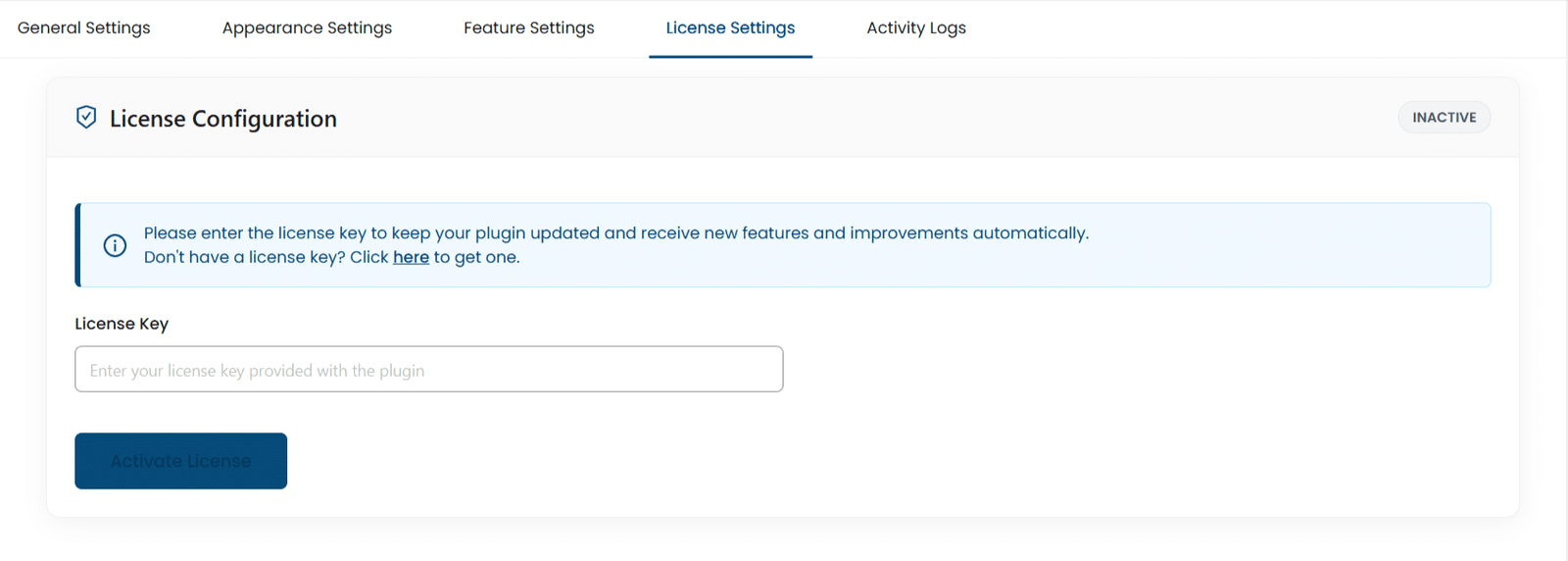
The license key can be configured from the License Settings tab, found on the “Variations to Cart” menu. License keys will be sent to your email address when you purchase the add-on.
Insert your license key in the field and then click on “Activate License”.
Settings
General
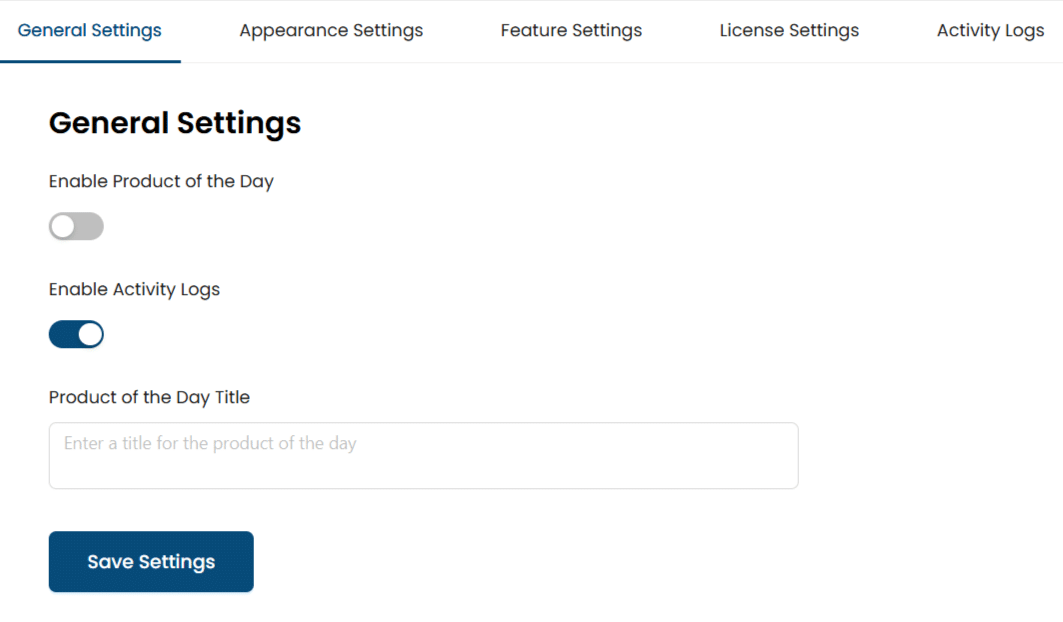
Enable Product of the Day
To display the Product of the Day on the front end, enable this toggle.
Enable Activity Logs
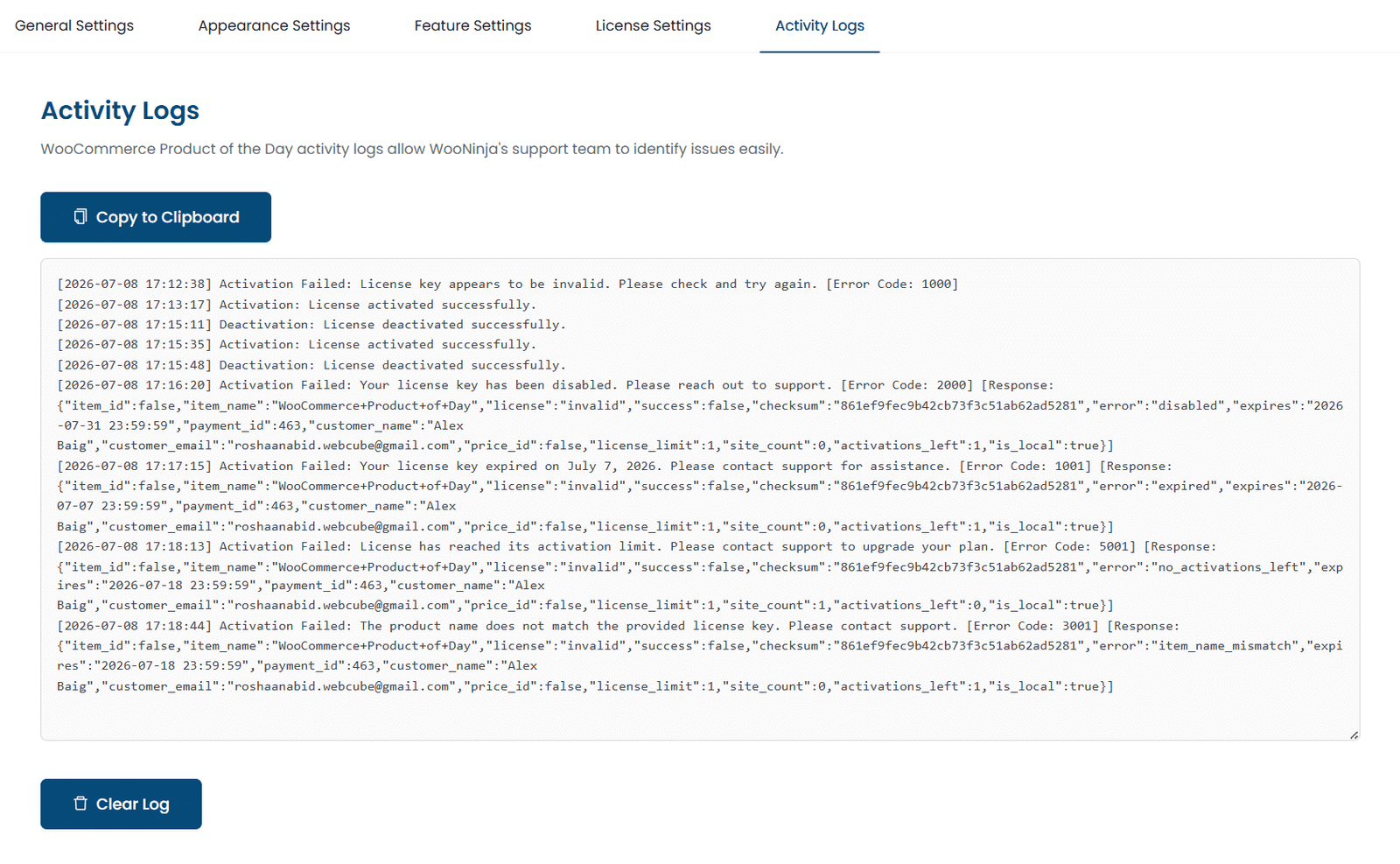
Enable this toggle to log license activation-related events in the activity logs. This helps WooNinja’s support team identify issues easily. When this option is enabled, a new tab “Activity Logs” will become visible.
Product of the Day Title
Here you can add the title of the popup that will appear on the frontend.
Appearance Settings
Here you can change the settings related to the appearance of the pop-up and navigation bar.
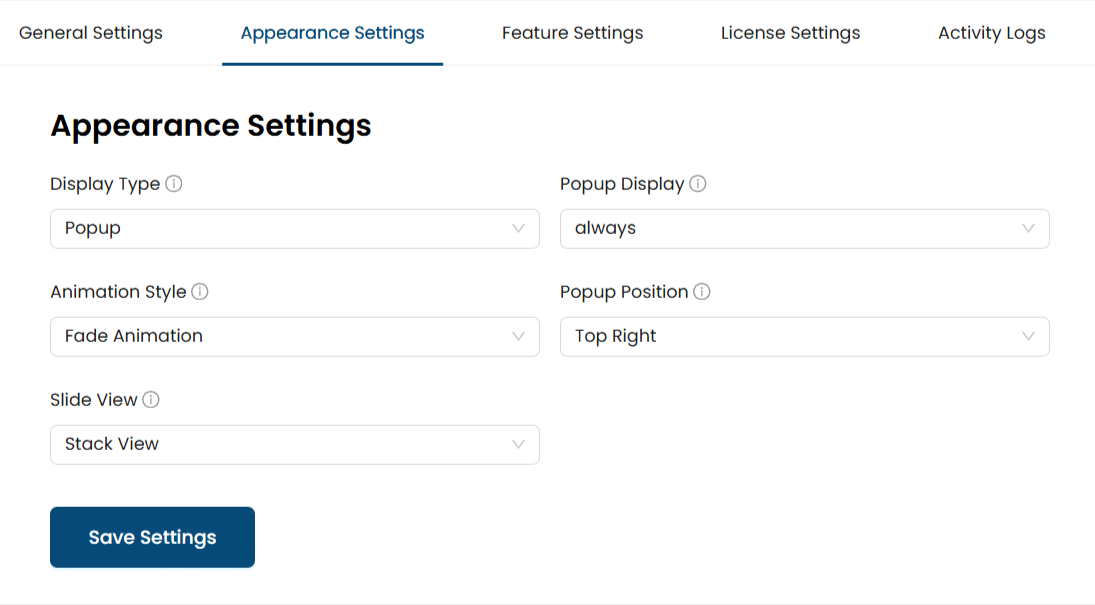
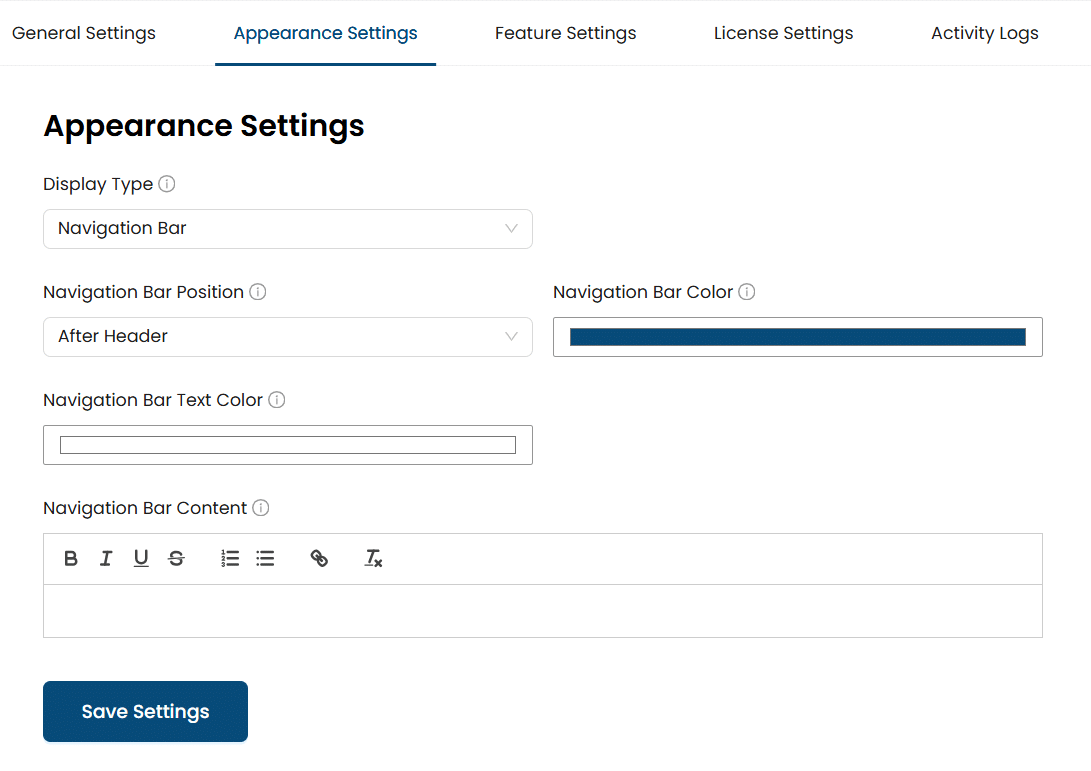
Display Type
Here, you can choose how the content will be displayed (either as a pop-up or in a navigation bar). You can also choose from the options: “Popup” and “Navigation Bar”.
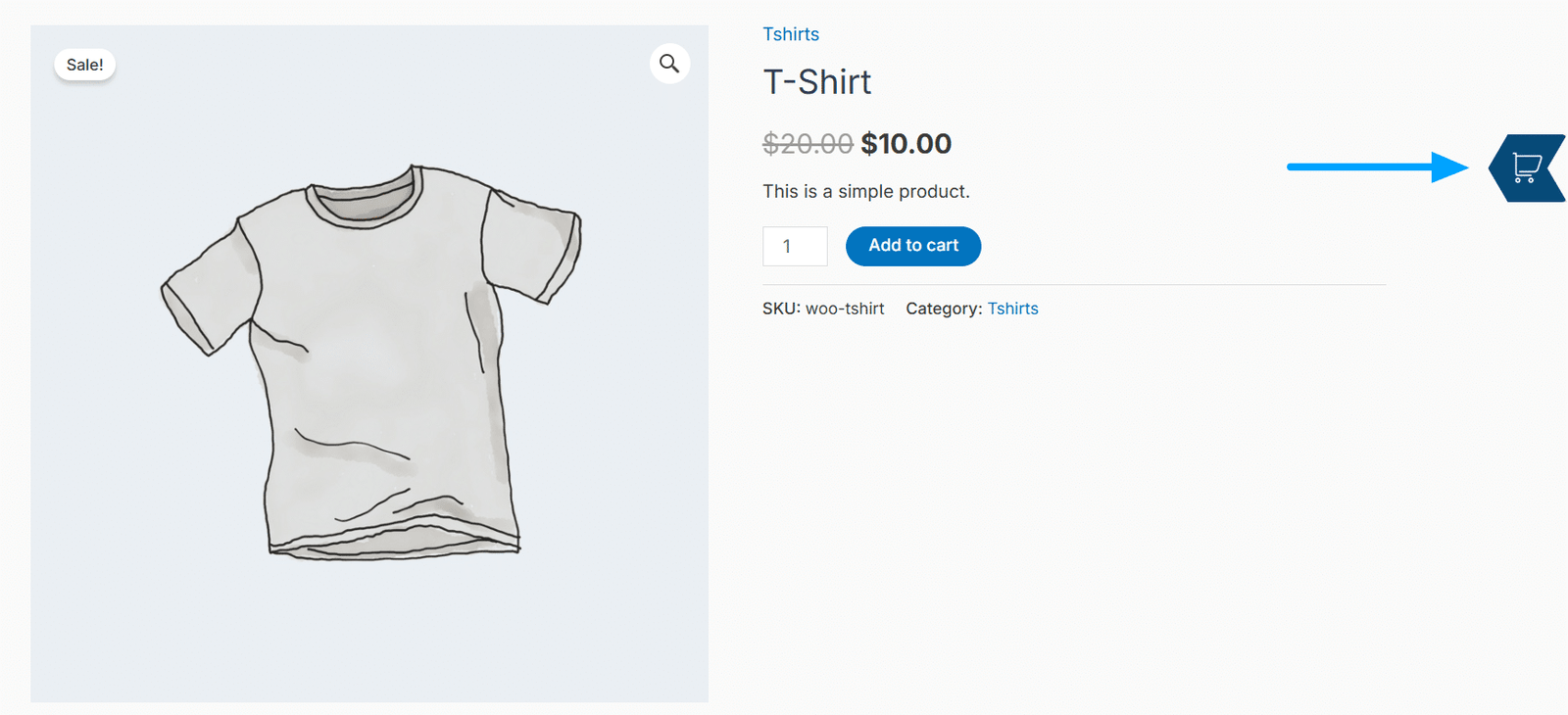
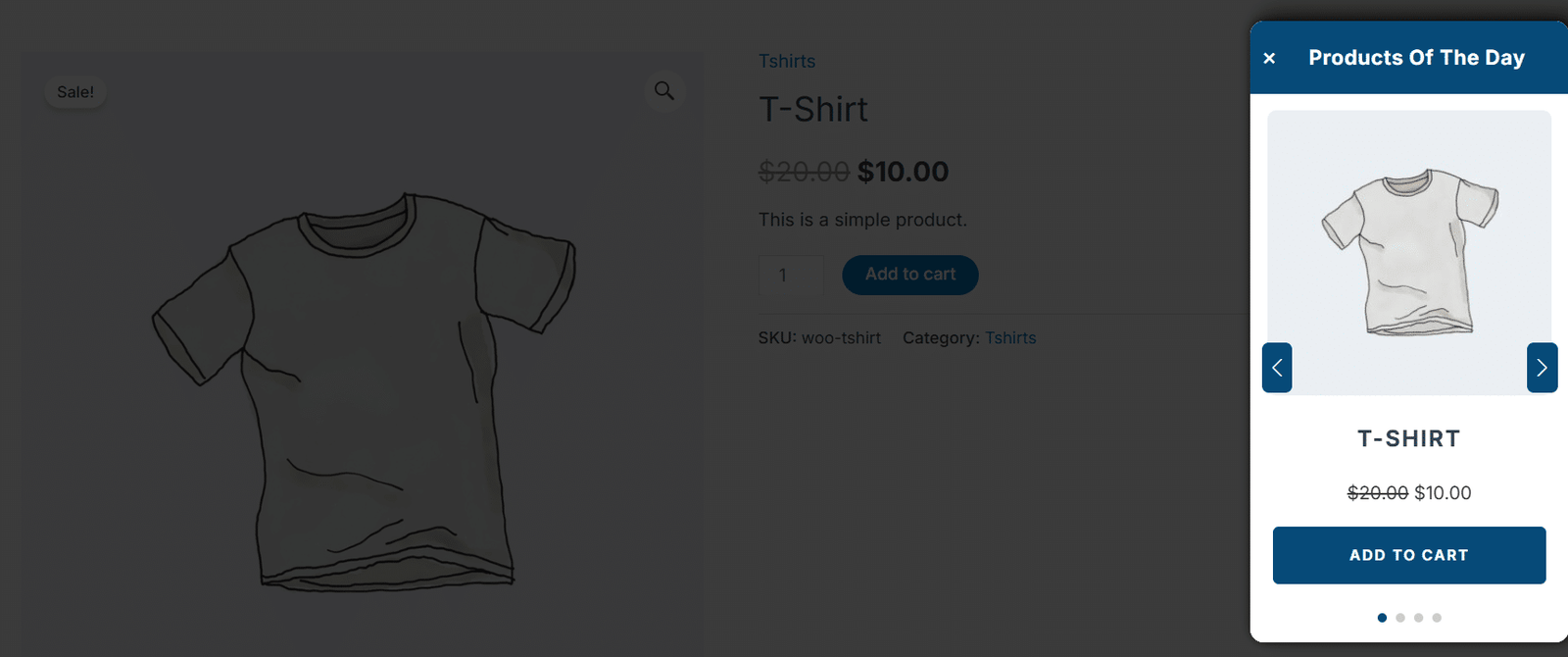
Popup Display
Popup Display
Here you can display a pop-up on the click of an icon for the Product Of The Day, or make it load dynamically on each page load. You can choose from the options: “On Click of Icon” and “On Load”.
Animation Style
Here you can choose the animation style for the pop-up when it is shown. You can also choose from the options: “Fade Animation”, “Zoom In Out”, “Slide Down Up”, “Slide Up Bottom”, “Rotate SlideIn”, “Roll Animation”, “Rotate Animation”, “Flip Horizontal”, “Flip Vertical”, “Skew Animation”, “Rotate Scale Animation”, “Pulse Animation”.
Popup Position
Here you can choose the position to display the pop-up on the page. The center position only works for the pop-up position, whereas the other position works for both the pop-up and the button. You can also choose from the options: “Top Right”, “Bottom Right”, “Top Left”, “Bottom Left”, and “Center”.
Slide View
Here, you can choose the layout for showing the slide content. You can also choose from the options: “Stack View” and “Queue View”.
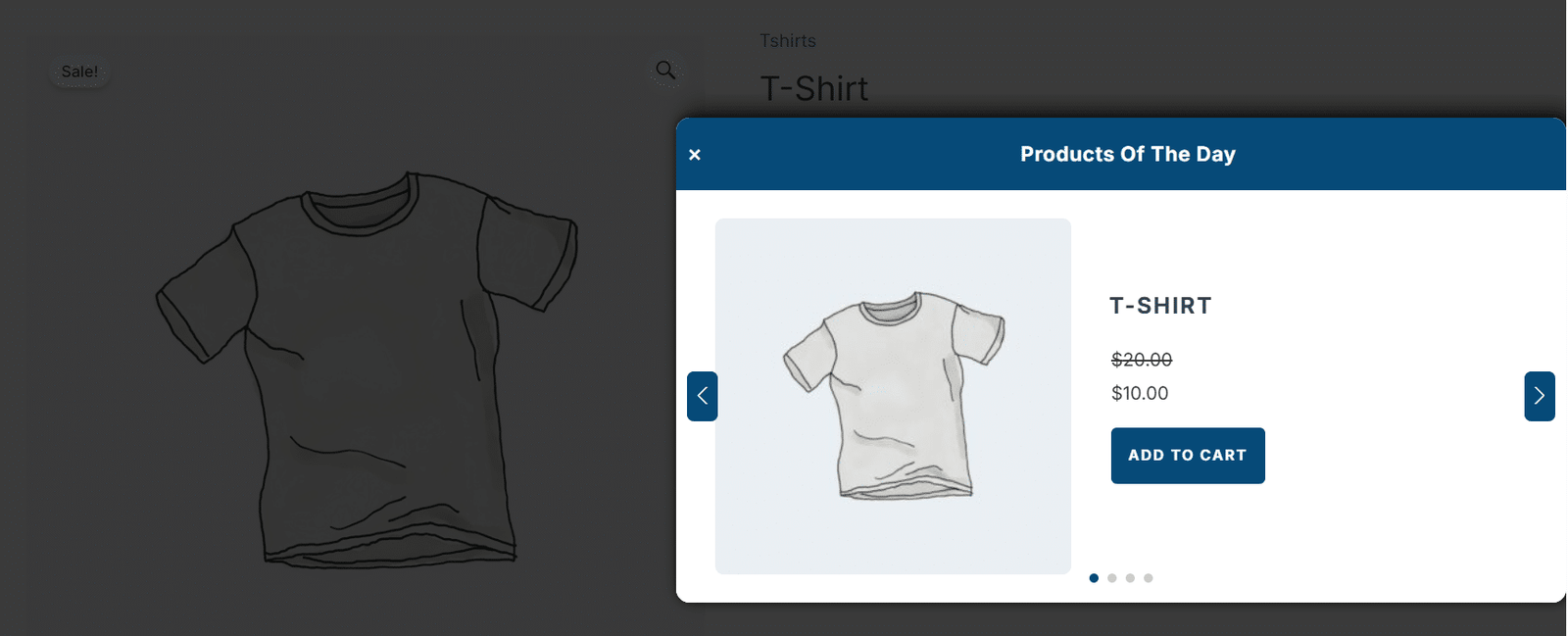
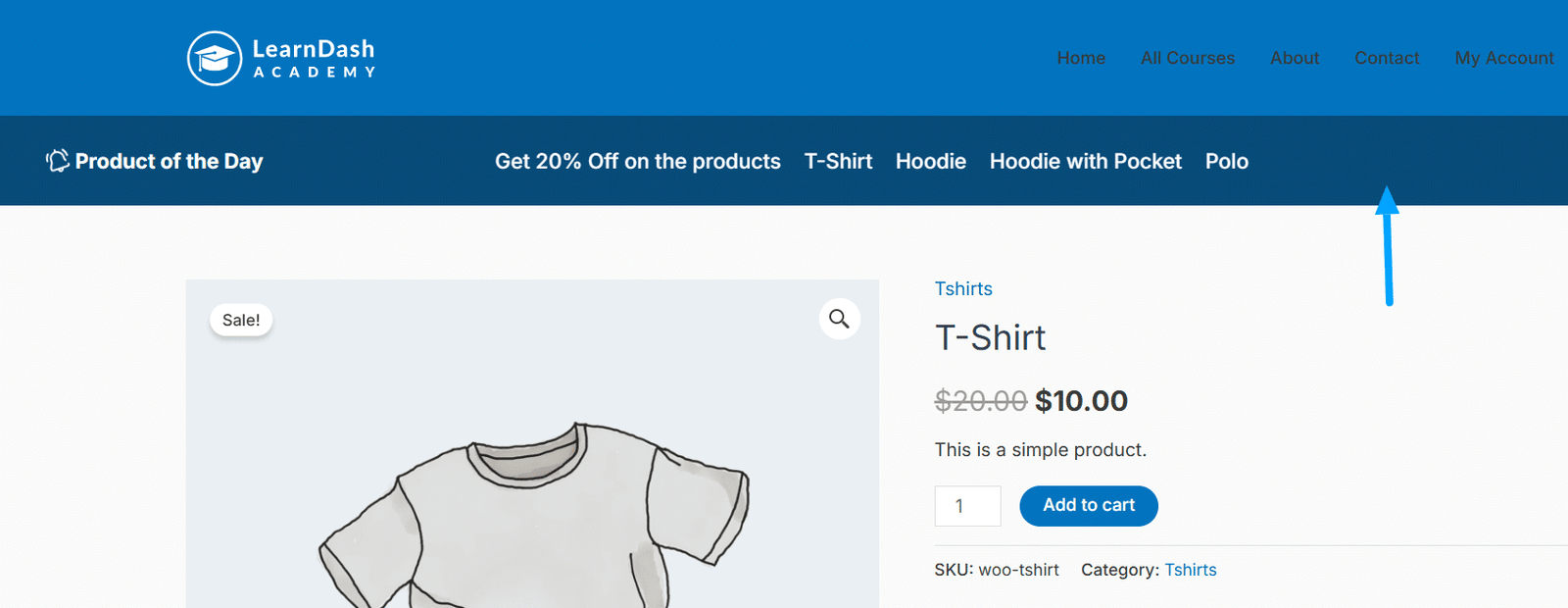
Navigation Bar Position
Here you can choose where to display the navigation bar in four different places, before and after the header and footer.
Navigation Bar Color
Here you can select the color for the background of the navigation bar.
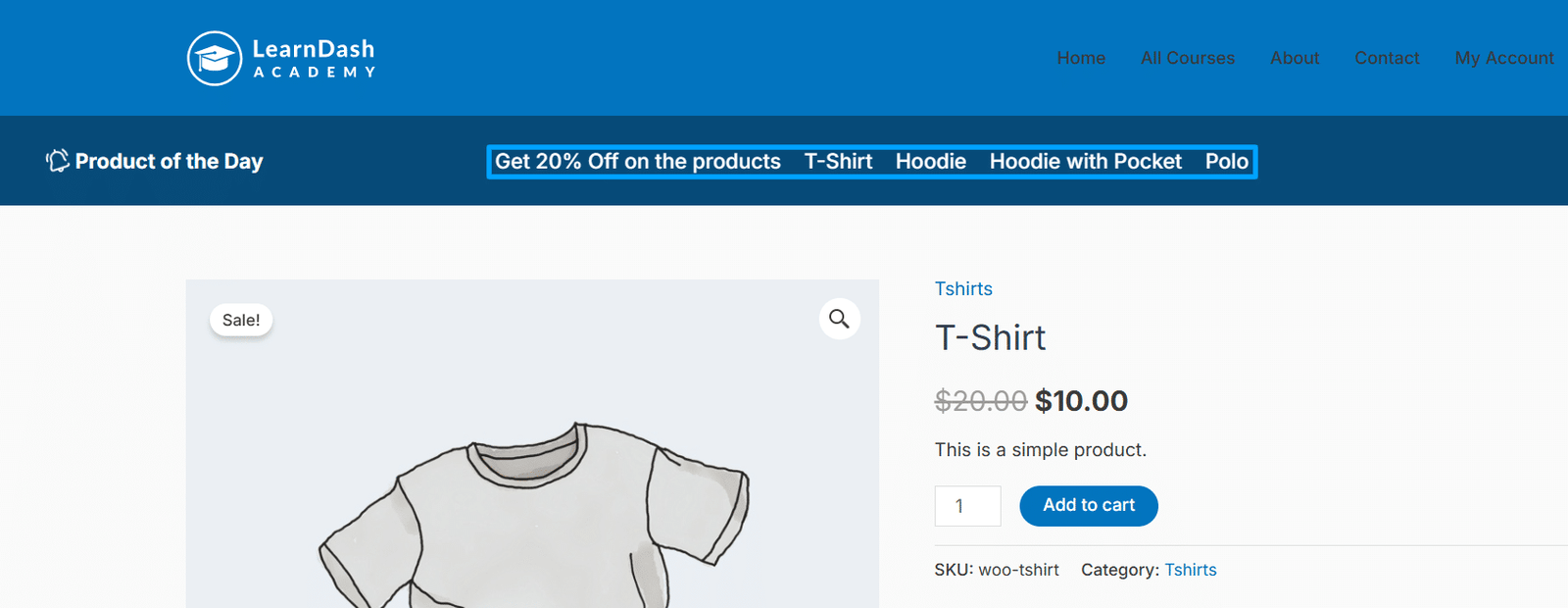
Navigation Bar Text Color
Here you can choose the text color for the navigation bar.
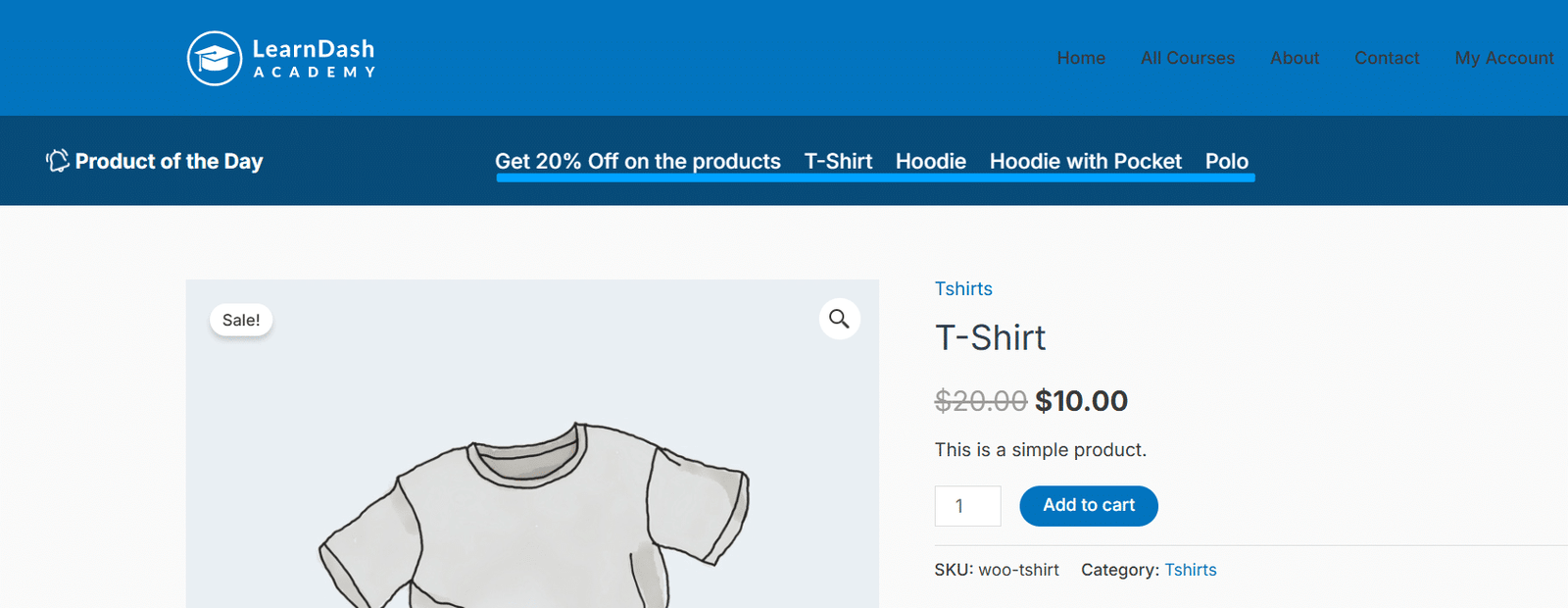
Navigation Bar Content
Here you can choose the content to display in the navigation bar. You can also use the shortcode( [products_of_day] ) to display the product list selected in the “Feature Settings” tab.
Features
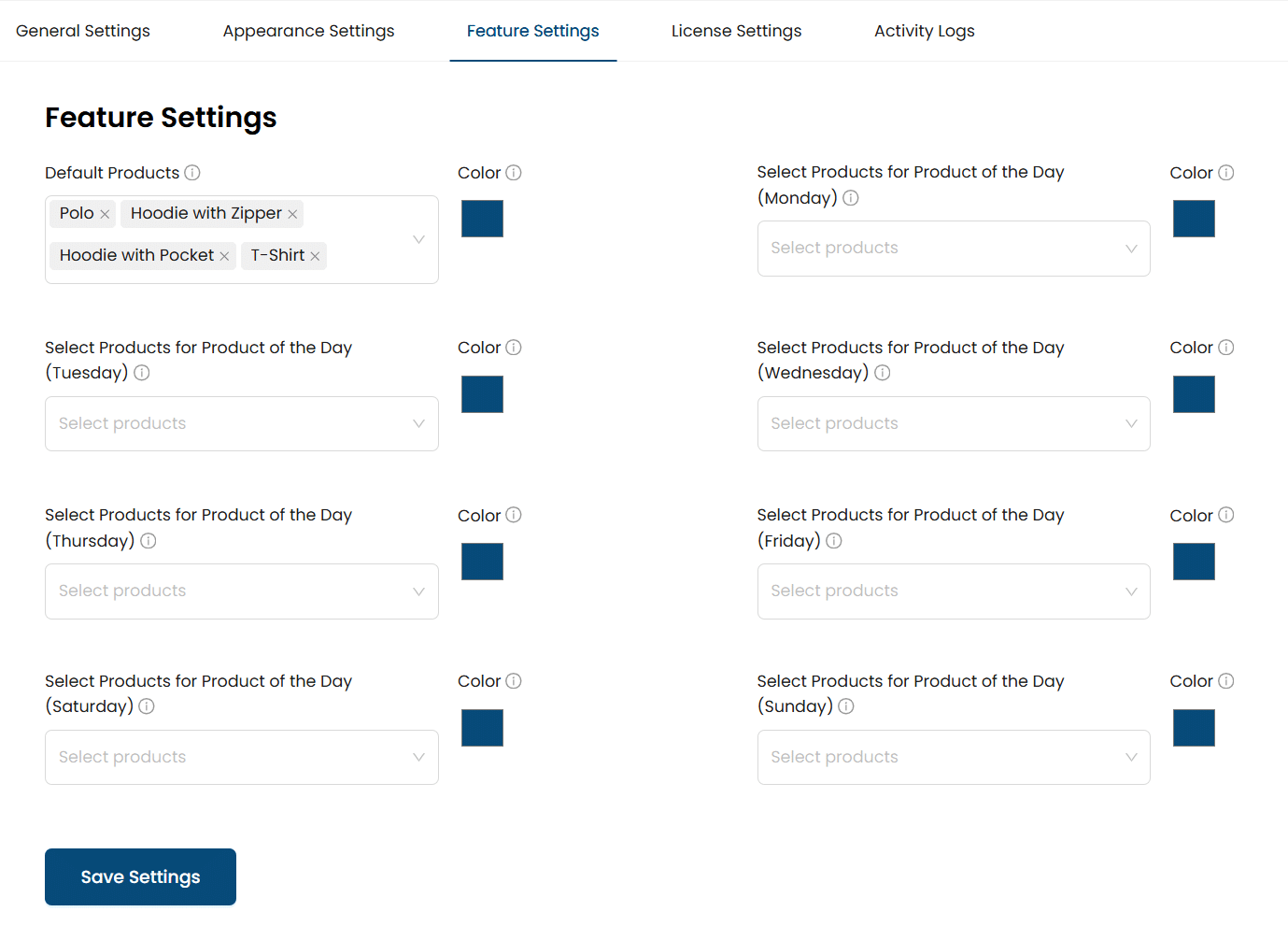
Here, dropdown lists of all of the available products will appear, and from these lists, you can easily select the product that you want to show to your customers in general and on specific days, with specific background colours.
All products will show up as usual. But if you set specific products for a certain day, and that day is today, then those products will be displayed to customers on the site. They’ll also see the background color you chose for that day.
FAQs
Can I select multiple products?
Yes, you can select multiple products.
Based on the sales, can we schedule the Product of the day?
No, currently you have to manually add the Product of the Day.
Is any Product of the day widget available?
No, this add-on doesn’t support widgets at the moment.
Changelogs
2.0.3
- Fix: Fixed Settings issues.
2.0.2
- Fix: Improved Licensing Module.
2.0.1
- Fix: Improved performance by optimizing slow database queries.
- Fix: Addressed security and performance issues based on PHPCS recommendations.
- Fix: Updated code to comply with WordPress Codex standards.
- Fix: Resolved issue with Appearance Settings tabs not saving correctly.
2.0.0
- New: Integrated License Module.
- New: Introduced Appearance Settings tabs.
- New: Added layout options for Navigation Bar and Popup.
- New: Enhanced Popup features including Display options (On Click, On Load), Positioning (Top Left, Top Right, Bottom Left, Bottom Right, Center), Slide Views (Stack, Queue), and Animation Styles (Fade, Rotate Slide-In, Zoom In/Out, Rotate, Roll, Flip Horizontal, etc).
- New: Expanded Navigation Bar features with Positioning options (After Header, Above Header, etc), customizable Colors, and Content settings.
- New: Added Product Selection dropdown in Features Settings (Default, or specific days: Monday, Tuesday, Wednesday).
- Fix: Addressed security issues in input data fields.
- Fix: Improved overall performance.
- Fix: Corrected slide traversal issues.
1.1.0
- New: Added multiple product selection.
- New: Implemented React-based Admin UI.
1.0.0
- Initial release
