5 Tips for Your Multi-Vendor Marketplace Using EDD FES
EDD FES is a feature-packed add-on by the EDD team, which you can use to turn your digital e-commerce website into a perfect multi-vendor marketplace.

A marketplace is a great way to sell digital products from multiple sellers, but it’s more involved than just launching an online store. A marketplace needs systems for vendor registration, product submission, approval workflow, customer communication, and revenue sharing between the platform owner and sellers.
Easy Digital Downloads is the foundation for selling digital products via WordPress. There’s extra marketplace functionality for businesses wanting multiple creators selling through the same website.
Frontend Submissions builds on this setup by allowing vendors to register, add, and manage their products and access marketplace features from the frontend of the website. This lets site owners grant vendors more freedom while still keeping control of product approvals and marketplace standards.
The proposed approach can be applied to different types of digital marketplaces. One platform could be for instructors to sell courses, another for designers to sell templates, and another for developers to sell software products. Each seller can run their products, and customers can browse and buy items from different sellers through a single marketplace.
Launch a Successful Marketplace: More than installing an extension, site owners want to see vendor guidelines, product review processes, commission rules, and a system that provides a good experience for both sellers and customers.
How EDD FES Works: From Vendor Sign-up to Product Sale
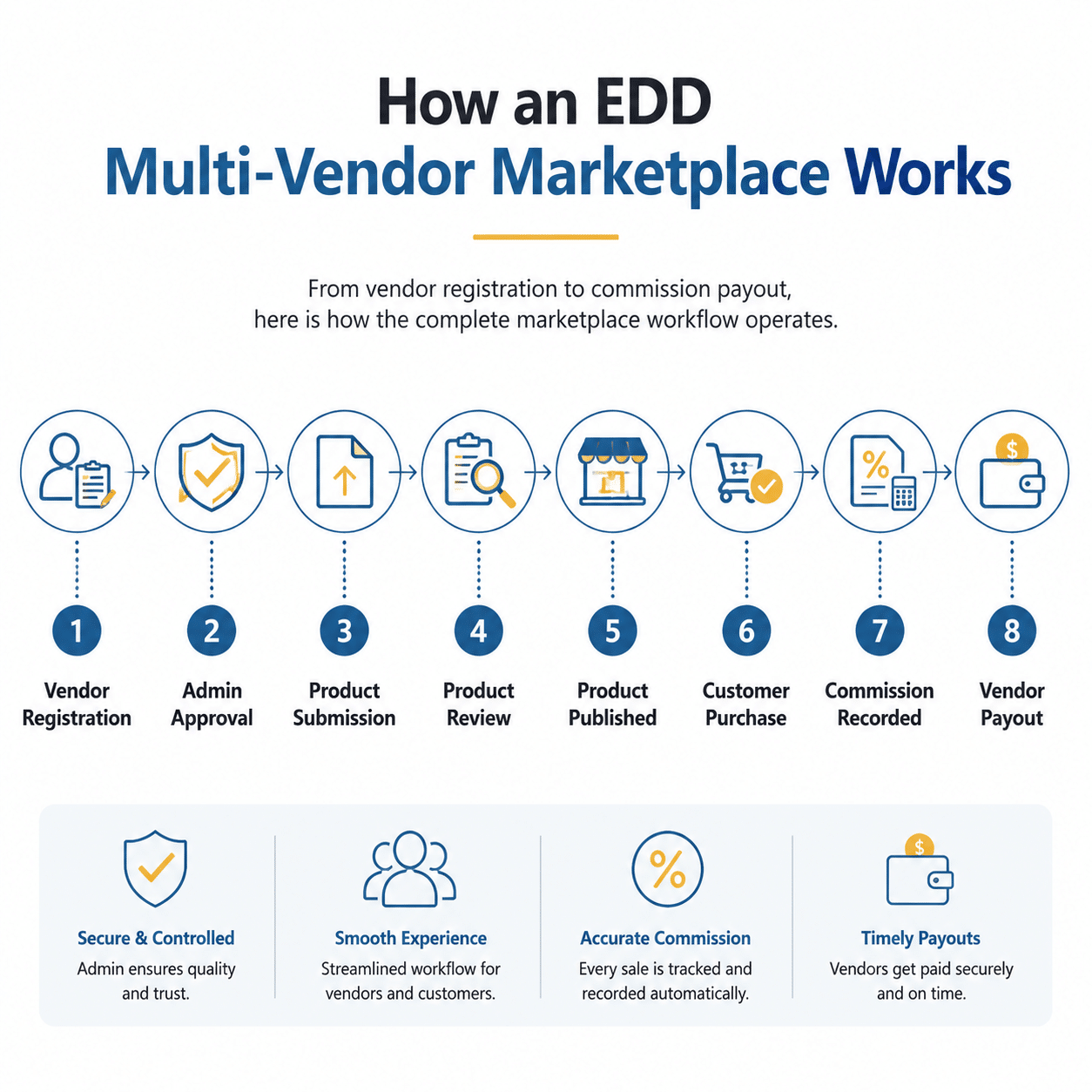
A multi-vendor marketplace needs a clear process to handle vendors, products, and customer purchases. With frontend submissions, vendors can register, submit products, and manage their listings from the frontend while the marketplace owner has full control over approvals and settings.
Vendors can be reviewed and approved post-registration before getting access to their dashboard. This enables them to create and update products, manage their account details, and handle marketplace activities without needing access to the WordPress admin area.
Marketplace owners will review and approve listings before products are available to customers after submission. Commission management tools can also enable the platform owner to manage the revenue sharing between the marketplace and sellers, tracking sales and vendor earnings after a purchase is made.
Key Features of an EDD Multi-Vendor Marketplace
Multi-vendor marketplaces with Easy Digital Downloads require vendor and admin support. These include vendor dashboards for order management, frontend product submissions, approval workflows, customer communication tools, commission tracking and review systems. These capabilities enable many sellers to expand into digital products and provide marketplace owners with control over product quality, vendor activity and consumer experience.
1. Vendor Dashboard and Customer Communication
Frontend Submissions provides sellers with a dedicated dashboard to manage their marketplace activity from the frontend. Vendors can create new products, update existing listings, view order details and manage their account information without needing access to the WordPress admin area. Learn more about the vendor dashboard for Frontend Submissions.
Managing the marketplace is made simpler with a vendor dashboard where sellers can manage their own products, while the site owner can still control the approvals and settings of the marketplace. Vendors can also send and receive messages from customers about product questions, support requests, and pre-sale enquiries using messaging features, such as the EDD Messages extension.
2. Vendor and Product Moderation
If you are running a multi-vendor marketplace, maintaining product quality is also important. Marketplace owners can moderate vendor registrations and product submissions prior to publishing.
Frontend Submissions offers tools for managing vendor applications and reviewing product submissions to control which vendors and products are approved. This helps marketplaces better maintain their standards, reduce low-quality listings and improve the customer experience.
3. Email Notifications and Commission Tracking
Marketplace administrators receive email notifications about important activities such as new vendor registrations, product submissions, and updates to existing listings. Marketplace owners can define notification settings according to the information they need to monitor.
Another essential component of running a multi-vendor marketplace is vendor payments management. Frontend Submissions integrates with the EDD Commissions extension to enable store owners to monitor vendor earnings and manage commissions from product sales. The vendors can see their earnings from their dashboard, and the admin can track commission records and manage the payout process.
Use Easy Digital Downloads customisation services to extend marketplace functionality according to specific business needs, especially for marketplaces needing custom payment workflows or advanced EDD configurations.
4. Drag-And-Drop Form Builders
Marketplace owners can design and customise forms for vendor registration, product submissions, and vendor account profiles with the drag-and-drop form builder. By adding fields that correspond to their marketplace requirements, administrators can control the information collected from vendors.
For example, a course marketplace may require course information and instructor information, whereas a digital asset marketplace may require file details, licensing information, and product categories.
5. Product Reviews and Vendor Feedback
The multi-vendor marketplace relies on customer reviews to establish trust, as they enable buyers to assess the quality of the product and the reliability of the vendor. The EDD Reviews extension allows marketplace owners to let customers review products and get an insight into the vendor experience.
Feedback from consumers can give vendors an idea of how well their products are doing and admins can keep an eye on reviews to help maintain the quality of the marketplace and find ways to improve.
Add Screenshots
Looking for a Ready-Made Solution?
Explore our WordPress, WooCommerce, and LMS plugins built to extend functionality without custom development.
Recommended Plugin Stack
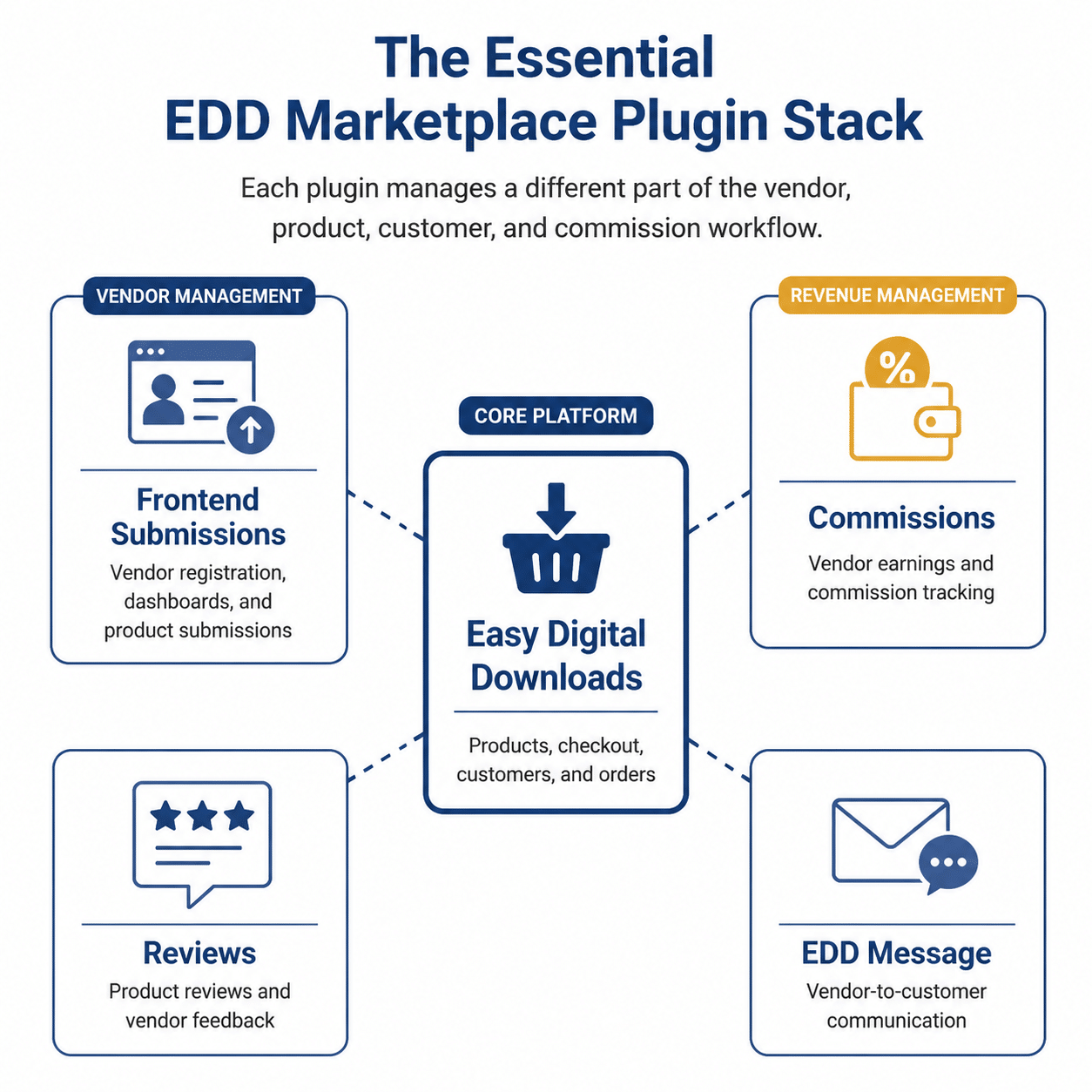
Building a multi-vendor marketplace with Easy Digital Downloads generally involves a mixture of multiple components. Each extension takes care of a specific part of the marketplace flow starting from managing vendors and products to tracking commissions and communicating with the customers.
You get Easy Digital Downloads to sell digital products, Frontend Submissions to manage vendors and submit products, Commissions to track vendor earnings, Reviews to get feedback from customers, and Messages to communicate with vendors.
Together, these tools provide the basics for managing vendors, products, sales and marketplace operations from a single platform.
Common Challenges When Building a Marketplace
Creating a successful multi-vendor marketplace is more than simply having the right tools. Marketplace owners need to have clear processes to manage their vendors, ensure product quality and offer a consistent customer experience. The more vendors and products there are, the more important these processes become to keep the marketplace organised.
One of the biggest challenges is maintaining quality. Without a proper review process, the marketplace can be flooded with duplicate listings, incomplete product information or low-quality content. Before publication, reviewing vendor registrations and product submissions helps to maintain consistent standards and build customer trust.
Another challenge is handling vendor payments, communication and day-to-day marketplace operations. Clear commission structures, regular payout schedules, and effective communication channels help vendors understand expectations and reduce the administrative workload. As the marketplace grows, regular extension updates, vendor activity monitoring, and improved marketplace policies lead to stability and growth in the long term.
Final Thoughts:
Easy Digital Downloads + Frontend Submissions gives you the tools to build a multi-vendor marketplace for digital products. It provides a flexible foundation for marketplaces of all sizes. This includes vendor registration, product management, commission tracking, and customer communication.
Instead of competing directly with established platforms like Fiverr or Udemy, consider focusing on a niche audience where you can offer specialised products or services. Whether you’re building an online marketplace for courses, software, digital templates, or creative assets, a clear niche can help you attract the right vendors and customers and create a better user experience.
Looking for help with the EDD Marketplace?
More than just plugin installations are often required for building a multi-vendor marketplace. You may also need additional development for custom vendor workflows, marketplace-specific features, payment integrations, and performance optimisation.
At WooNinjas, we help companies build and customise Easy Digital Downloads stores based on their specific needs. Need help setting up frontend submissions, enhancing your marketplace, or developing custom features? Let us help you create a scalable marketplace for digital products.
FAQs
Can Easy Digital Downloads be used to create a multi-vendor marketplace?
Yes, Easy Digital Downloads supports multi-vendor marketplaces with the Frontend Submissions extension, which provides vendor registration, product management, moderation, and dashboards.
Can vendors upload and manage their products?
That’s right. Vendors can create, edit, and manage their products from the frontend without having WordPress admin access.
How does EDD Frontend Submissions handle vendor commissions?
The Frontend Submissions extension works with the EDD Commissions extension to automatically assign commissions to vendors when they submit products. Marketplace owners can set default, user-specific, or product-specific commission rates, track vendor earnings and manage payouts as per their marketplace policies.
Can I customize the vendor registration and product submission forms?
Yes, an official drag-and-drop form builder that allows administrators to customise fields for vendor profiles, submission forms, and registration forms.
Is EDD frontend submissions suitable for all types of marketplaces?
Frontend Submissions deals primarily with downloaded products such as online courses, software, e-books, templates, photos, music, and more. Support may need custom programming or extensions for commercial operations in complex marketplaces.
Need Ongoing WordPress Maintenance & Support?
We handle updates, performance monitoring, security hardening, and technical fixes so your WordPress and WooCommerce site stays stable and secure.
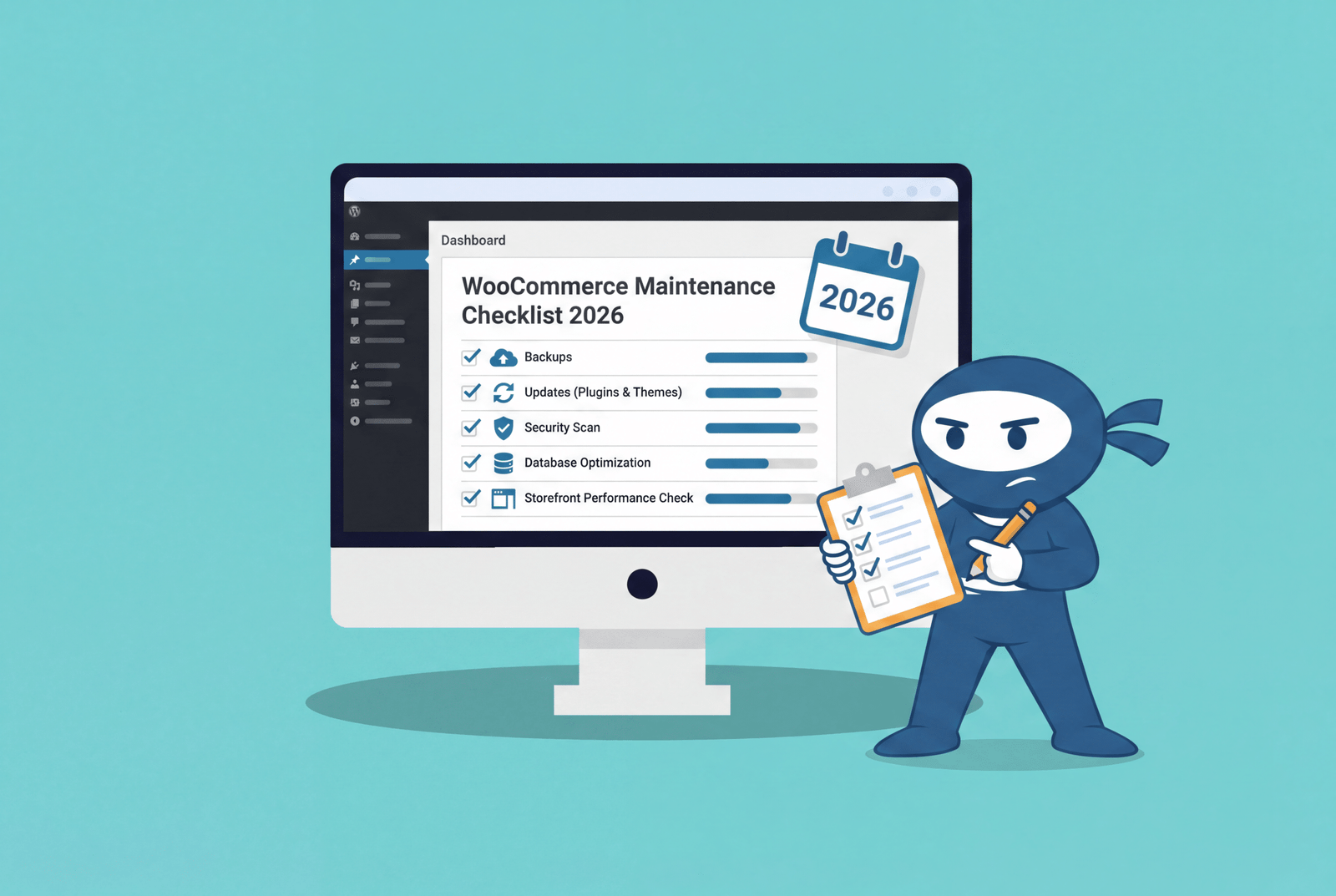
The WooCommerce Maintenance Checklist: Everything You Need to Do in 2026
The complete WooCommerce maintenance checklist for 2026. Backups, updates, security, speed, and storefront tasks with a clear action plan.
Read More...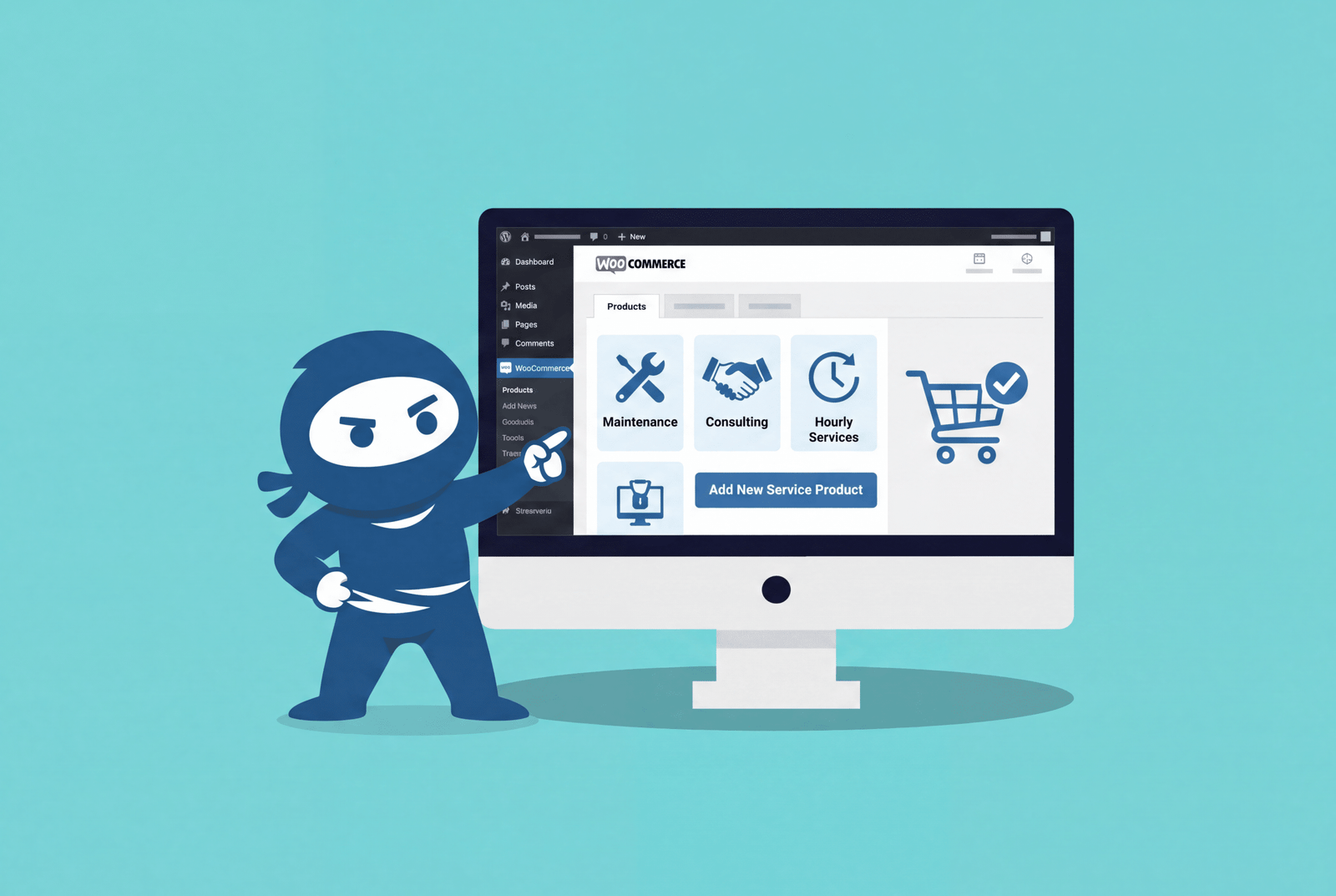
Can You Sell Services on WooCommerce? A 2026 Complete Guide
Learn how to sell services on WooCommerce with this easy guide. Start selling consultations and digital services today.
Read More...
WooCommerce vs Shopify: The Honest 2026 Comparison
Compare WooCommerce vs Shopify based on costs, flexibility, scalability, and business needs. Find the right e-commerce platform in 2026.
Read More...
