Introducing DOCX Compatibility for TutorLMS Course & Quiz Import/Export
Explore DOCX support for TutorLMS Course & Quiz Import/Export. Import, export, and manage courses and quizzes using structured DOCX files.

Managing TutorLMS content just became easier. WooNinjas now adds DOCX support to both TutorLMS Course Import/Export and TutorLMS Quiz Import/Export, allowing educators and administrators to create, import, export, and share courses and quizzes using Microsoft Word documents alongside existing Excel workflows.
This brings a document-first approach to course and quiz management while still supporting scalable bulk operations.
DOCX Support Across TutorLMS Add-Ons
DOCX functionality is available in both add-ons, with clearly defined roles:
- TutorLMS Course Import/Export: DOCX for course content import and export
- TutorLMS Quiz Import/Export: DOCX for quiz import and export using structured question and answer files
TutorLMS Course Import/Export with DOCX
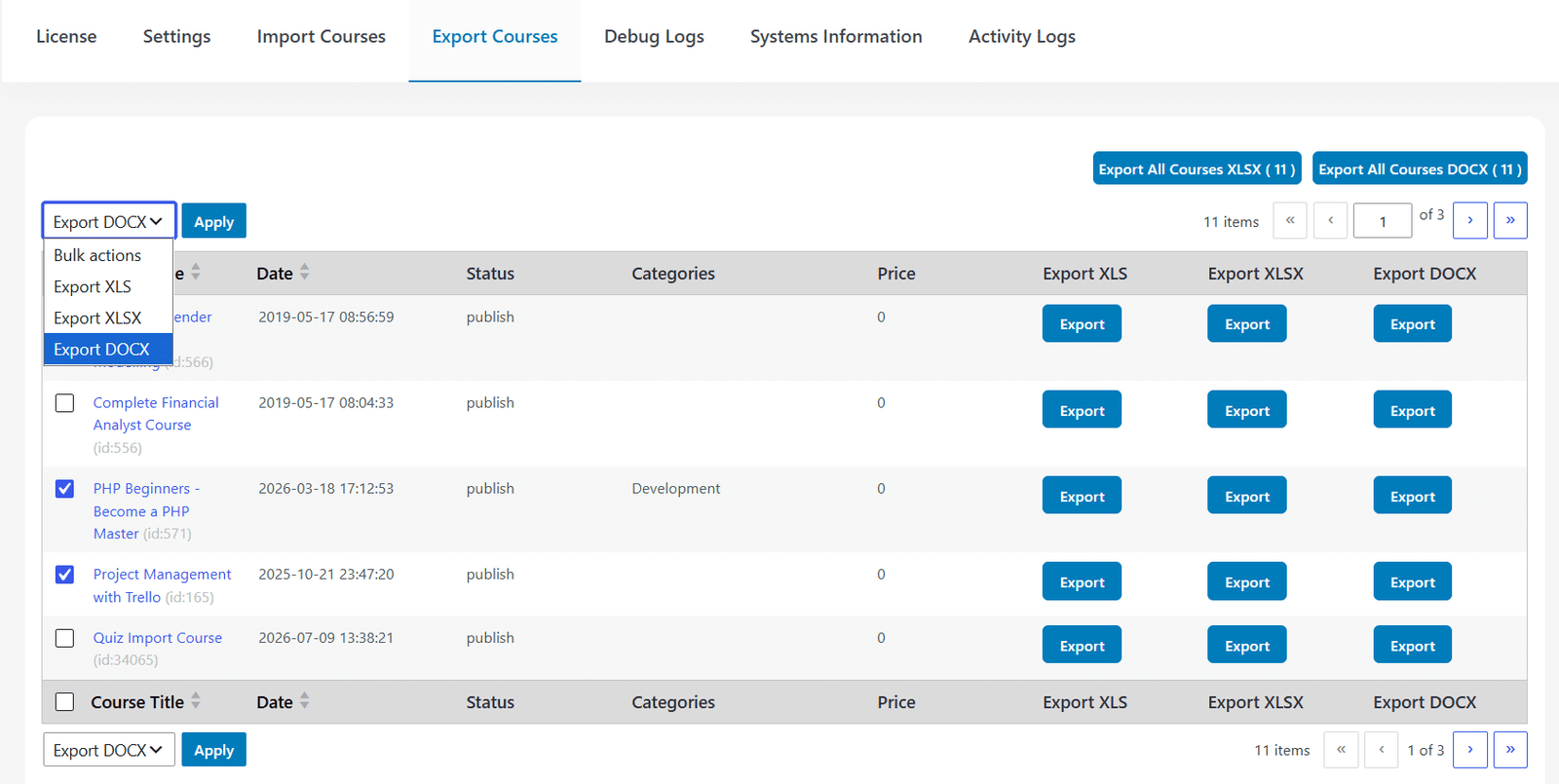
Export Courses as DOCX
- Export a single course as a DOCX file
- Export multiple courses as a ZIP containing individual DOCX files
The DOCX export includes course content only, such as:
- Course name
- Featured image
- Description
- Intro video link
- Topics and summaries
- Lessons, content, images, and video links
For exporting course settings along with content, Excel (.xls, .xlsx) is used.
Import Courses Using DOCX
- Import one course at a time using a DOCX file
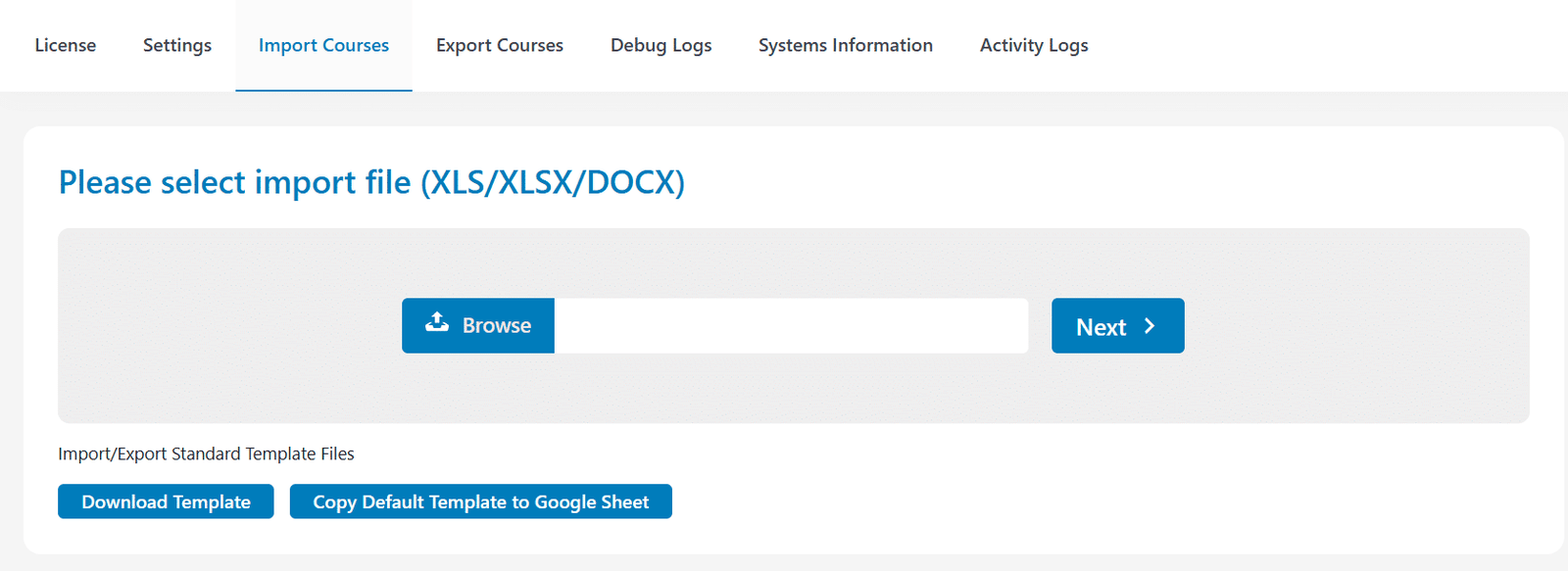
- Upload from the Import Courses tab
- Click Next to process the file
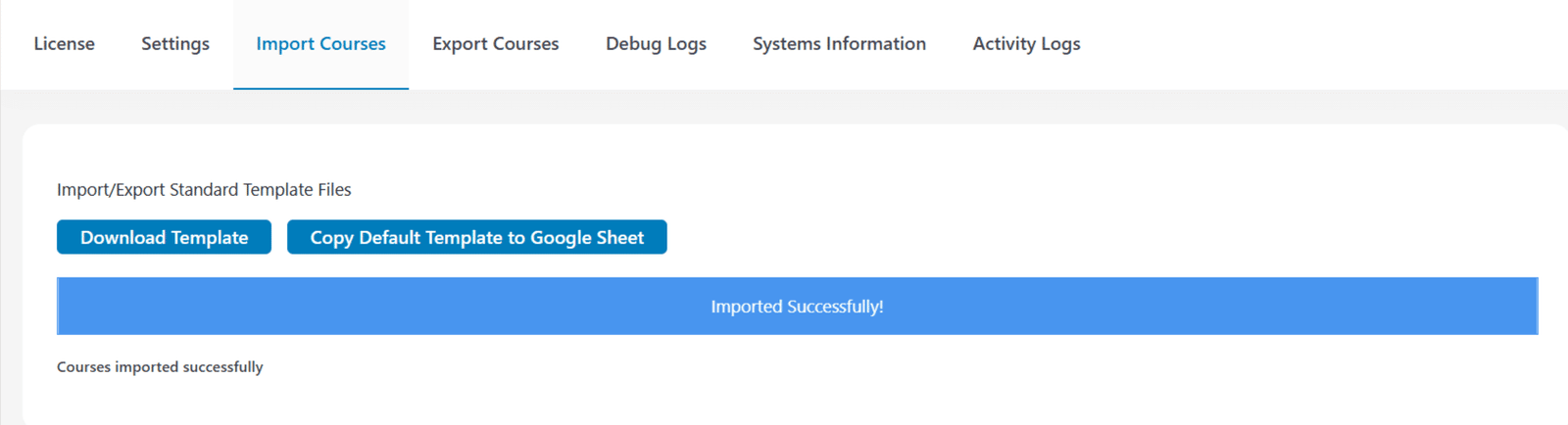
After import:
- Imported courses are listed
- Select, configure, and publish
Structured Format for Courses
DOCX course import follows a shortcode-based structure:
- [TLCIE_COURSE] > Course name
- [TLCIE_FEATURED_IMAGE] > Course image
- [TLCIE_INTRO_VIDEO] > Course intro video
- [TLCIE_TOPIC] > Topic name and summary
- [TLCIE_LESSON] > Lesson name and content
Topics and lessons are imported in top-to-bottom order, preserving structure exactly as defined in the document.
Looking for a Ready-Made Solution?
Explore our WordPress, WooCommerce, and LMS plugins built to extend functionality without custom development.
TutorLMS Quiz Import/Export with DOCX
The Quiz Import/Export add-on provides a fully structured DOCX-based system for handling quizzes.
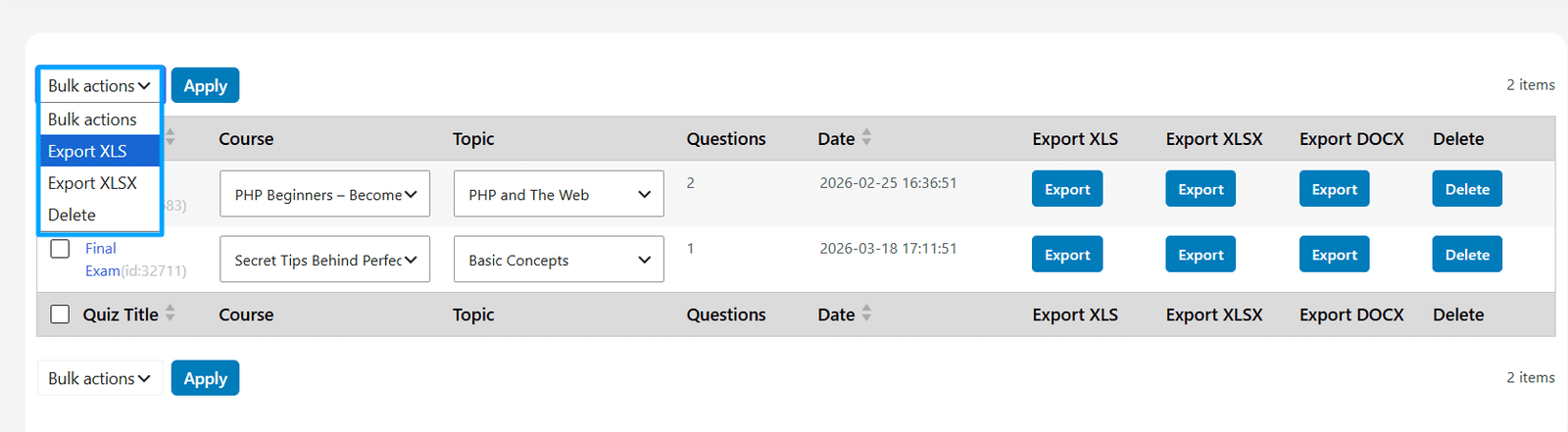
Export Quizzes in DOCX Format
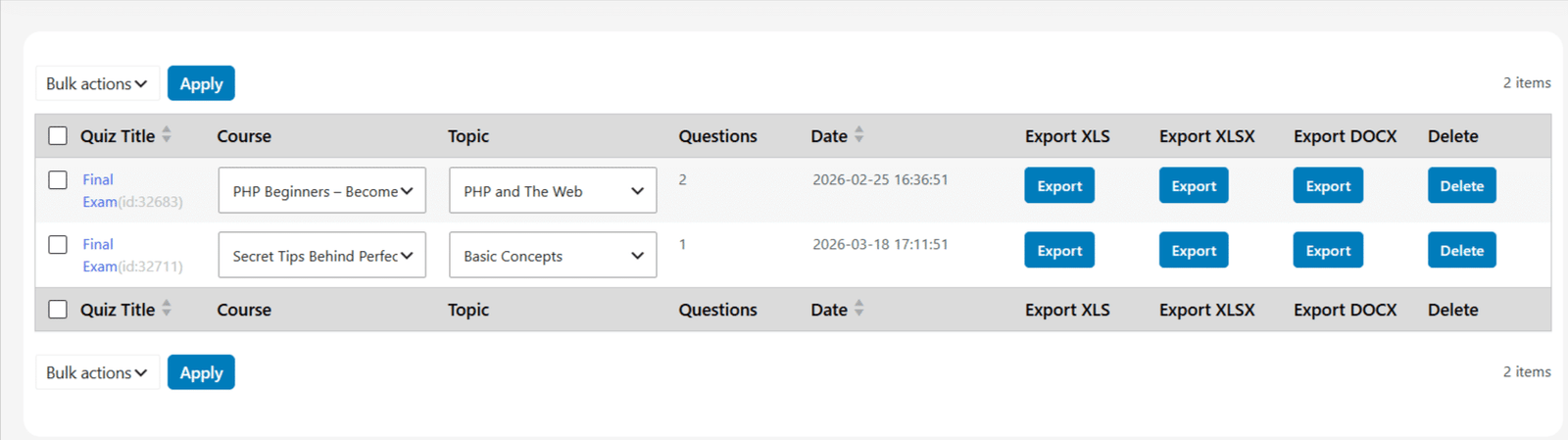
Single Quiz Export
- Exporting a quiz generates a ZIP file
- The ZIP contains:
- Question file
- Answer file
Multiple Quiz Export
- Bulk export is available in .xls or .xlsx
- DOCX export is focused on structured single quiz handling
Import Quizzes Using DOCX
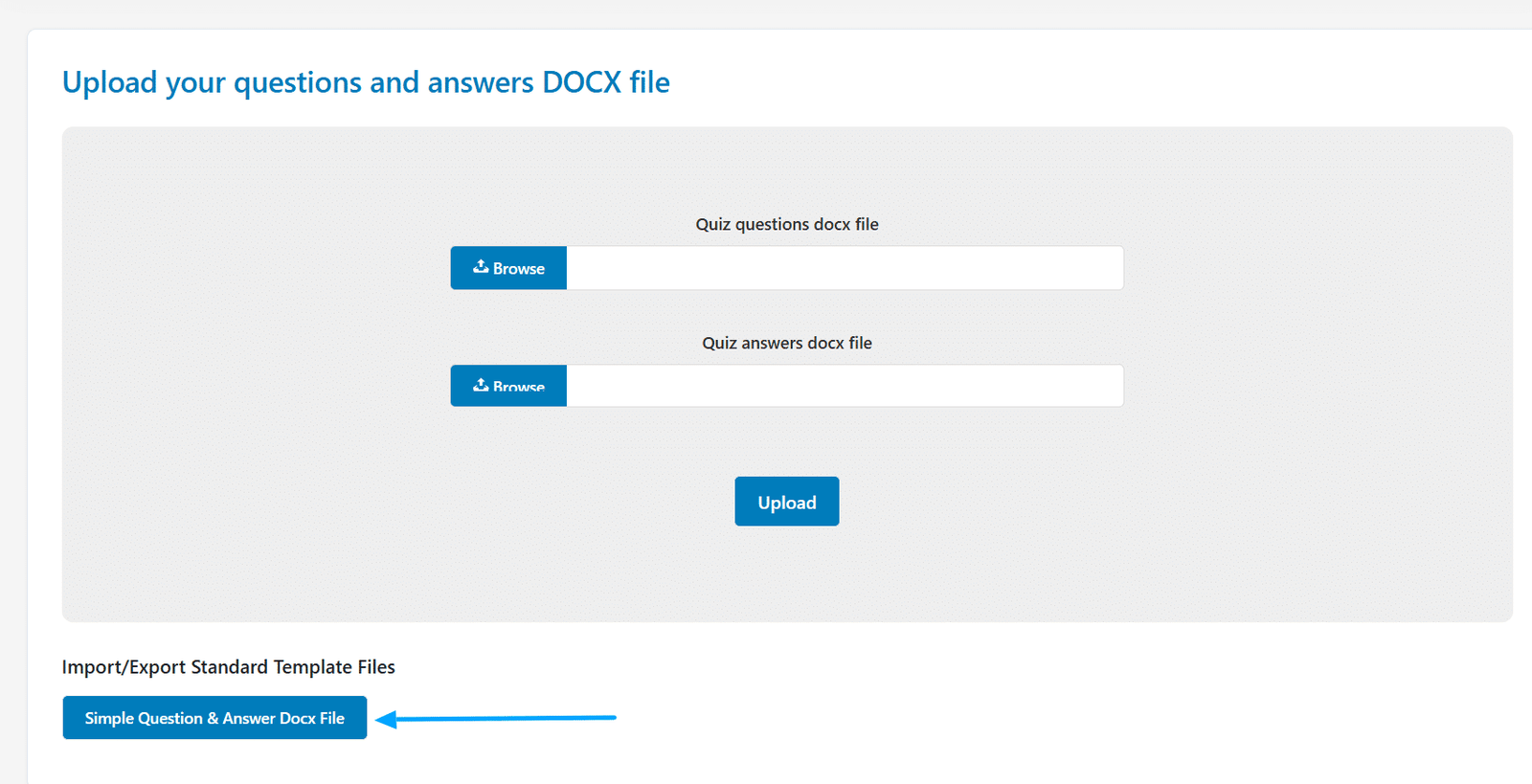
DOCX quiz import works using two separate files:
- Question DOCX file
- Answer DOCX file
Import Workflow
- Go to Import Docx tab
- Upload DOCX files (questions and answers)
- Select the target quiz
- Set default points if [FP:1.00] is not defined
- Complete import
Structured DOCX Format for Quizzes
DOCX quiz import is highly structured and must follow strict formatting rules.
Question File Requirements
- Use automatic numbered lists (1., 2., 3.)
- Each question must start with “1.” format
- Options must use A., B., C. format (uppercase with dot)
Supported question types include:
- True/False [TF]
- Single Choice [SC]
- Multiple Choice [MC]
- Open Ended [OE]
- Fill in the Blanks [FB]
- Short Answer [SA]
- Matching [MX] / Image Matching [IM]
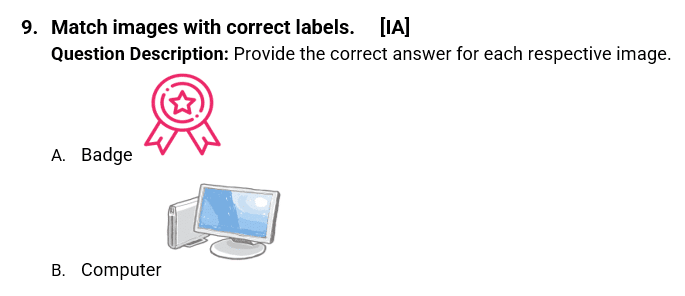
- Image Answering [IA]
- Ordering [SR]
You can also:
- Add images inside questions
- Embed videos using shortcode
Answer File Requirements
- Use numbered format (1), 2), 3)) matching question order
- Define correct answers using:
- A., B., C. format
- Assign points using [FP:1.00]
- Include question type shortcode
- Optionally add Answer Explanation

Additional Quiz Features
- Associate quizzes with courses and topics
- Remove duplicate answers during import
- Update existing questions instead of duplicating
- Enable Google Sheets-based quiz imports
- Support for all TutorLMS question types
When to Use DOCX in TutorLMS
Best Use Cases
- Importing a single course
- Exporting course content in a readable format
- Creating structured quizzes
- Managing quiz questions and answers outside WordPress
For Bulk Operations
- Use .xls or .xlsx templates for:
- Multiple courses
- Multiple quizzes
- Full settings and structured data
A More Flexible TutorLMS Workflow
With DOCX support across both add-ons:
- Courses can be documented, imported, and shared easily
- Quizzes can be created with precise structure
- Content workflows extend beyond WordPress into document-based editing
Simplify TutorLMS Content Management With WooNinjas
With DOCX compatibility in TutorLMS Course Import/Export and TutorLMS Quiz Import/Export, WooNinjas enables a more flexible and structured way to manage LMS content. Create, import, and export courses and quizzes using document files while maintaining full control through templates when needed.
Need Ongoing WordPress Maintenance & Support?
We handle updates, performance monitoring, security hardening, and technical fixes so your WordPress and WooCommerce site stays stable and secure.

Must-Have TutorLMS Add-Ons for Online Course Creators (2026 Edition)
Discover the top TutorLMS Add-ons for online course creators in 2026 to boost engagement, automate workflows, and scale your online…
Read More...
How TutorLMS Parent and Student Access Strengthens Parent Involvement in Learning
Discover how TutorLMS Parent and Student Access empowers parents to track, manage, and support their children’s online learning progress.
Read More...
How to Reset Progress for Any Course or Membership in LifterLMS
Easily reset course, quiz, or membership progress in LifterLMS with the Progress Reset add-on by WooNinjas.
Read More...
