LearnDash Assignments Grading

Years In Business
Sites Built
Plugins Developed
Repeat Clients
Add-On Requirements
 1.0.3
1.0.3
Current Version
 16 Jun 2026
Last Update
 6.8 Or Higher
WordPress Version
 4.20.0 Or Higher
LearnDash Version
 7.4 Or Higher
PHP Version
Add-On Overview & Features
Elevate the way you evaluate learner progress. With the LearnDash Assignments Grading add-on, instructors can define custom grading methods (GPA, A-F, Points), reopen or reject assignments with feedback, and keep a detailed record of grading history — all directly within the LearnDash environment.
This tool enhances transparency, encourages engagement through personalized feedback, and brings greater flexibility to assignment evaluations.
Features Of LearnDash Assignments Grading
1 Custom Grading Methods
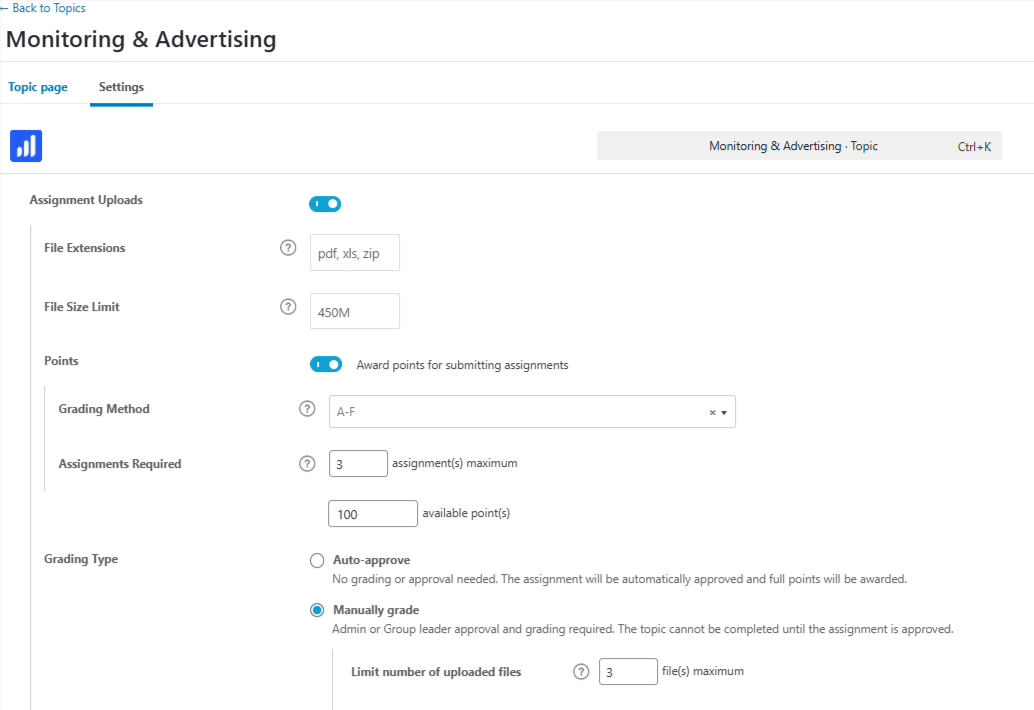
Assign grades using one of three grading options: Points, A-F Scale, or GPA. Choose the system that best suits your course structure and regional requirements.
2 Detailed Feedback With Comments
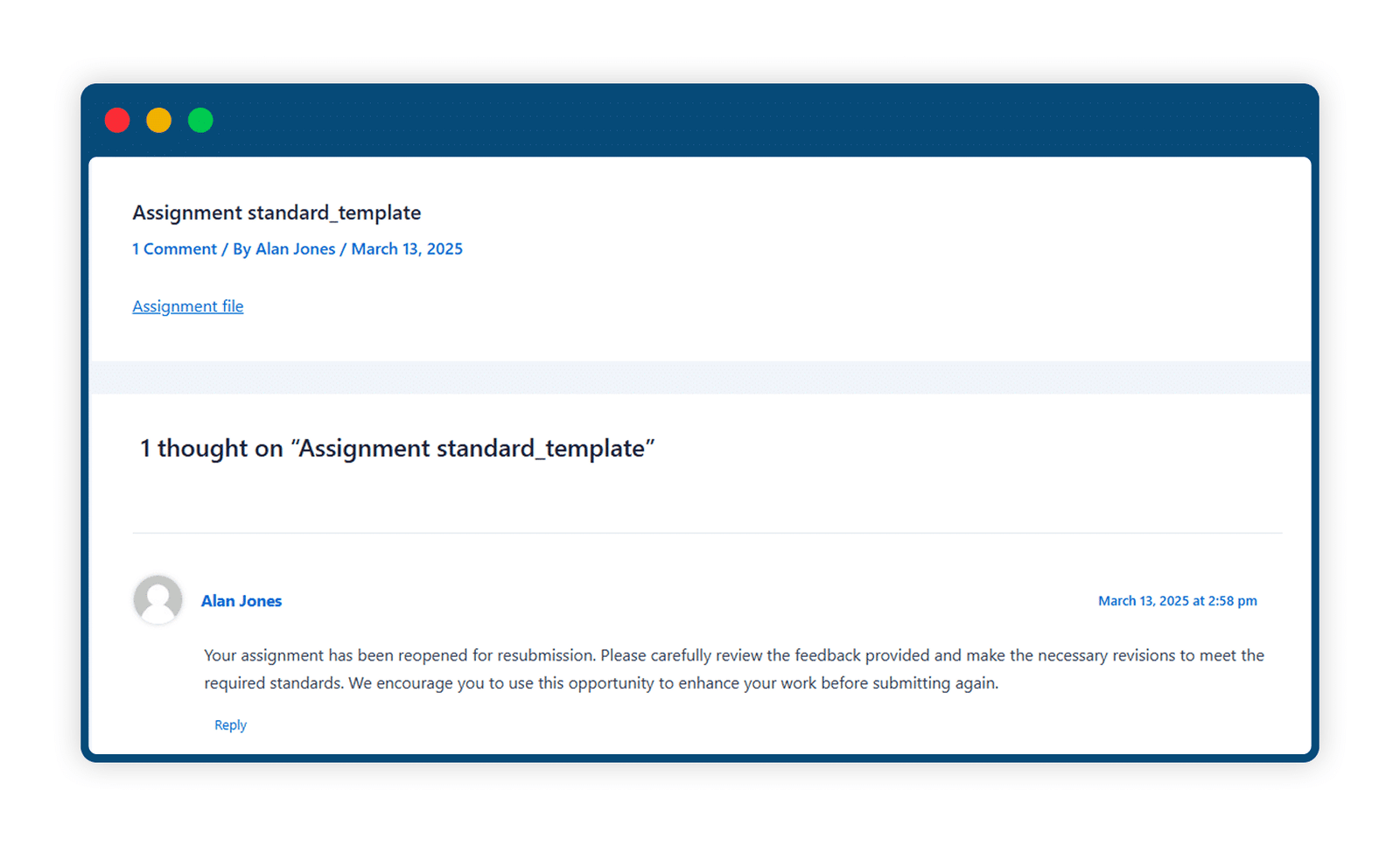
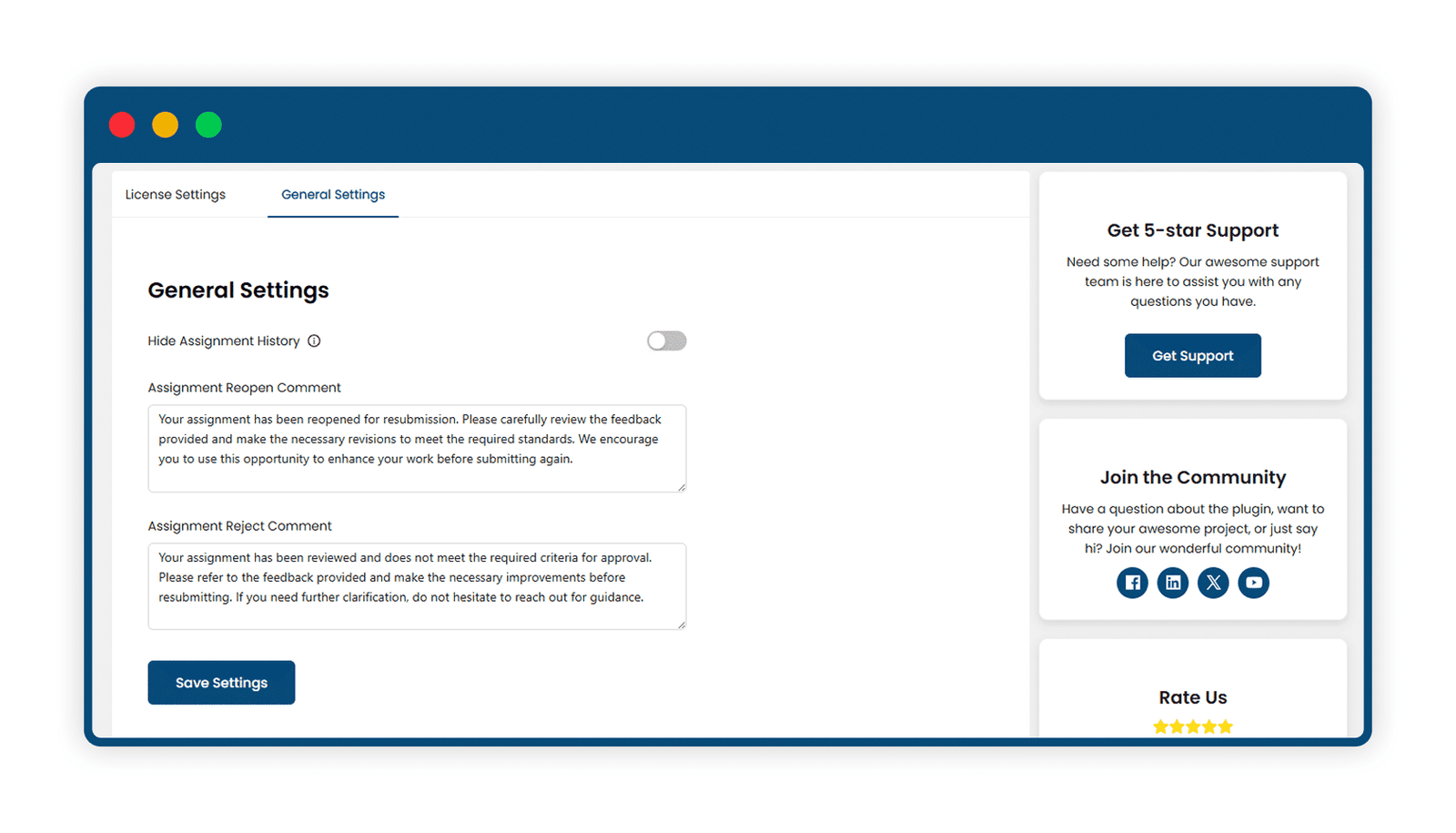
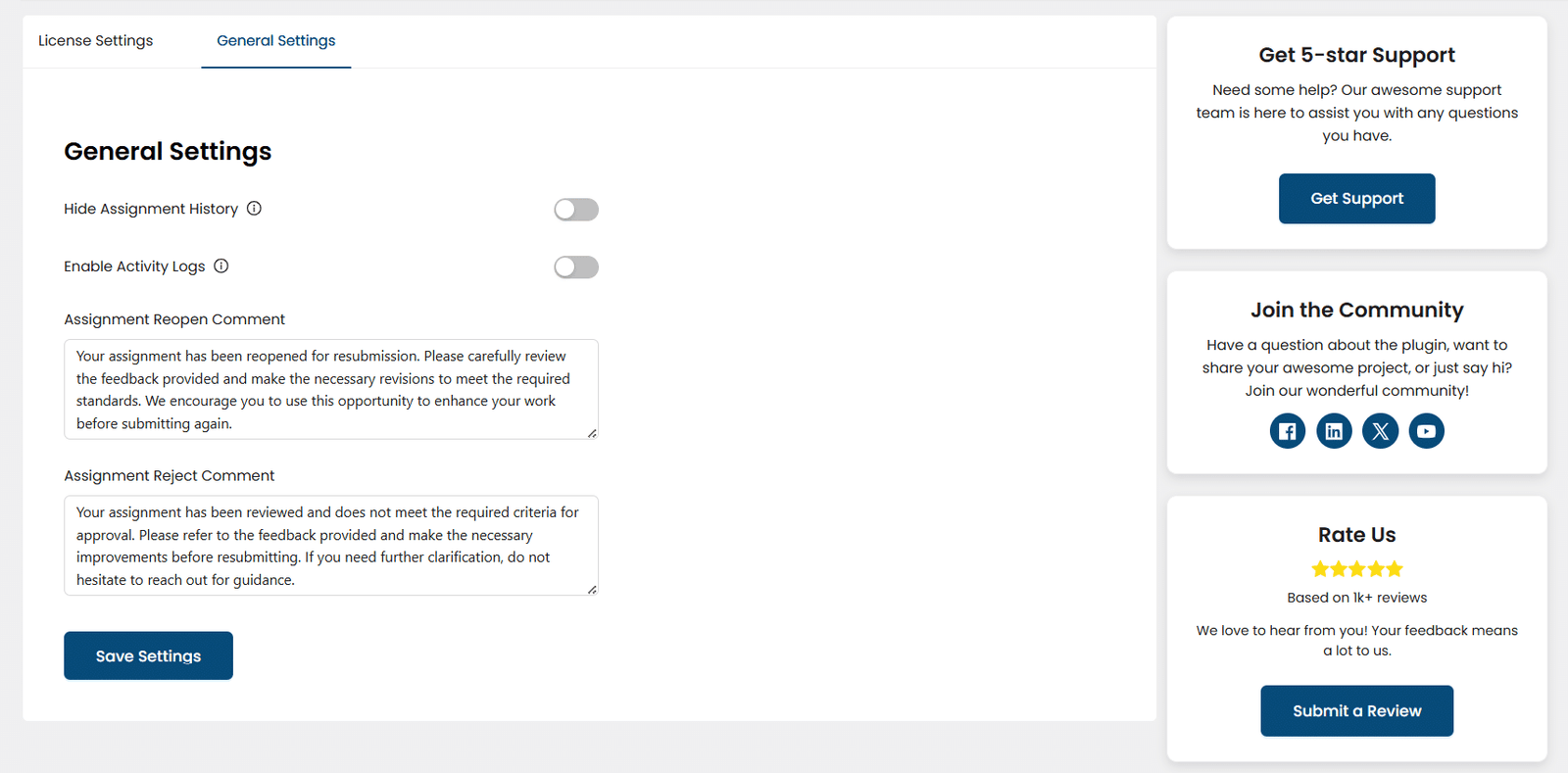
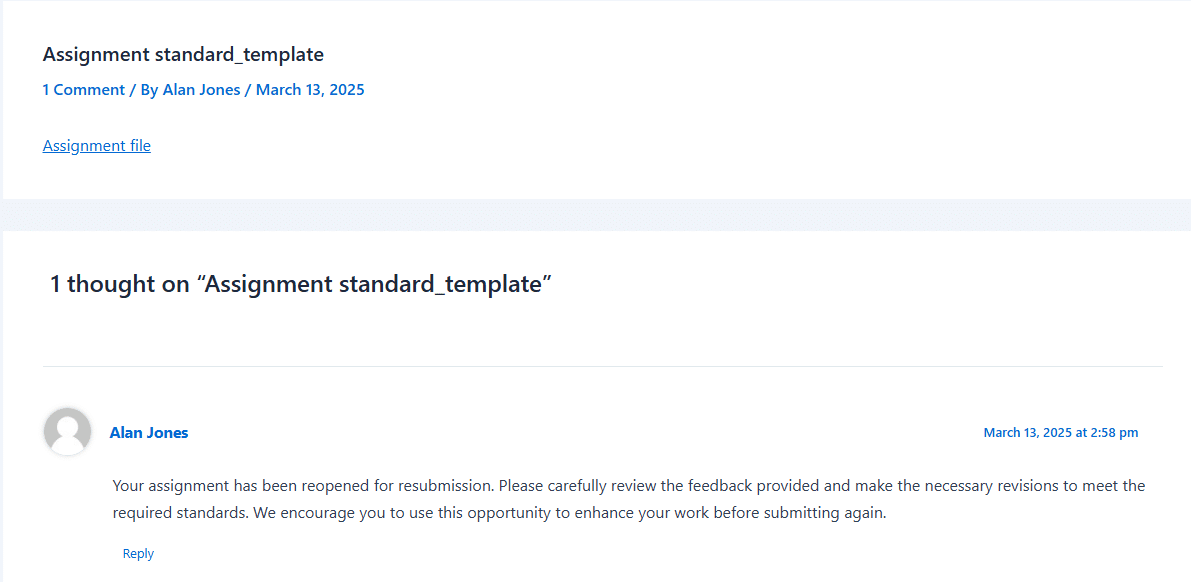
Administrators can provide tailored feedback for each submission. Use default or custom comments when reopening or rejecting assignments to guide learners toward improvement.
3 Grading History Tracking
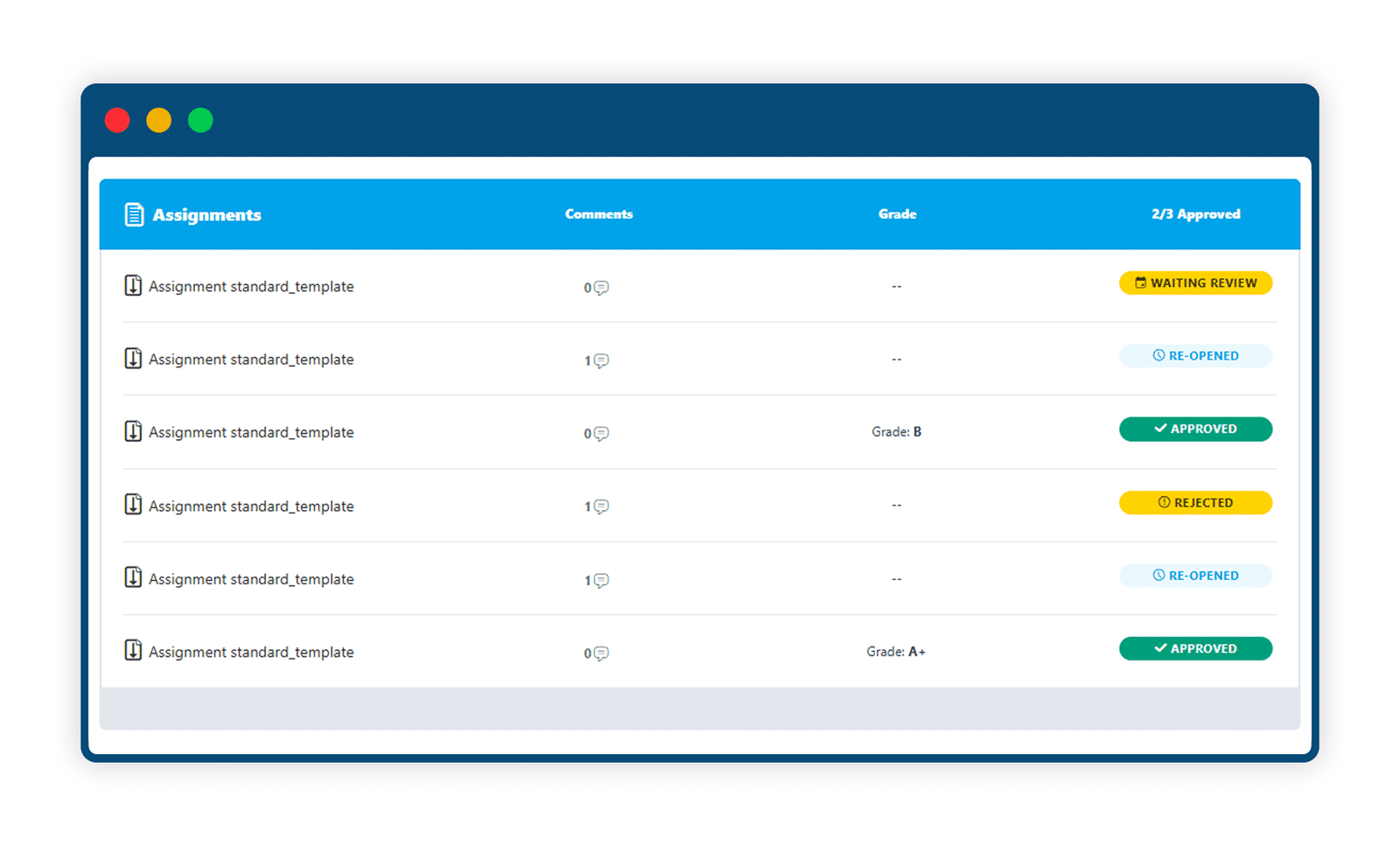
Maintain a complete log of grading activity. Administrators can view past grades and changes, ensuring transparency and accountability.
4 Manual Grading Controls
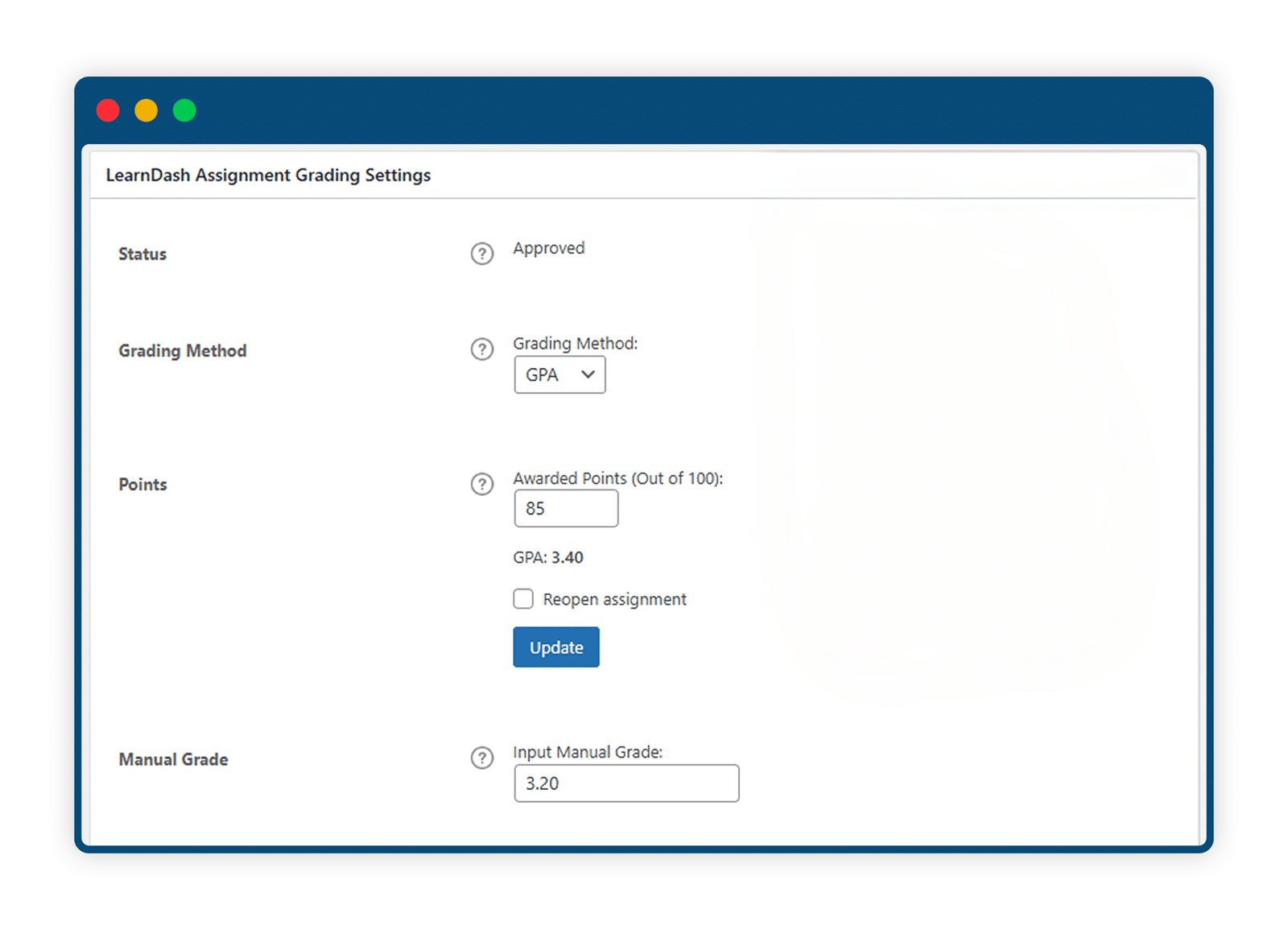
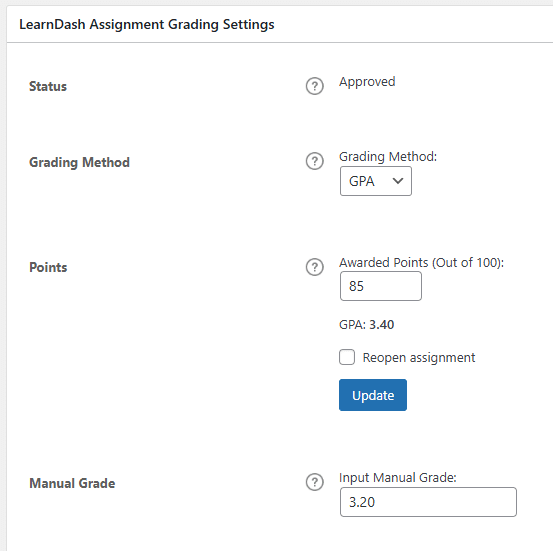
Update grades anytime. Manually override grades and assign new values using the grading method of your choice, directly from the admin panel.
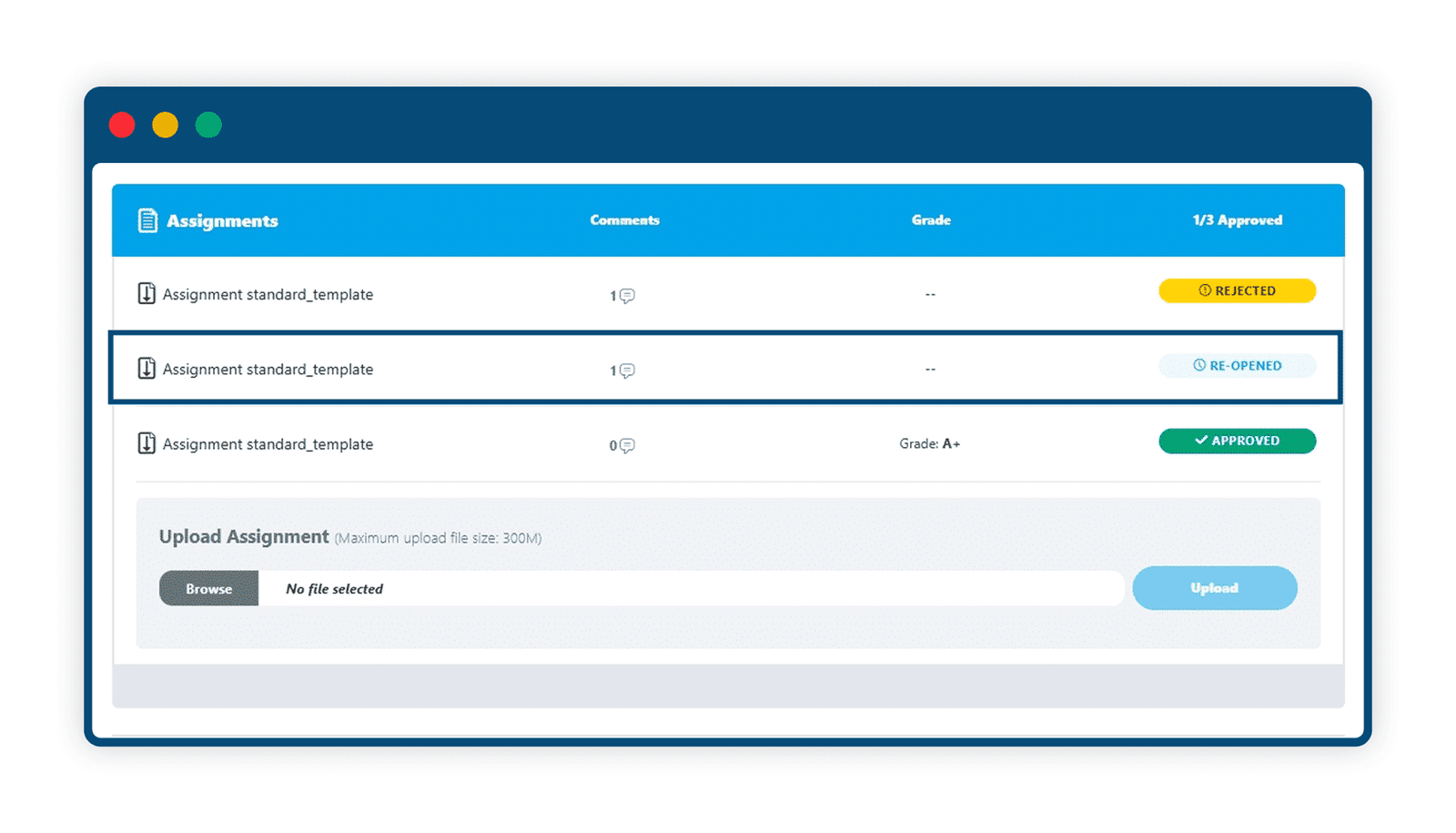
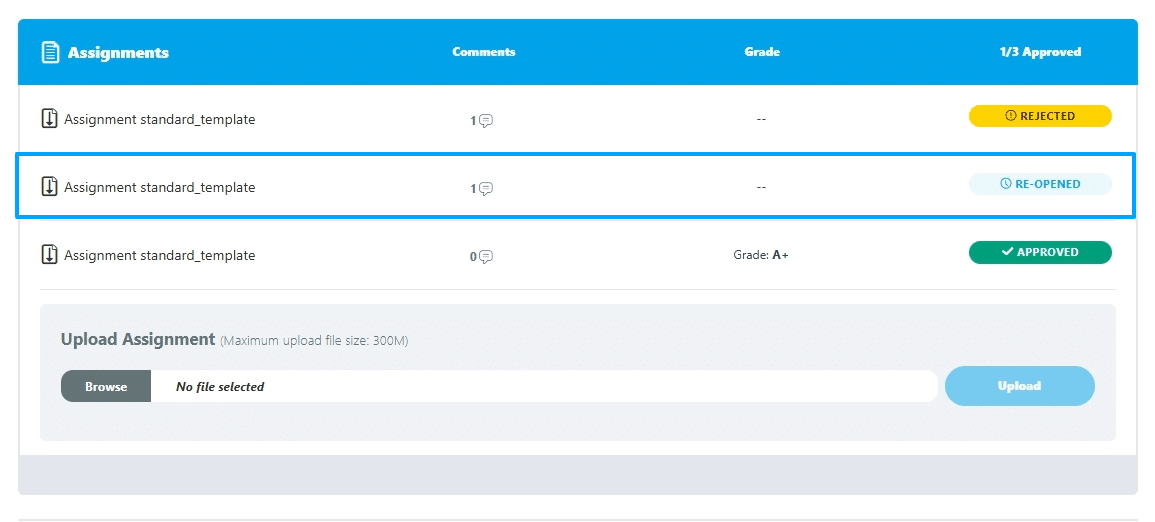
5 Reopen or Reject Assignments with Ease
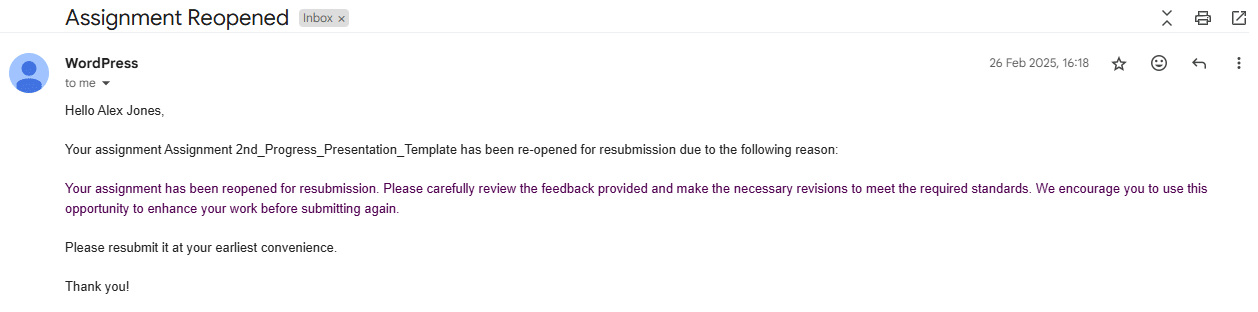
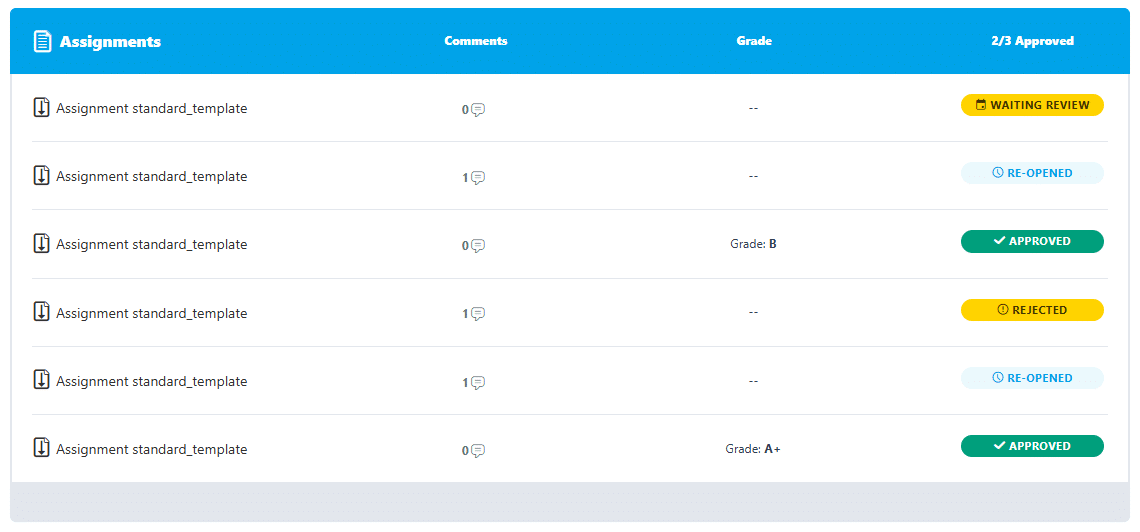
Quickly reopen or reject assignments with just a click. Students will be notified via email and prompted to resubmit on their lesson or topic page.
6 Smart Display Options
Use the “Hide Assignment History” setting to control visibility on front-end lesson and topic pages, keeping things clean and relevant for learners.
Get The Plugin Now!
License for 1 site
1 year technical support & updates
Full documentation
Support forum
License for 3 sites
1 year technical support & updates
Full documentation
Support forum
License for sites
1 year technical support & updates
Full documentation
Support forum
Are You interested In Full Access Pass?
Get NowLearnDash Assignments Grading Screenshots

What Our Happy
Customer Says

A terrific company with great plug-ins. I needed support for trying to figure out some functionality, and it went like all Support should go. I asked the question and I got a timely and thorough response. Keep up the good work everyone!

WooNinjas provided great customer service to me to solve an issue uploading quizzes into my website. They responded quickly and located and resolved the issue very well.

Great customer service, we had issues but the Wooninjas team didn’t give up and were very helpful in fixing my issue.

The plugins offered by the company are fantastic and their support team is the best, I have had the opportunity to use LearnDash Certificate Verify and Share and I am very satisfied with the results obtained. I highly recommend them.
Build Your Bundle & Save 20%
Pick any 3+ add-ons from the same category and get 20% off automatically at checkout. No coupons and extra steps required. Just choose the features you need and save instantly.
FAQ’s
We’re here to help.
The key differences between grading assignments using points, the A-F scale, and GPA are as follows:
Points-Based Grading: This method evaluates assignments based on a numerical score. The grade is determined by the points awarded for the assignment, and you simply input the number of points received. It’s a direct, quantitative measure of performance without any letter or GPA scale involved.
A-F Scale Grading: This method uses letter grades (A, B, C, D, F) based on a 100-point scale. The grade is assigned based on the percentage of total points earned. For example, 95-100 points might earn an A+, while 0-59 points result in an F. It’s a more traditional grading system that reflects performance in terms of letter grades, often associated with a numerical range.
GPA Grading: This system converts the assignment score into a Grade Point Average (GPA), typically on a 4.0 scale. The GPA is calculated by dividing the points awarded by the total possible points and multiplying by 4. The result is then rounded to two decimal places. This system is used by institutions that prefer to evaluate performance with a standardized GPA scale rather than using raw points or letter grades.
In summary, the points-based grading focuses on the raw score, the A-F scale provides letter grades based on percentages, and the GPA system converts performance into a standardized average for academic evaluation.
The “Assignment Reject Comment” feature works similarly to the “Assignment Reopen Comment” but for rejected assignments. Administrators can set a default message that will be applied whenever an assignment is rejected. This comment will automatically be sent to the student, providing clarity on the rejection and any necessary next steps, such as resubmitting the assignment.
The “Assignment Reopen Comment” feature provides administrators with the ability to set a default comment that will be applied whenever an assignment is reopened by the administrator. This ensures consistency in communication with the students regarding the reason or notification for reopening the assignment. The message will be automatically added to the assignment when it is reopened.
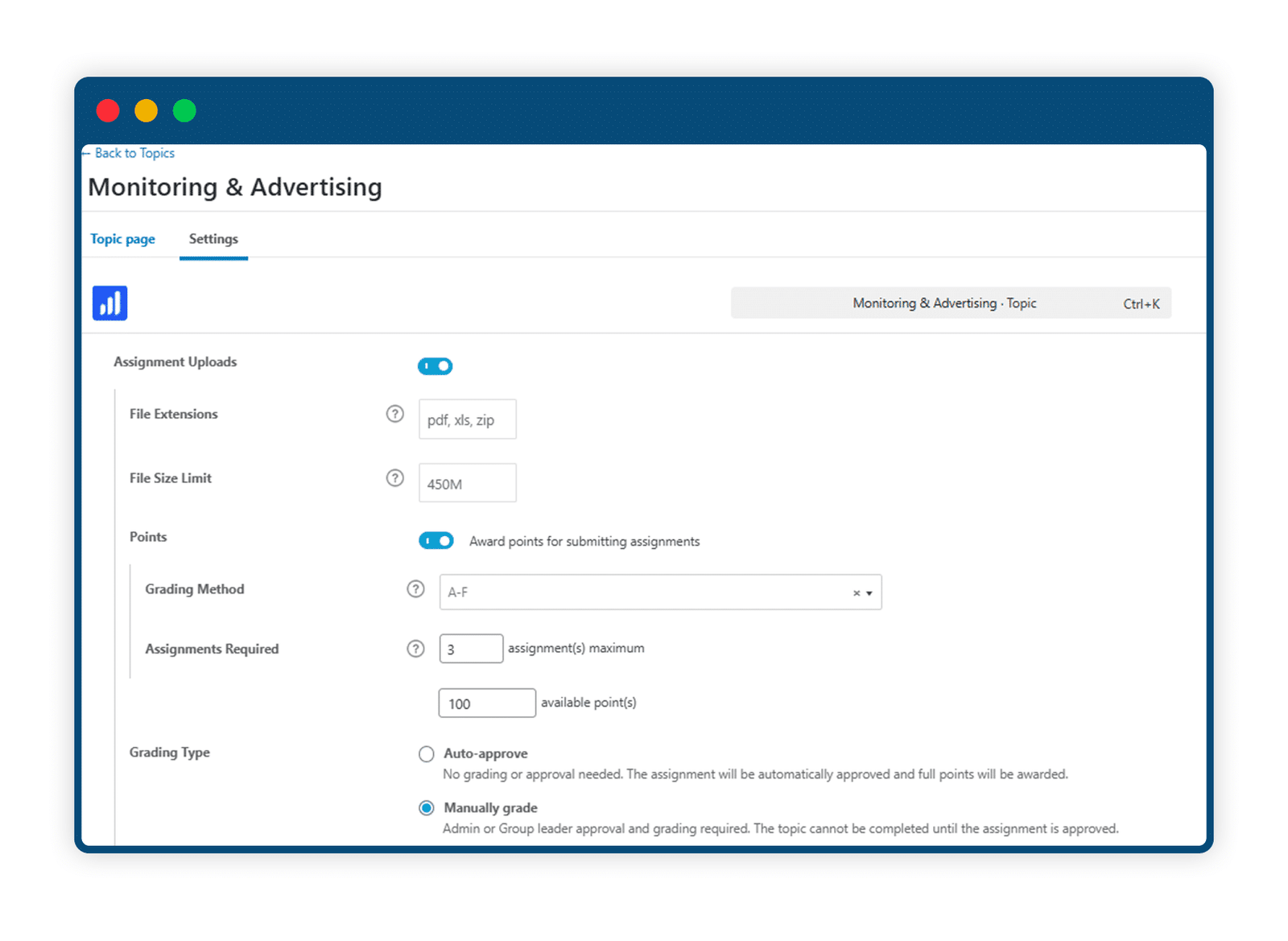
The “Hide Assignment History” option allows administrators to manage the visibility of assignment history on lesson and topic pages. When this option is disabled, the entire history of assignments will be visible to users. However, when enabled, only assignments that have a “Waiting Review” or “Approved” status will appear. This feature can help keep the assignment section cleaner and more relevant by hiding outdated or irrelevant information.
Yes, the LearnDash Assignments Grading plugin requires the LearnDash LMS plugin to be installed before activating it.
Still have questions?
Contact us and we will clear up your doubts!
Error: Formulario de contacto no encontrado.
