WooCommerce Quick Checkout Plugin

Years In Business
Sites Built
Plugins Developed
Repeat Clients
Add-On Requirements
 1.0.6
1.0.6
Current Version
 21 Jul 2026
Last Update
 6.8 Or Higher
WordPress Version
 10.0 Or Higher
WooCommerce Version
 7.4 Or Higher
PHP Version
Reduce Cart Friction and Increase Conversions
WooCommerce quick checkout adds a WooCommerce checkout pop-up that opens right after “Add to cart,” so customers stay on the same page. They can review items and move to purchase without bouncing between cart and checkout.
Pick a centered, quick checkout Woocommerce popup or a side cart. Everything updates with AJAX—quantities, removals, coupons, and shipping options—so there are no refreshes. It’s a WooCommerce faster checkout flow built to cut drop-offs.
Turn WooCommerce pop-up checkout into WooCommerce express checkout. Collect shipping and payment in the pop-up, validate coupons instantly, show real-time shipping, and even surface cross-sells. For stores that want WooCommerce fast checkout, it keeps buying simple.
WooCommerce Quick Checkout Plugin Features
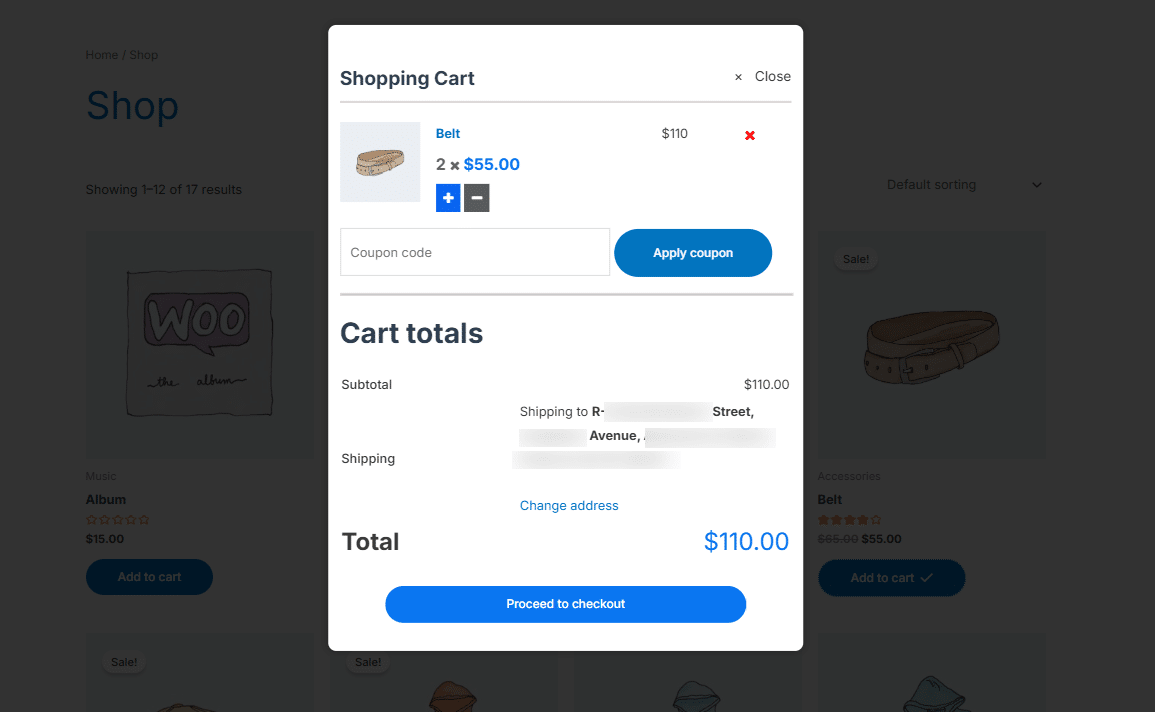
1 Smart Cart Popup
Add products without leaving the page. Our popup instantly appears with cart details – choose between a centered or side display to match your store’s style.
2 AJAX-Powered Updates
Every change in your customers’ cart happens instantly – update quantities, remove items, or apply coupons right within the pop-up without any page refreshes.
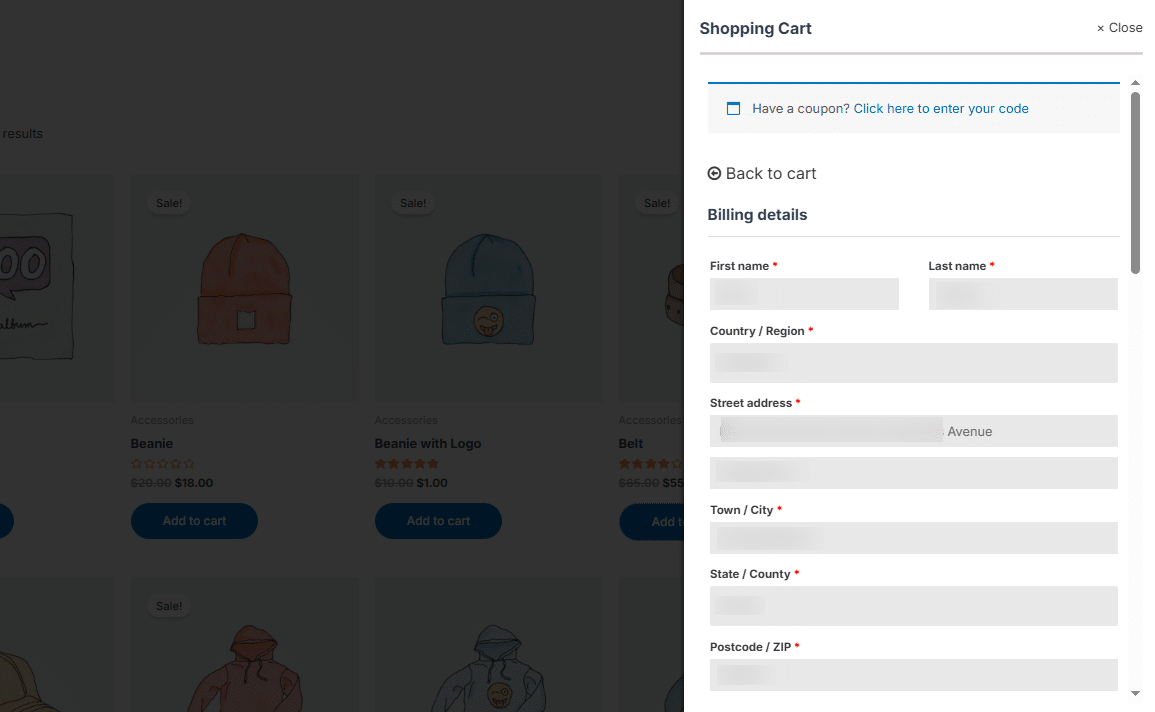
3 Express Checkout
Turn your cart popup into a complete checkout solution. Customers can enter shipping details and payment info directly – no redirects needed.
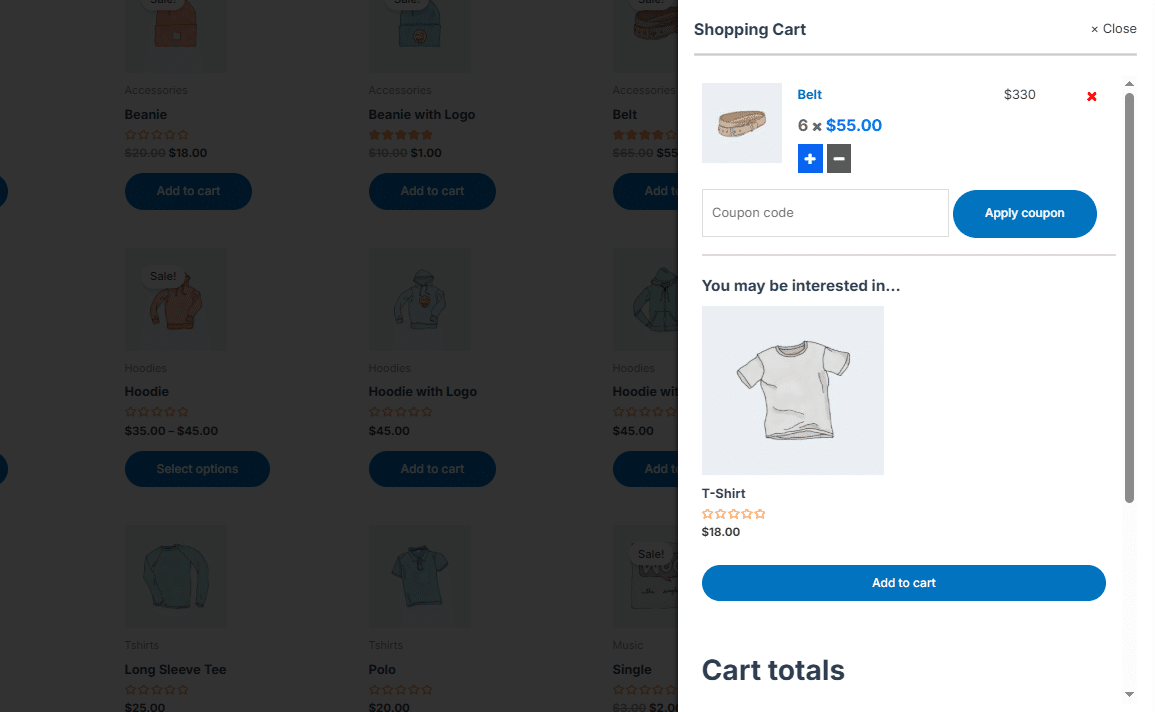
4 Built-in Cross-Selling
Display related products right in the cart popup to encourage additional purchases and boost order value.
5 Express Checkout
Turn browsers into buyers with a one-click checkout directly from the popup. No more abandoned carts from complicated checkouts.
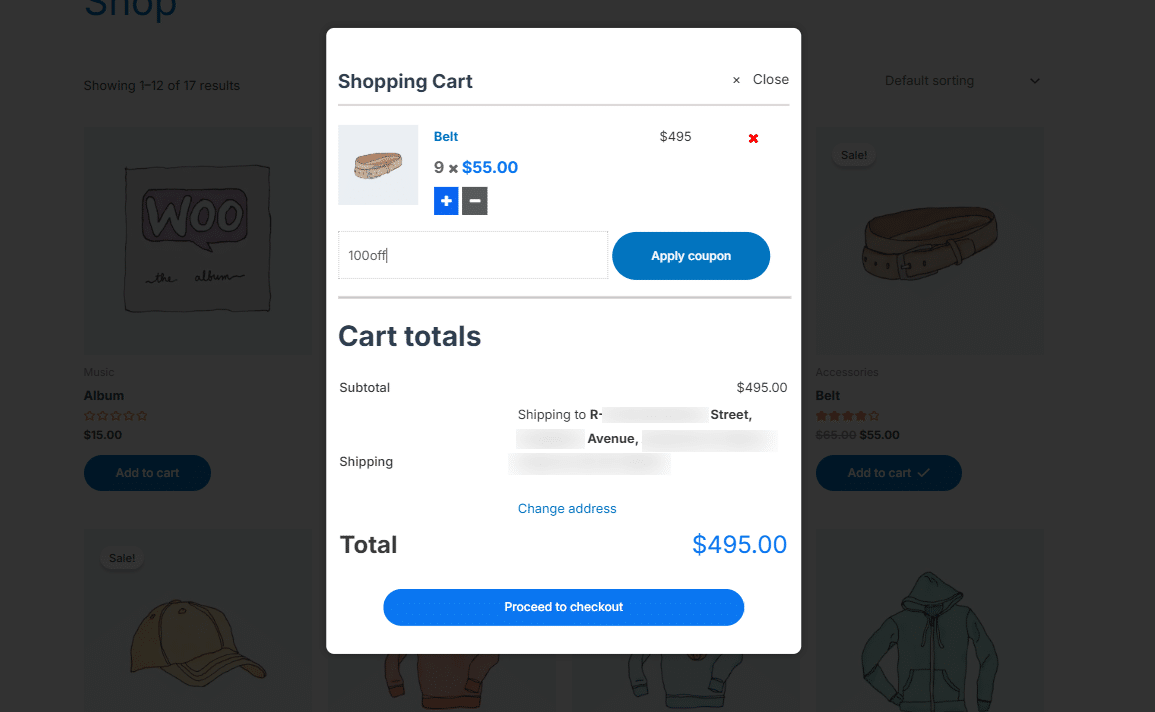
6 Instant Coupon Validation
Customers can apply and validate discount codes directly in the popup – no extra steps are needed.
7 Real-Time Shipping
Display shipping options and costs instantly in the cart popup, helping customers make faster purchase decisions.
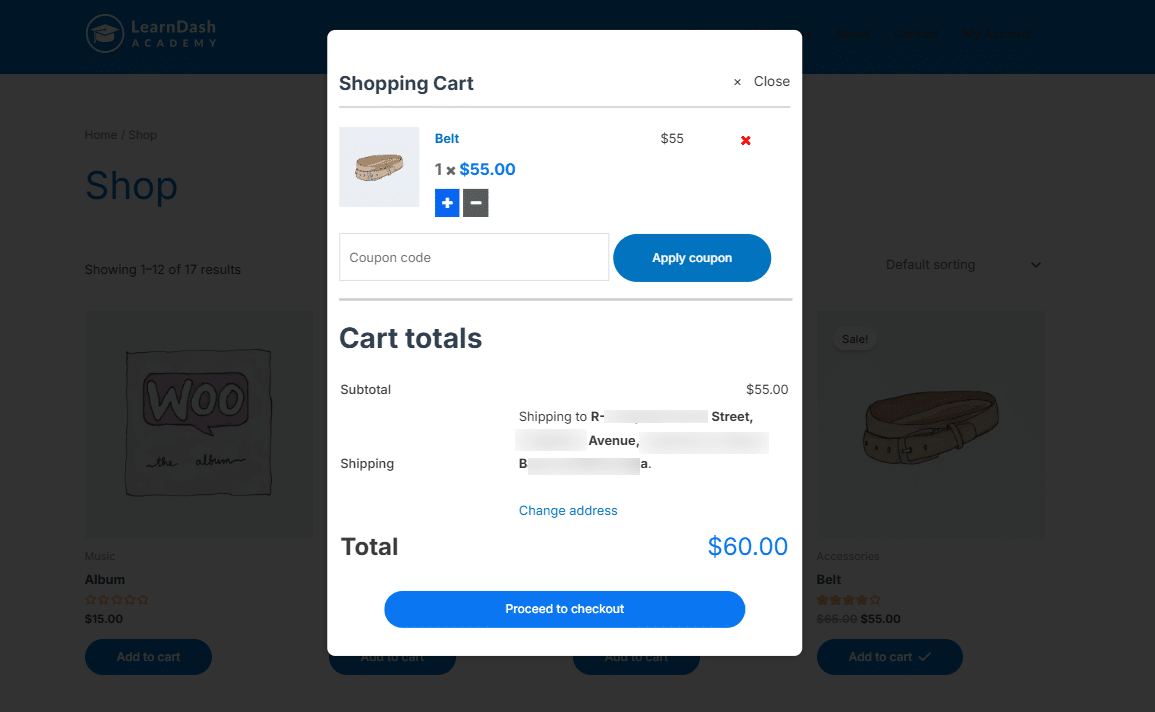
8 Customize The Centered Popup
Customize the centered popup by selecting which fields to display – Checkout Fields, Order Notes, Coupon Form, Privacy Policy, or Terms & Conditions. This lets you streamline the checkout process while clearly presenting key information and improving user experience.

Are You interested In Full Access Pass?
Get NowWooCommerce Quick Checkout Screenshots
What Our Happy
Customer Says

A terrific company with great plug-ins. I needed support for trying to figure out some functionality, and it went like all Support should go. I asked the question and I got a timely and thorough response. Keep up the good work everyone!

WooNinjas provided great customer service to me to solve an issue uploading quizzes into my website. They responded quickly and located and resolved the issue very well.

Great customer service, we had issues but the Wooninjas team didn’t give up and were very helpful in fixing my issue.

The plugins offered by the company are fantastic and their support team is the best, I have had the opportunity to use LearnDash Certificate Verify and Share and I am very satisfied with the results obtained. I highly recommend them.
Build Your Bundle & Save 20%
Pick any 3+ add-ons from the same category and get 20% off automatically at checkout. No coupons and extra steps required. Just choose the features you need and save instantly.
FAQ’s
We’re here to help.
In most cases, yes. Since it uses a cart popup layer and AJAX cart updates, it typically works with standard themes. If a theme heavily customizes cart/checkout templates, you may need small styling tweaks to match the layout.
Yes. You can show related products inside the pop-up cart. This is useful for increasing order value without interrupting the checkout flow.
Yes. You can choose a centered pop-up or a side cart style. Both options are designed to support WooCommerce's fast checkout while keeping the shopper on the same page.
Updates are AJAX-powered, so changes happen instantly. Customers can change quantities, remove items, and apply coupons without page refreshes, which helps create a faster checkout flow in WooCommerce.
Yes. WooCommerce express checkout inside the pop-up supports entering shipping details and payment info right there. Shipping options and costs can also be shown in the pop-up for faster decisions.
Yes. You can choose what to show inside the centered pop-up, like checkout fields, order notes, coupon form, privacy policy, or terms and conditions. This lets you keep the WooCommerce checkout pop-up clean and focused.
Yes. Customers can apply coupons inside the pop-up and see changes right away. It also supports instant coupon validation, so there’s no extra step or page refresh.
Yes. It’s built around WooCommerce pop-up checkout. You can choose a centered pop-up or a side cart display, depending on how you want the cart experience to look.
Yes. With the WooCommerce checkout pop-up, customers can review the cart and complete the purchase without leaving the page they’re on. That’s the whole idea behind the quick checkout WooCommerce for faster buying.
WooCommerce quick checkout removes extra steps between “Add to cart” and payment. Less page hopping, fewer reloads, and a clearer path to checkout usually mean fewer drop-offs. The cart stays visible, totals update instantly, and customers don’t lose momentum.
Still have questions?
Contact us and we will clear up your doubts!

