TutorLMS Certificate Verify and Share

Years In Business
Sites Built
Plugins Developed
Repeat Clients
 1.1.1
1.1.1
Current Version
 02 Sep 2026
Last Update
 6.8 Or Higher
WordPress Version
 3.4.0 or higher
TutorLMS Version
 7.4 Or Higher
PHP Version
Add-On Overview
Add value and validity to your students’ achievements by verifying your students’ TutorLMS certificates directly on your site. TutorLMS Certificate Verify and Share allows your students to view and share detailed information about earned certificates to confirm the veracity of their credentials. Furthermore, your students can share their certificates with family, friends, and coworkers on their social media accounts.
Key Features Of Our TutorLMS Certificate Verify and Share
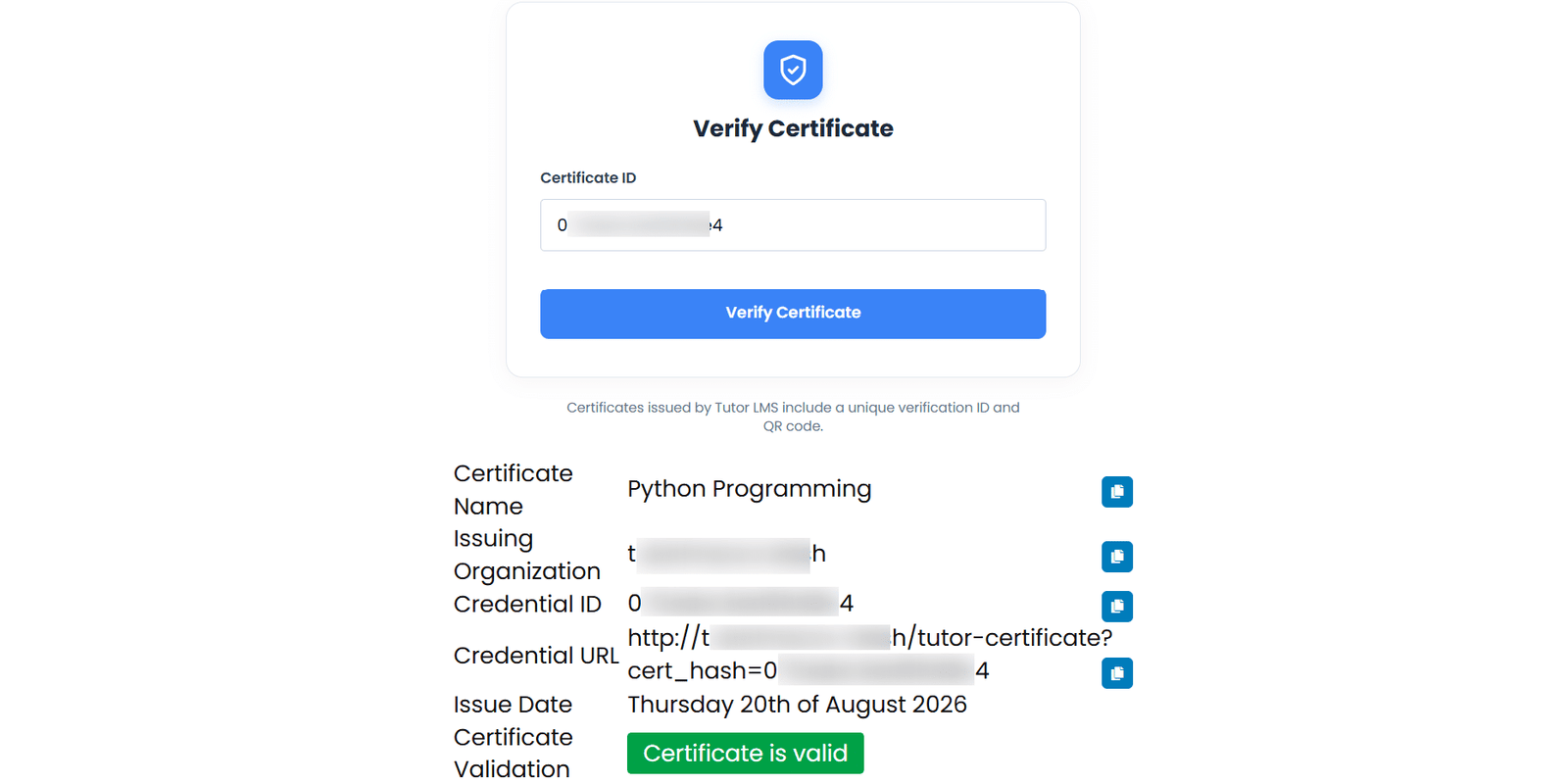
1 Verify Certificates Directly On Your Site
Students and interested third parties can directly find any certificate’s verification information using the certificate’s unique link.
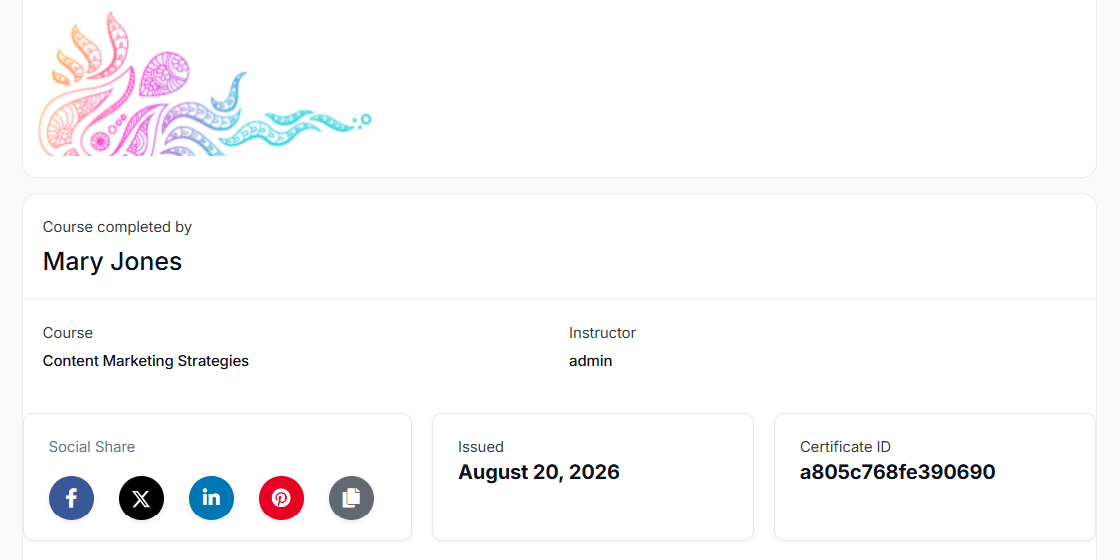
2 Allow Students To Share Their Achievements On Social Networks
Students can share an image of their certificate as well as a link to the certificate’s verification page as posts on their Facebook, LinkedIn, and Twitter accounts.
3 Enable Students To Add Certificates To Their LinkedIn Profile
Students can add their TutorLMS certificates directly to their LinkedIn profile with a click of a button.

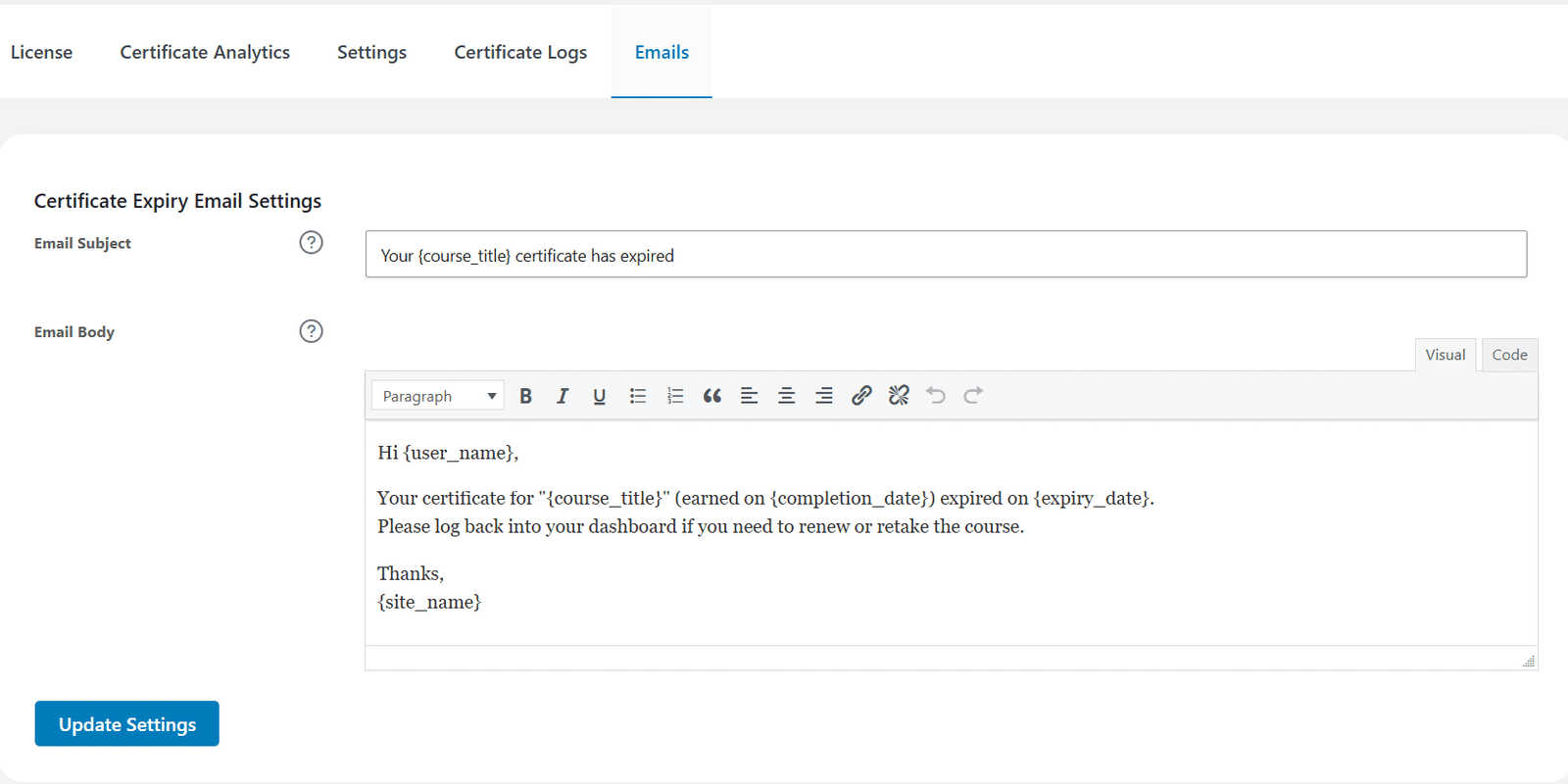
4 Certificate Expiry Email Customization
Easily tailor the subject line and message body of certificate expiry notifications to match your brand voice. Use dynamic placeholders to deliver personalized, automated reminders that keep learners informed and engaged, even when a certificate is manually revoked.
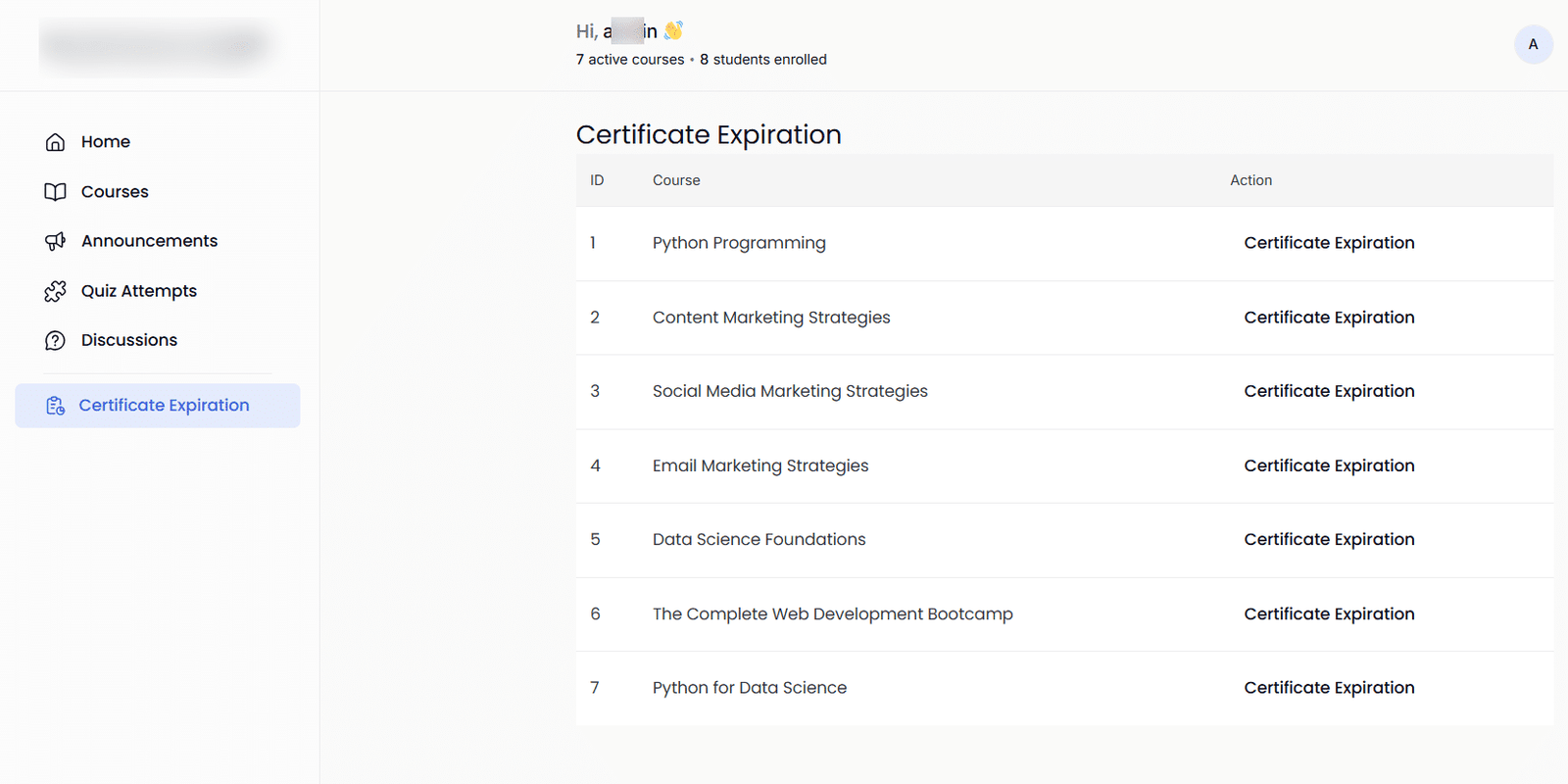
5 Give Instructors Full Control Over Certificate Validity
Allow instructors to set certificate expiration dates directly from their Tutor LMS dashboard, ensuring certifications stay relevant and compliant. Add flexibility to course management while encouraging learners to keep their knowledge and credentials up to date.
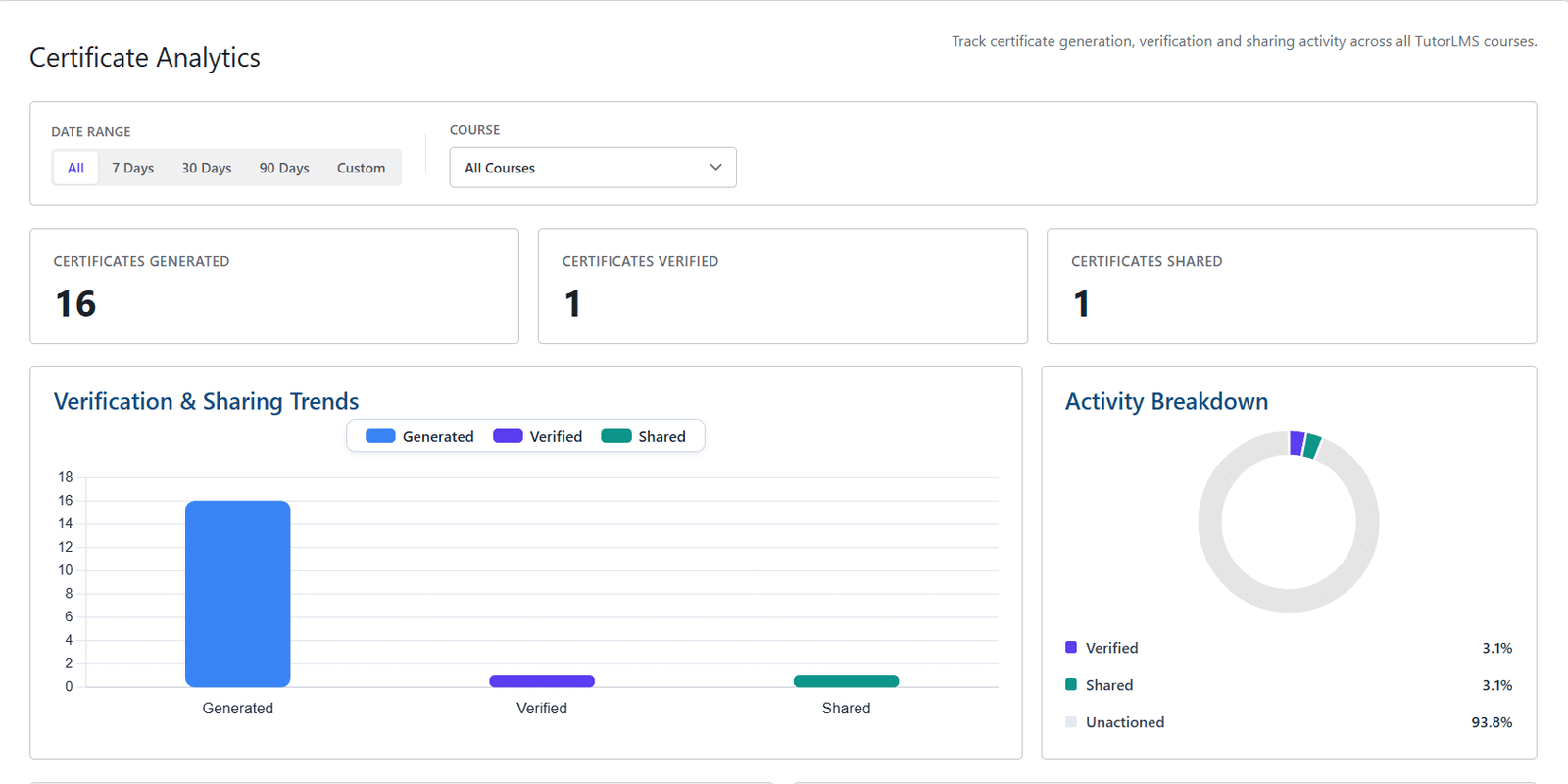
6 Turn Certificate Data into Actionable Insights
Unlock the full value of your certificates with a powerful analytics dashboard. Monitor certificate generation, verification, and sharing trends in real time, measure learner engagement, and make smarter, data-driven decisions to optimize your training programs and showcase their impact.
Get The Plugin Now!
License for 1 site
1 year technical support & updates
Full documentation
Support forum
License for 3 sites
1 year technical support & updates
Full documentation
Support forum
License for sites
1 year technical support & updates
Full documentation
Support forum
Are You interested In Full Access Pass?
Get NowTutorLMS Certificate Verify and Share Screenshots
What Our Happy
Customer Says

A terrific company with great plug-ins. I needed support for trying to figure out some functionality, and it went like all Support should go. I asked the question and I got a timely and thorough response. Keep up the good work everyone!

WooNinjas provided great customer service to me to solve an issue uploading quizzes into my website. They responded quickly and located and resolved the issue very well.

Great customer service, we had issues but the Wooninjas team didn’t give up and were very helpful in fixing my issue.

The plugins offered by the company are fantastic and their support team is the best, I have had the opportunity to use LearnDash Certificate Verify and Share and I am very satisfied with the results obtained. I highly recommend them.
Build Your Bundle & Save 20%
Pick any 3+ add-ons from the same category and get 20% off automatically at checkout. No coupons and extra steps required. Just choose the features you need and save instantly.
FAQ’s
We’re here to help.
If you are using any cache plugin, please purge the cache after every update (after updating the course, certificate, add-on settings, etc).
Yes, any site visitor can see the certificate details.
Yes, a preview image of the certificate will be displayed on social media posts.
Users can share their TutorLMS certificates to their Facebook, LinkedIn, Twitter, and Pinterest accounts directly.
Still have questions?
Contact us and we will clear up your doubts!

