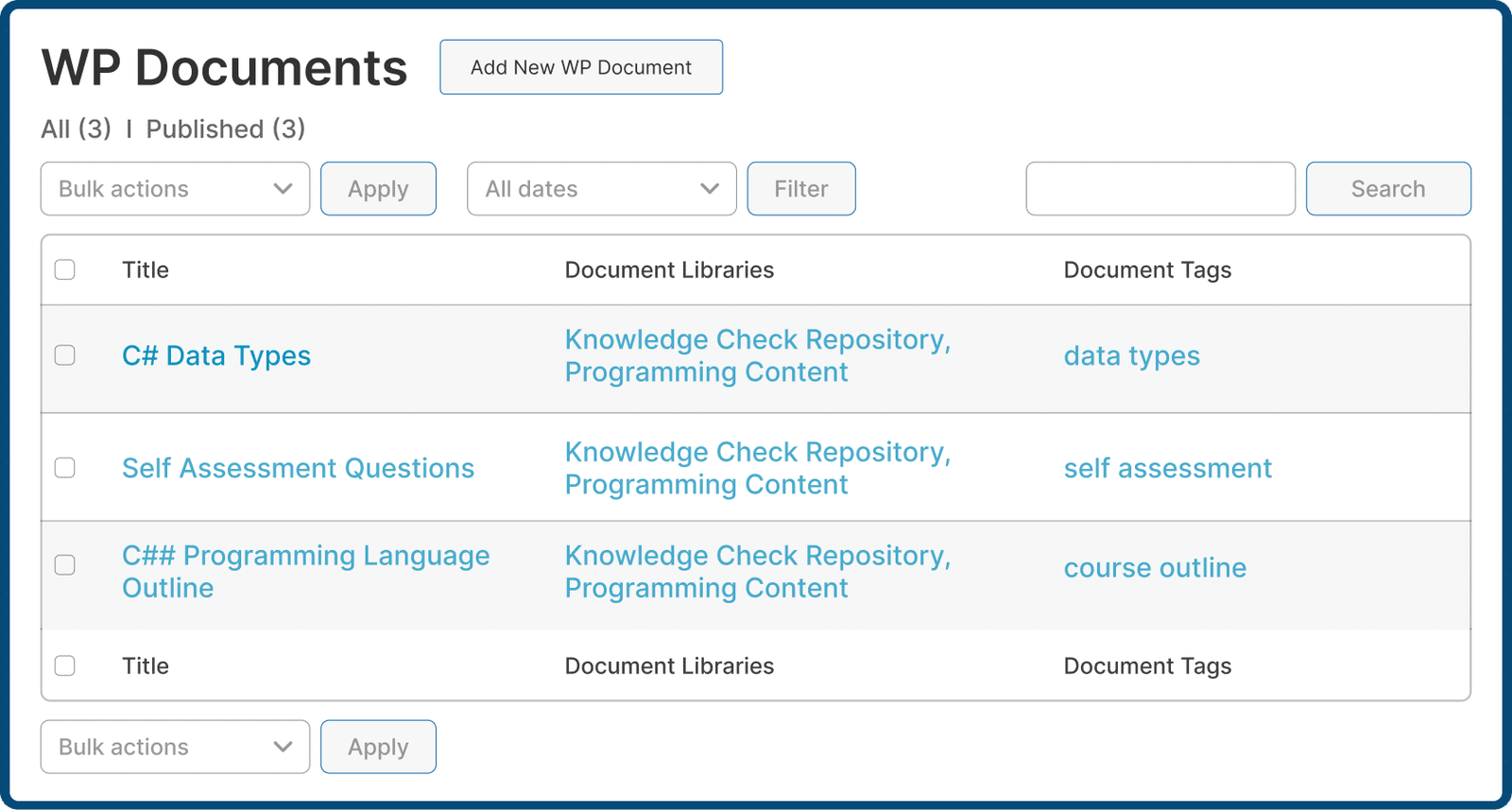
Manage Every File From One Place
- Upload files directly from your device
- Pull documents in from the WordPress media library
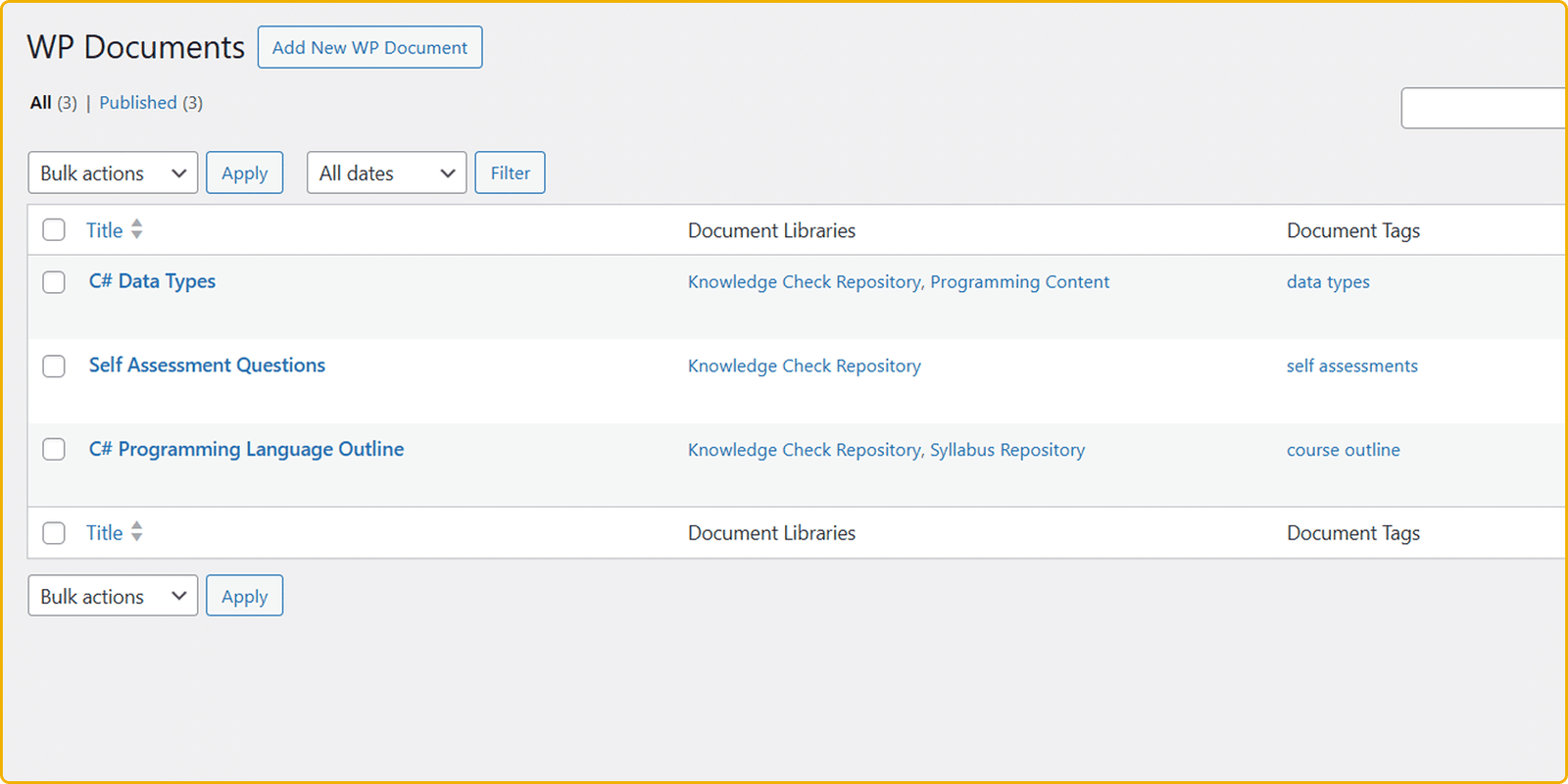
- Add, edit, and organize everything from the WordPress Admin Panel
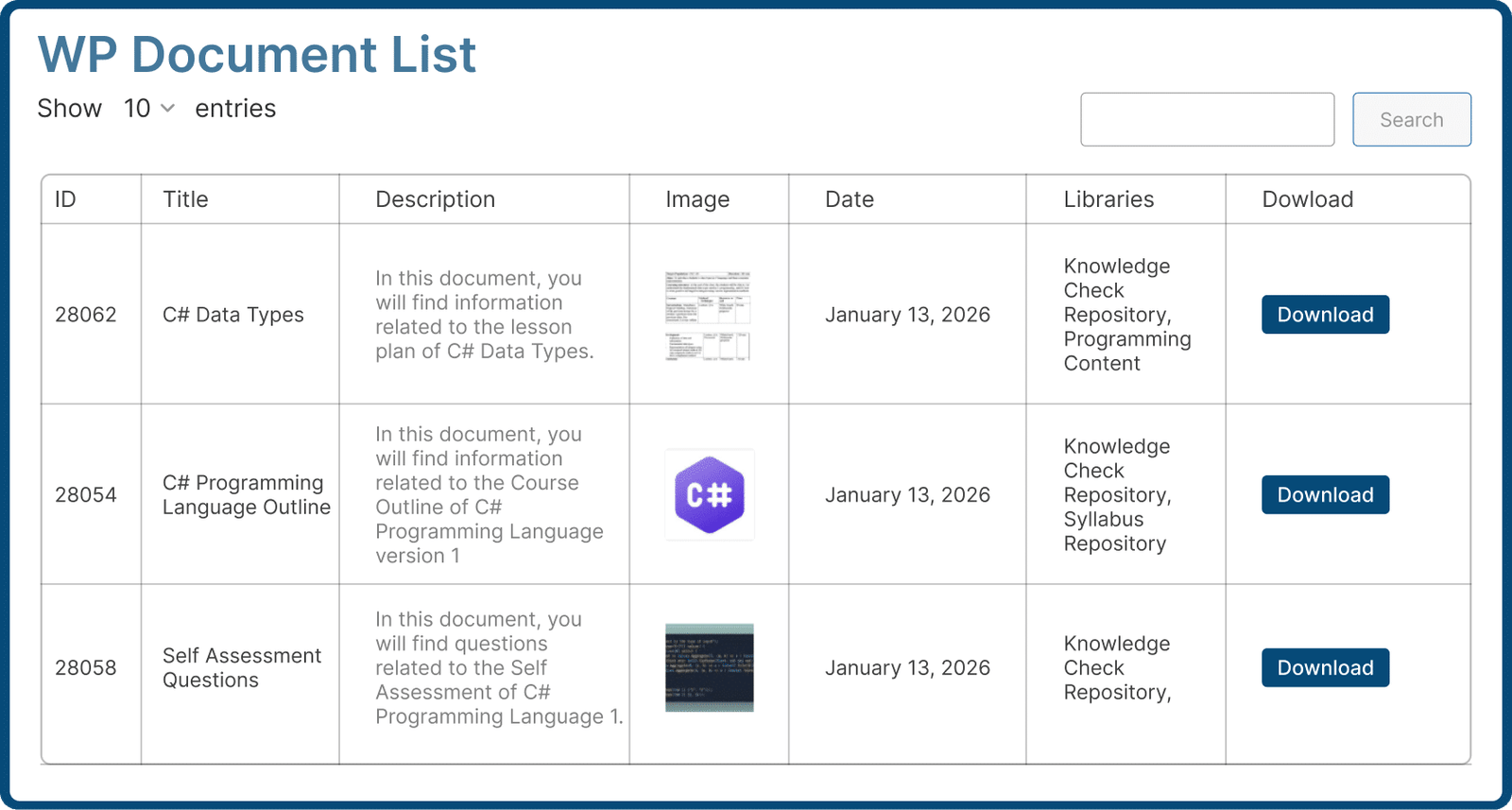
Let Users Find the Right File Without Digging
- Built-in AJAX search across documents and libraries
- Document sort filter for faster navigation
- Sort documents based on Oldest or Newest
- Filter documents by Tree or Field
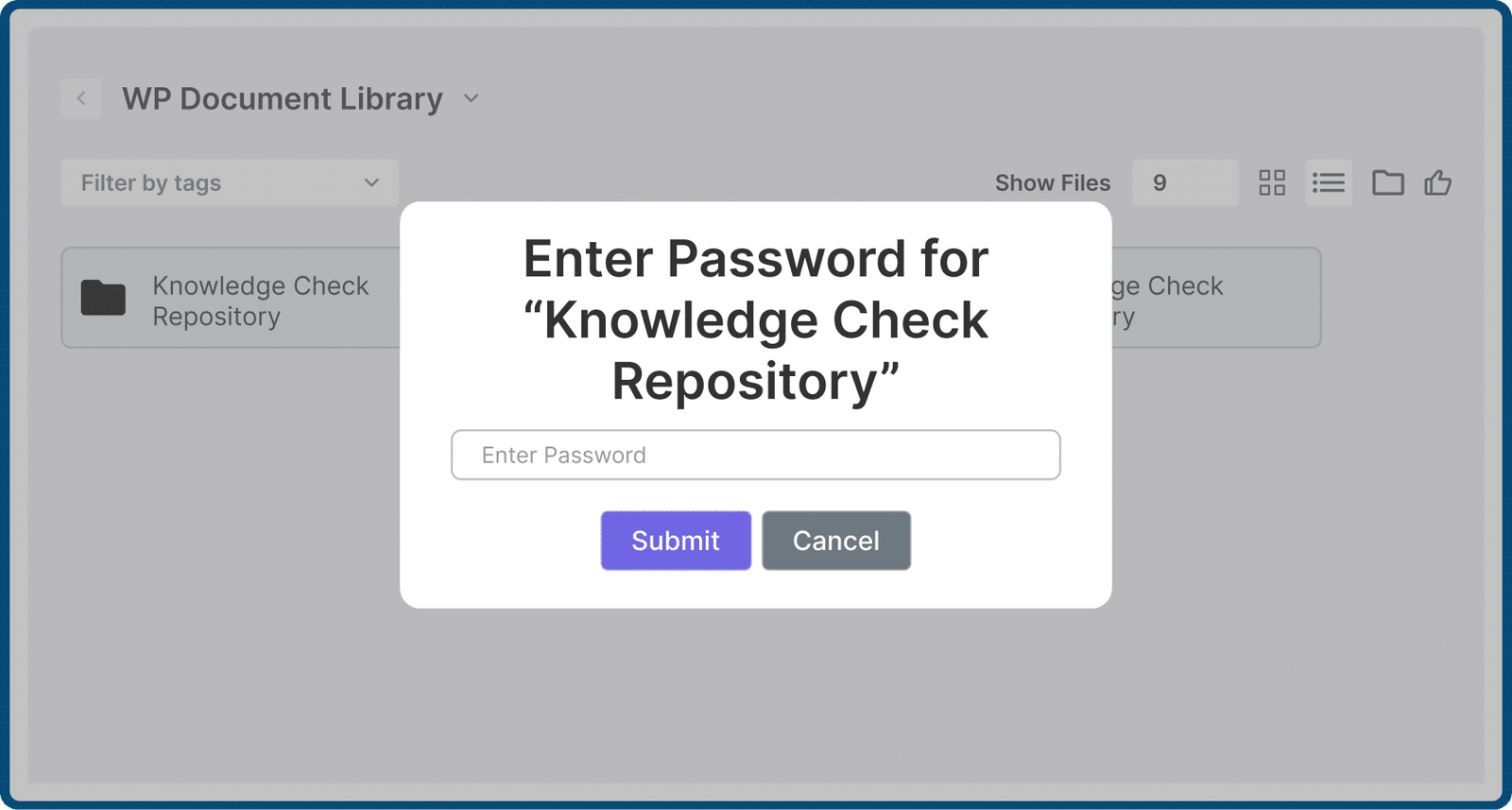
Decide Exactly Who Sees Each File
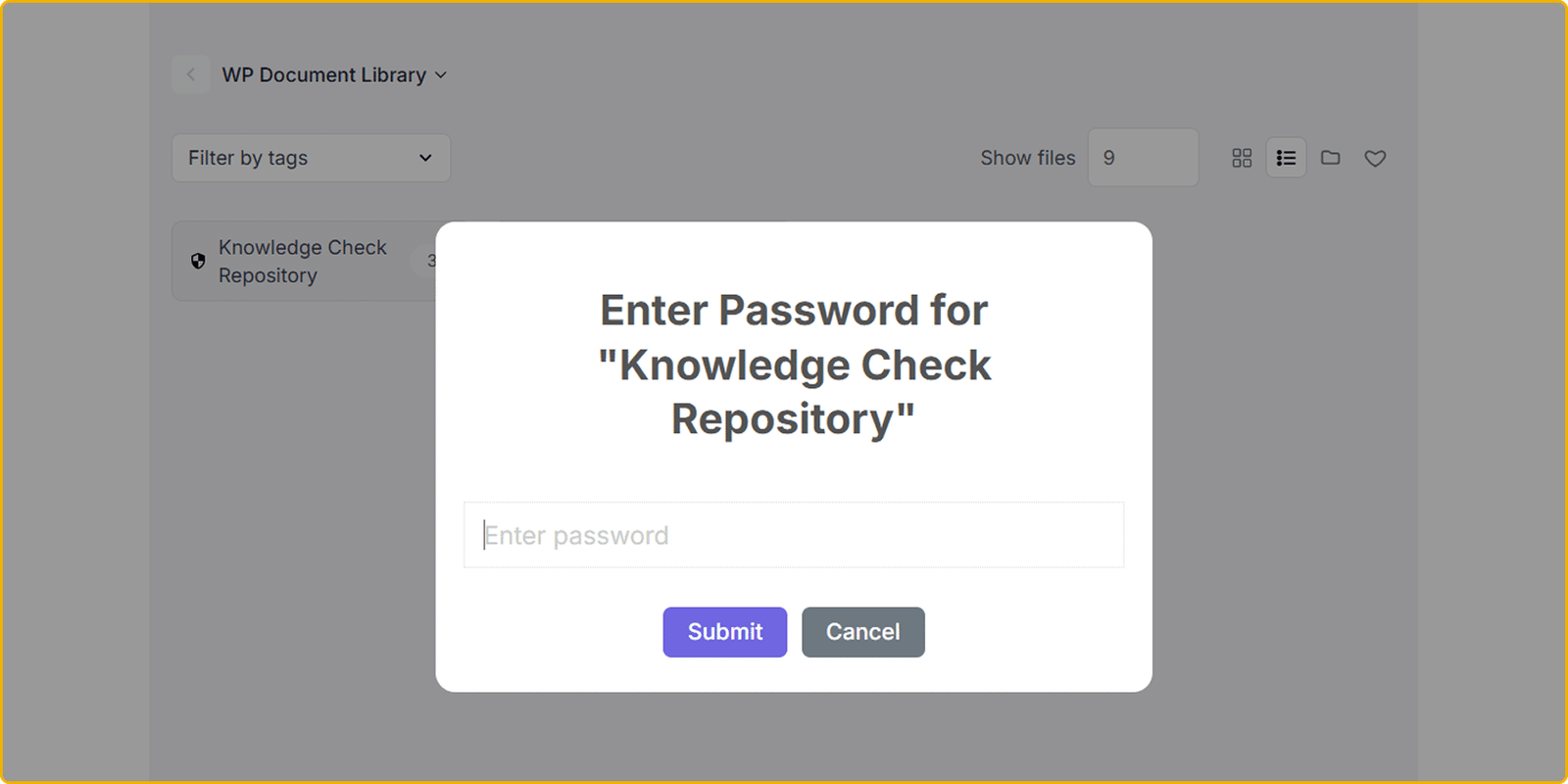
- Password-protect documents and libraries
- Restrict visibility by user role
- Apply permissions globally or per library
Choose a Layout That Fits The Content
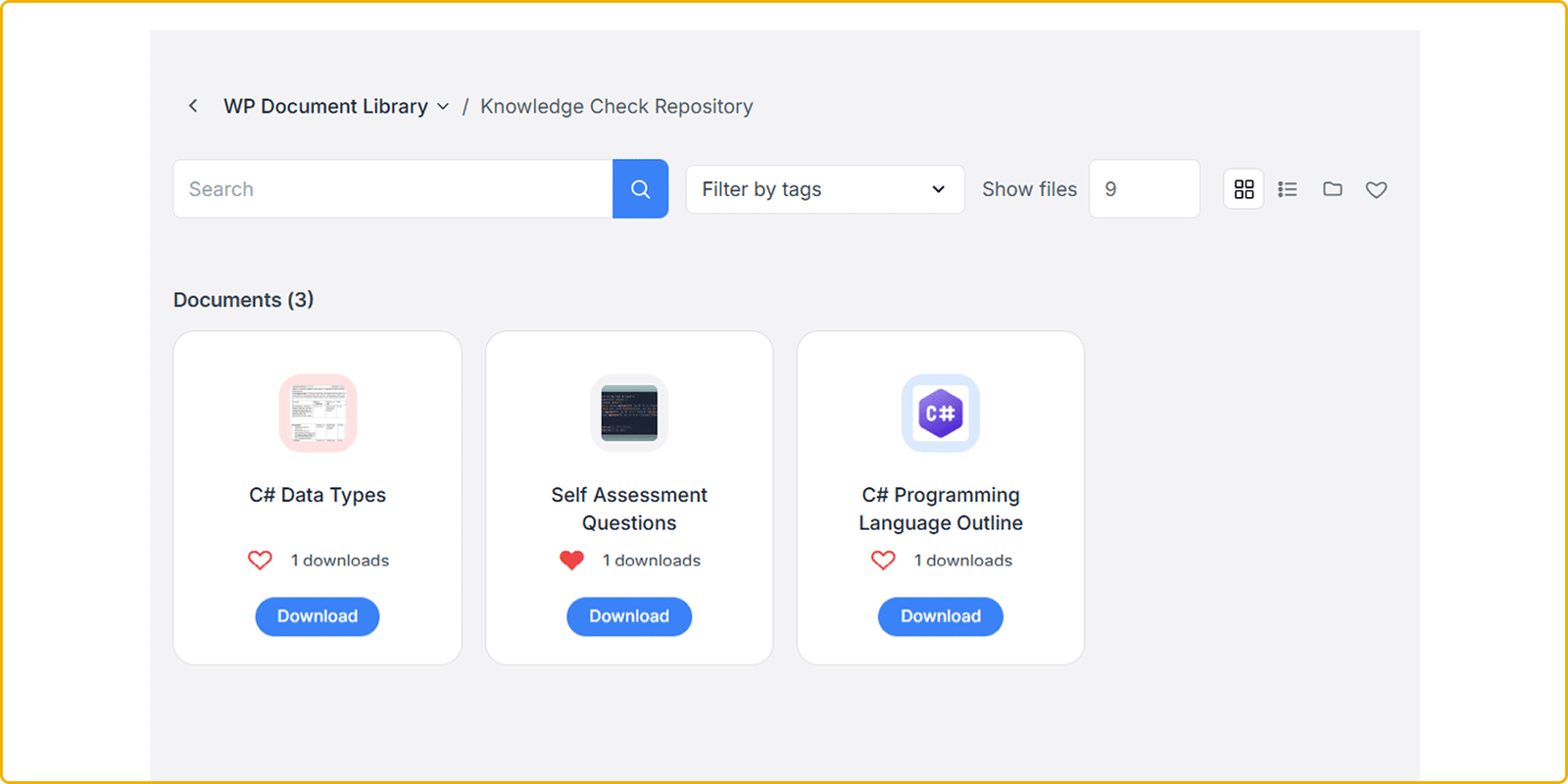
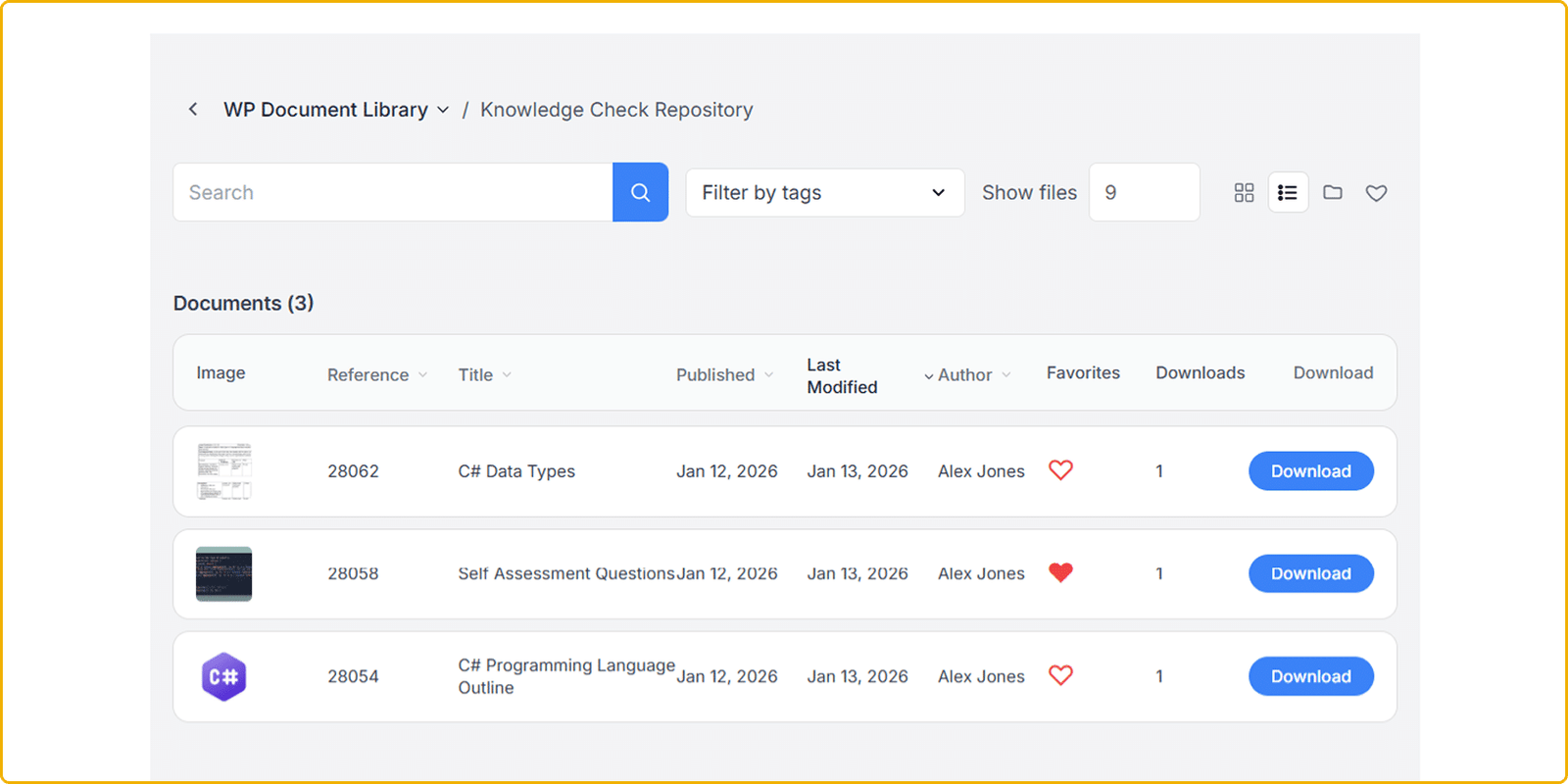
- Display as List, Grid or Folder view
- Match the layout to the content being shared
- Control visible fields like title, date, and downloads

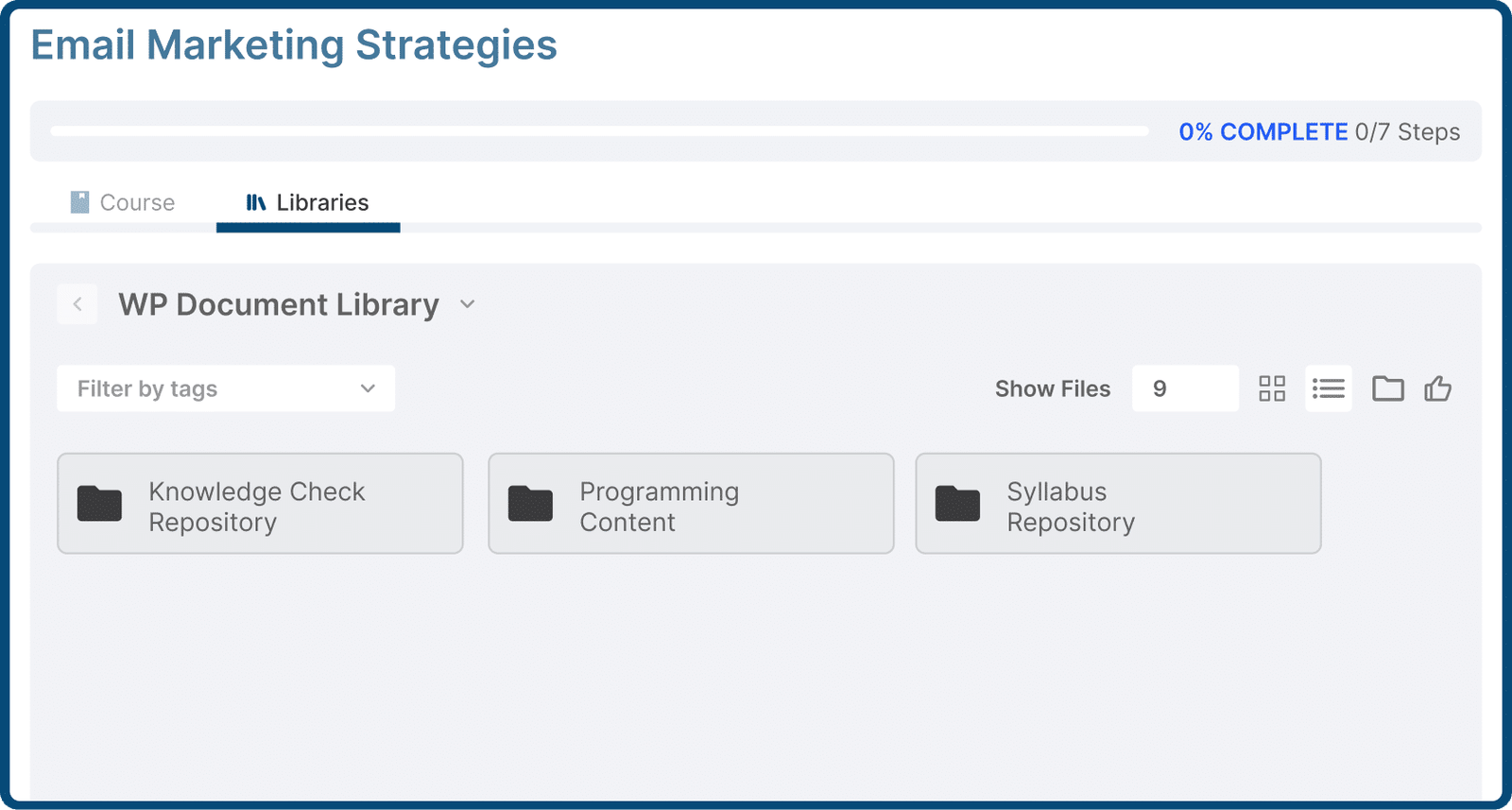
Deliver Course Files Without the Workarounds
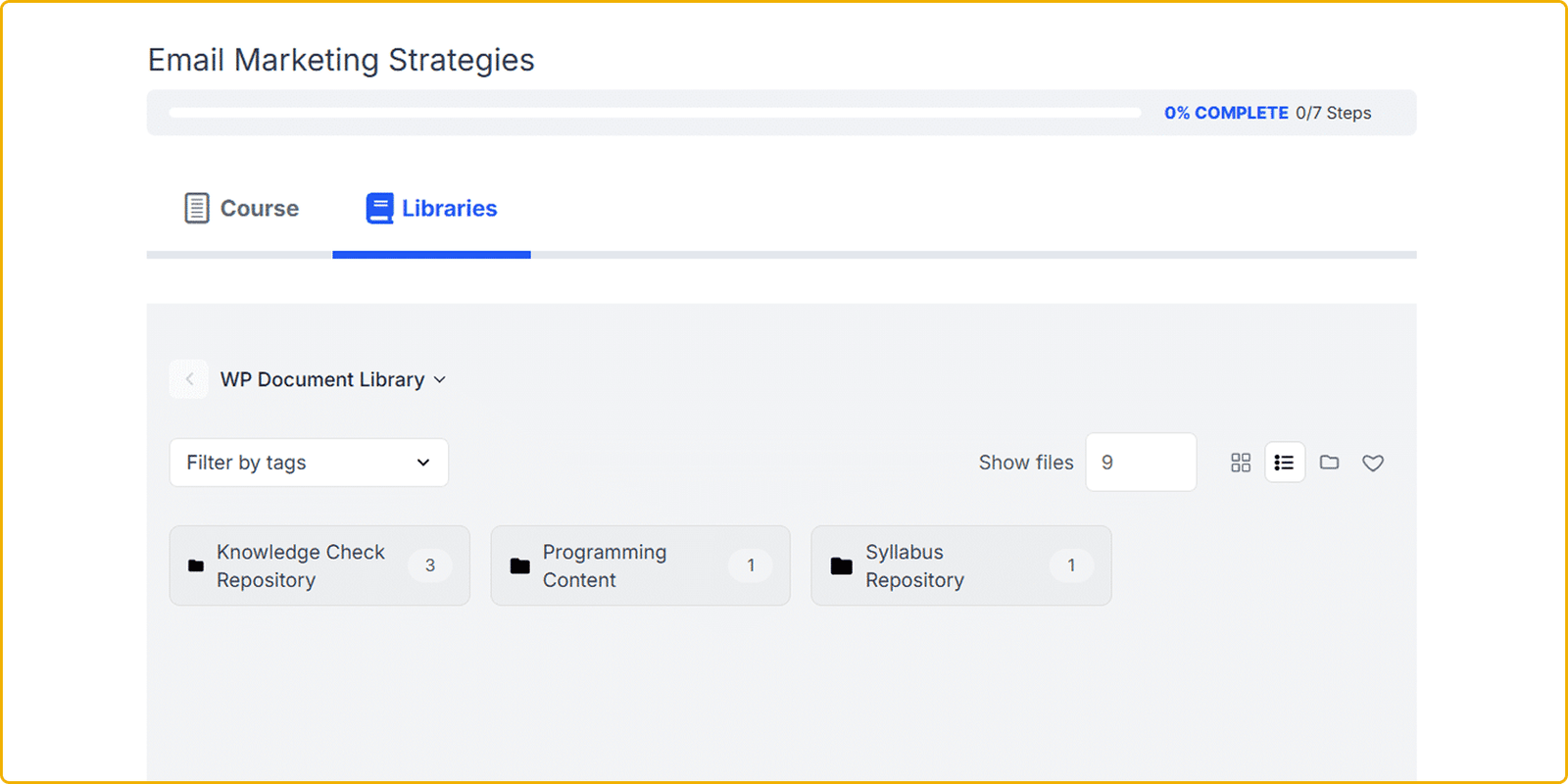
- Show documents inside your LearnDash courses and groups based on selected libraries or categories
- Gate learning materials and resources by enrollment
- Select which users are allowed to view the documents after enrollment into the course or group
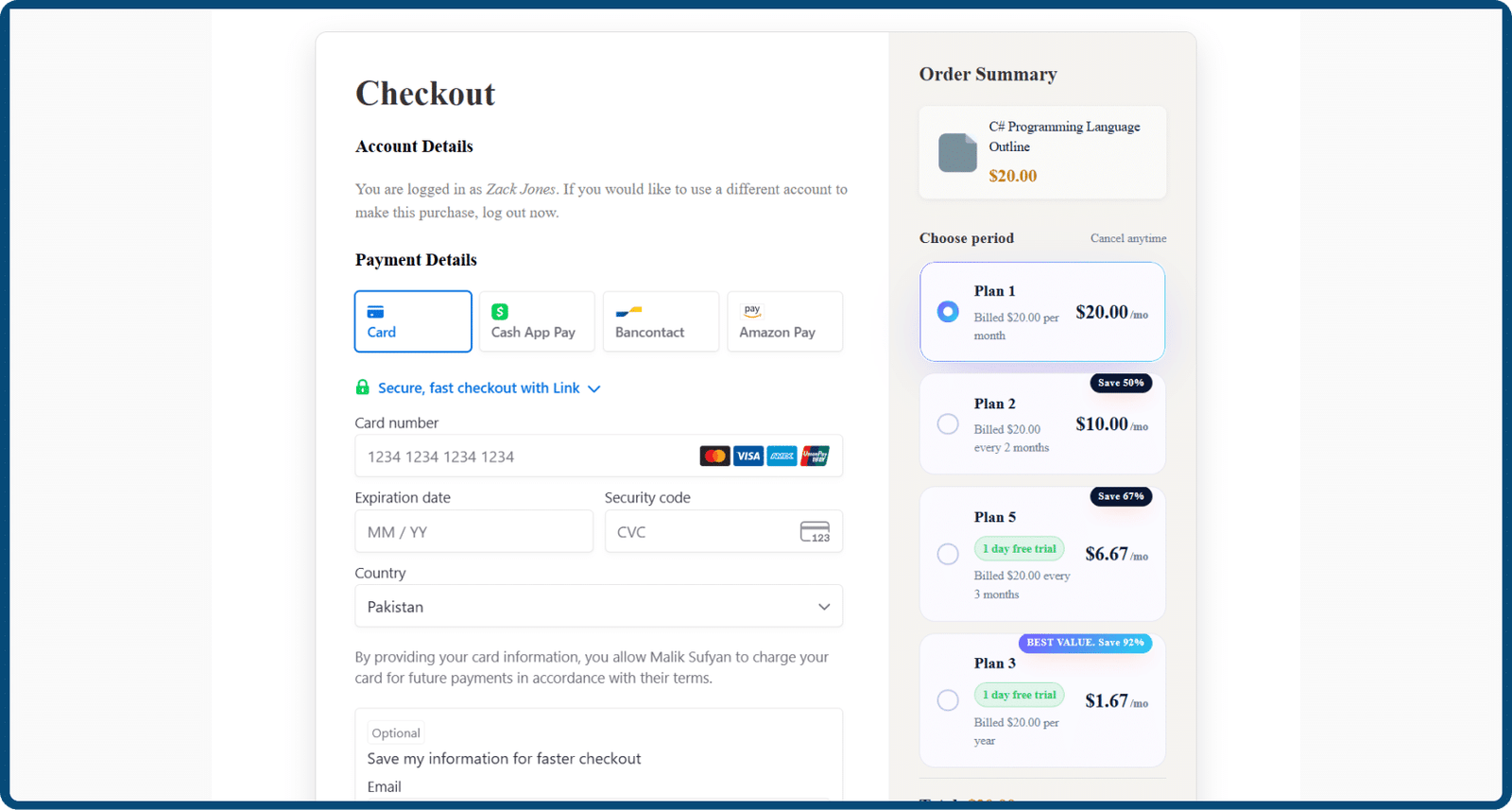
Turn Your Content Into a Paid Resource
- Restrict libraries and documents to paying users
- Accept payments without leaving the front end
- Automatically grant access after successful payment
- Track orders and payment records
What Document Library
Owners Say
Real feedback from teams running a document library in WordPress with WooNinjas.
Three Ways to Add a Document
Store files however suits you.
- 01 Upload straight from your device
- 02 Reuse files already in the Media Library
- 03 Link an external URL — Dropbox, Google Drive, YouTube
Drop Libraries Onto Any Page
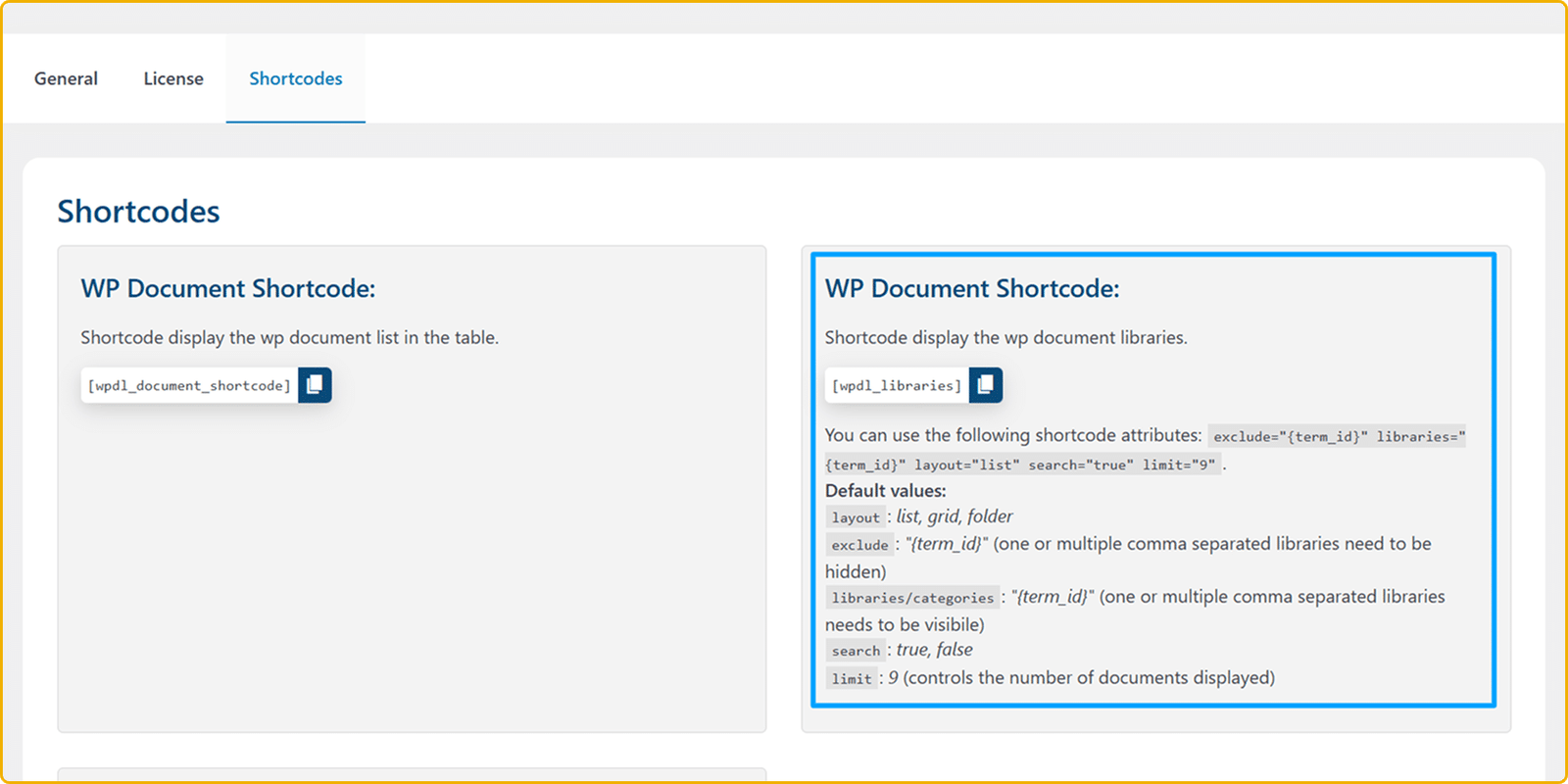
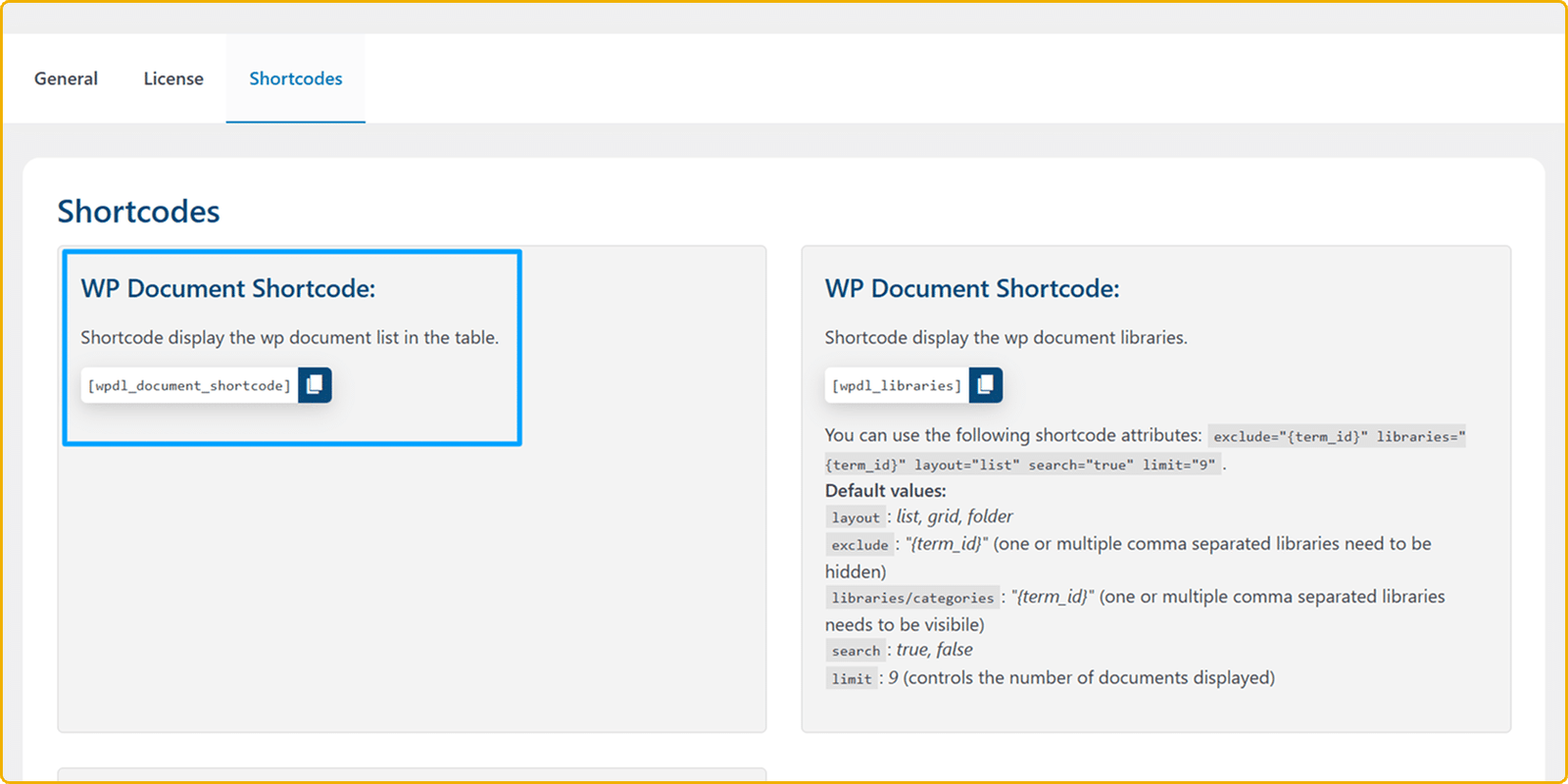
Two shortcodes cover every placement.
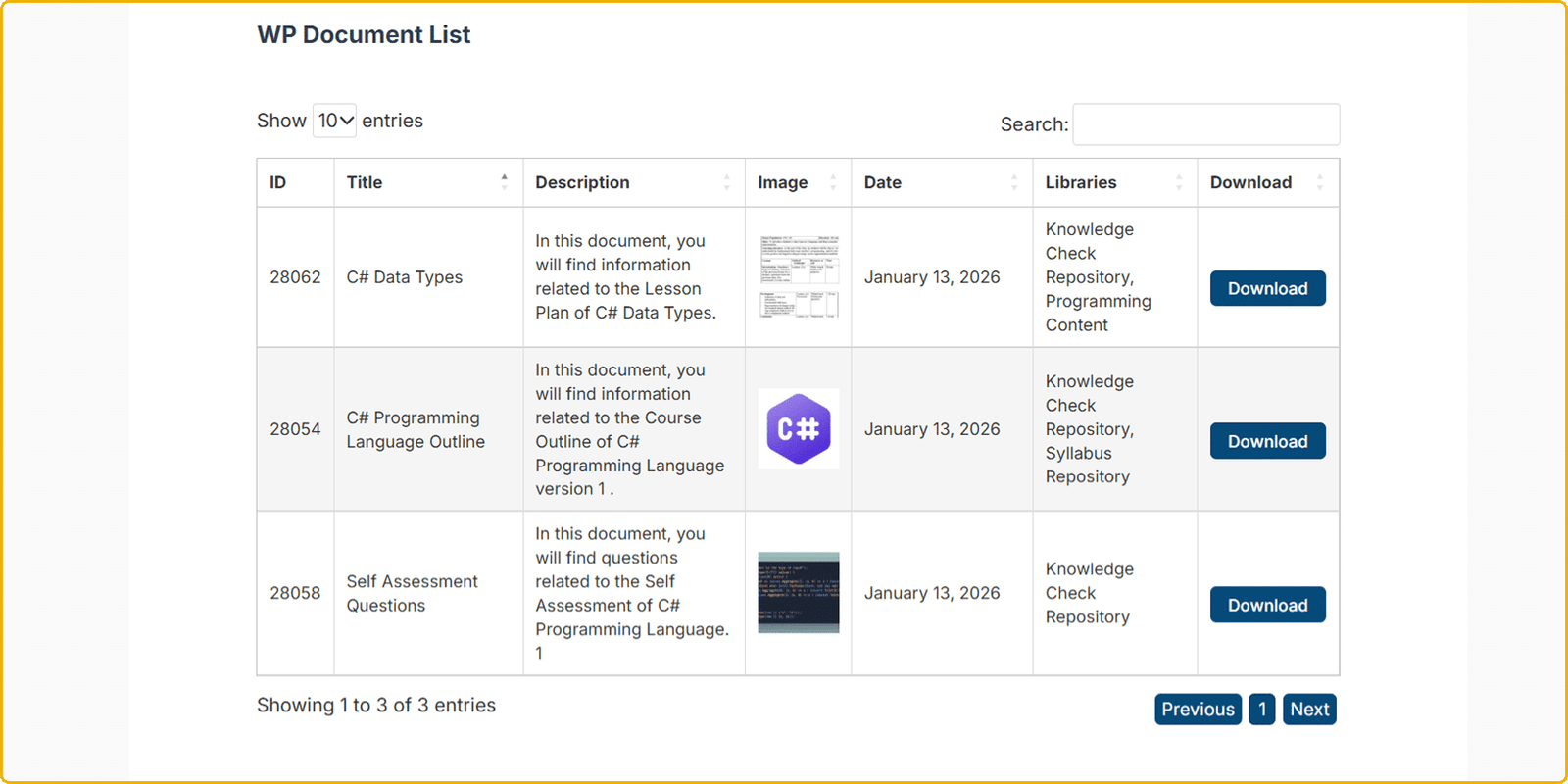
- 01 Full document table with a document shortcode
- 02 Library & category views with a libraries shortcode
- 03 Works on any page, post, or content block
No Shortcode Required
Native block-editor support.
- 01 WP Document & WP Document Libraries blocks
- 02 Front-end Libraries Upload block
- 03 Place libraries in pages
Control Multiple Columns Based On The Selected Layout
Show only what matters.
- 01 Show Image, Title, Author, Published, Last Modified
- 02 Show Downloads, Favorites & Reference
- 03 Set visibility per layout globally
Switch Layouts on The Fly
One default, endless overrides.
- 01 Set the default layout for the "wpdl_libraries" shortcode
- 02 Set the default layout for the group-cat overview pages
- 03 Override per "wpdl_libraries" shortcode with a layout attribute
Filter Inside a Library
Faster than scrolling.
- 01 Tag documents with library Tags
- 02 Filter a library by selected tag
- 03 Filter documents by name in a library
Show Exactly What You Choose
Precise include and exclude libraries or categories in the "wpdl_libraries" shortcode and "WP Document Libraries" block.
- 01 List selected libraries or categories
- 02 Exclude specific child categories or libraries by their WordPress Post ID
- 03 Set records-per-page limits
Favorites & On-Site Viewing on the "wpdl_libraries" shortcode and "WP Document Libraries" Block
Cut needless downloads.
- 01 Users favorite documents to Read later
- 02 View documents on-site instead of downloading
- 03 Download tracking per document
PIN the Files That Matter
Keep important documents on top.
- 01 Mark documents as featured/pinned
- 02 Pinned files stay at the top of the library in the "wpdl_libraries" shortcode and "WP Document Libraries" Block
- 03 Control pin order manually
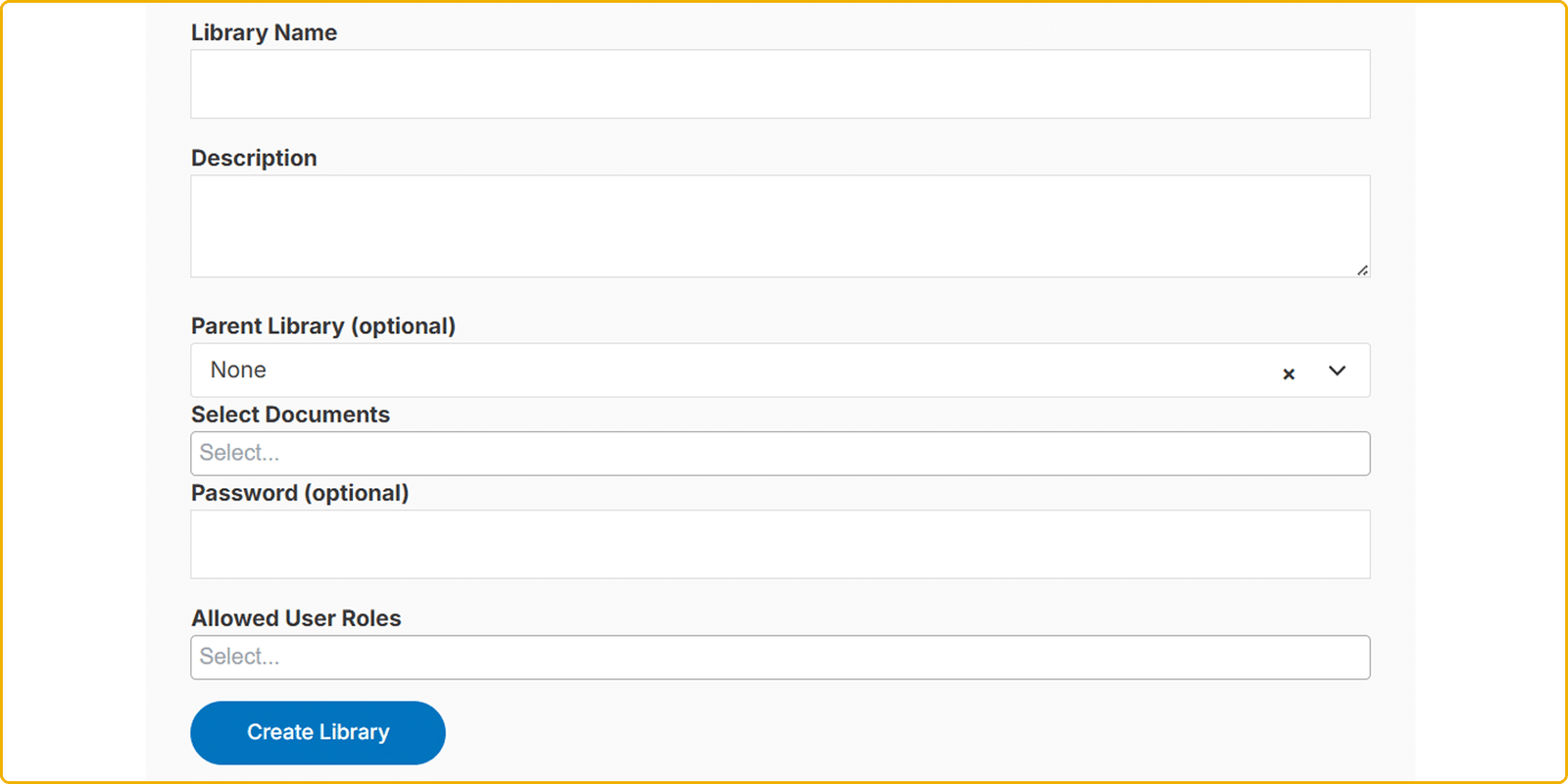
Manage Libraries From the Front End
No WordPress Panel access needed.
- 01 Create, edit & delete libraries
- 02 Add documents from the front end to libraries
- 03 Create new documents from the front end to add to libraries
Standalone, With a Clean Upgrade Path
No lock-in.
- 01 Runs without any other plugin
- 02 LearnDash optional for course/group delivery
- 03 Guided migration from LearnDash Document Library
Sell Libraries & Documents
Easily collect payments for premium content by turning it into paid content.
- 01 Offer one-time purchases or subscriptions
- 02 Accept secure online payments
- 03 View payment history and transaction details

Customize it to fit your site
Custom fields, permissions, integrations. Our team tailors the plugin to how you work.

WordPress Document Library
Pricing
Two simple plans for your WordPress library — pick the one that fits how you work.

Free
A simple public document library
- Upload documents from WordPress admin
- Select files from the Media Library
- Create document libraries
- Display documents with a shortcode
- Basic list layout
- Categories & pagination
- Documentation access
$79.00/year
Save $20For growing sites that need multi-site support & priority help
- Upload documents from WordPress admin
- Select files from the Media Library
- Create document libraries
- Display documents with a shortcode
- Basic list layout
- Categories & pagination
- Documentation access

$149.00/year
Save $50Businesses, schools, teams & client portals
Everything in Pro, plus:
- Grid & folder layouts
- Parent/child categories & tags
- Advanced search & category filters
- Show selected libraries/categories only
- Password-protected libraries
- Role-based access control
- Stripe gateway
- Featured/pinned documents
- Download tracking & favorites
- On-site document preview
- Advanced display controls
- Priority technical support
- Front-end library management
- LearnDash course/group document display
- Individual pricing & subscription plans
- Order management
- Sales analytics
- Purchased downloads
- Automatic account creation
 Try Risk-Free with Our 14-Day Money-Back Guarantee
A Document Library Team
You Can Trust
A decade of WordPress plugins — and a team that stays with you long after the sale.

Expert Support Team
A friendly team on hand whenever you get stuck, need guidance, or want a second opinion — Priority Support on Pro.

Detailed Documentation
A Searchable Knowledge Base with step-by-step setup guides and answers to the questions that come up most.

Videos & Tutorials
Walkthrough videos and written tutorials show you how to set up and get the most out of the plugin.

Bundle & Save
Build a bundle of add-ons or grab the full access pass and save across your whole WordPress stack.

Fast Response Times
We usually reply to support requests within 24 hours — and often much sooner.

Money-Back Guarantee
Not the right fit? Every paid plan is covered by a 14-day money-back guarantee. No hassle.
WordPress document library
screenshots
A closer look at managing your documents in WordPress, from the admin to the front-end experience.

WordPress Document Library FAQs

Still have questions?
Can't find what you're looking for? Our team is happy to help — and we usually respond within 24 hours.