AffiliateWP Sub Affiliates

Years In Business
Sites Built
Plugins Developed
Repeat Clients
 2.0.3
2.0.3
Current Version
 02 Jul 2026
Last Update
 6.8 Or Higher
WordPress Version
 2.9.7 or higher
AffiliateWP Version
 7.4 Or Higher
PHP Version
Add-On Overview & Features
Why settle for a simple one-tiered affiliate system when you can build a whole network of marketers that are hungry for success? With the ability to add sub-affiliates to your team, the potential for exponential growth is practically limitless.
Don’t only recruit affiliates to promote your products and services; instead, leverage their networks to grow your reach and revenue exponentially. By incentivizing your affiliates to recruit sub-affiliates of their own, you can create a thriving network of marketers, each promoting your offerings to their audiences.
Key Features Of Our AffiliateWP Sub Affiliates
1 Allow Affiliates To Recruit Sub-Affiliates
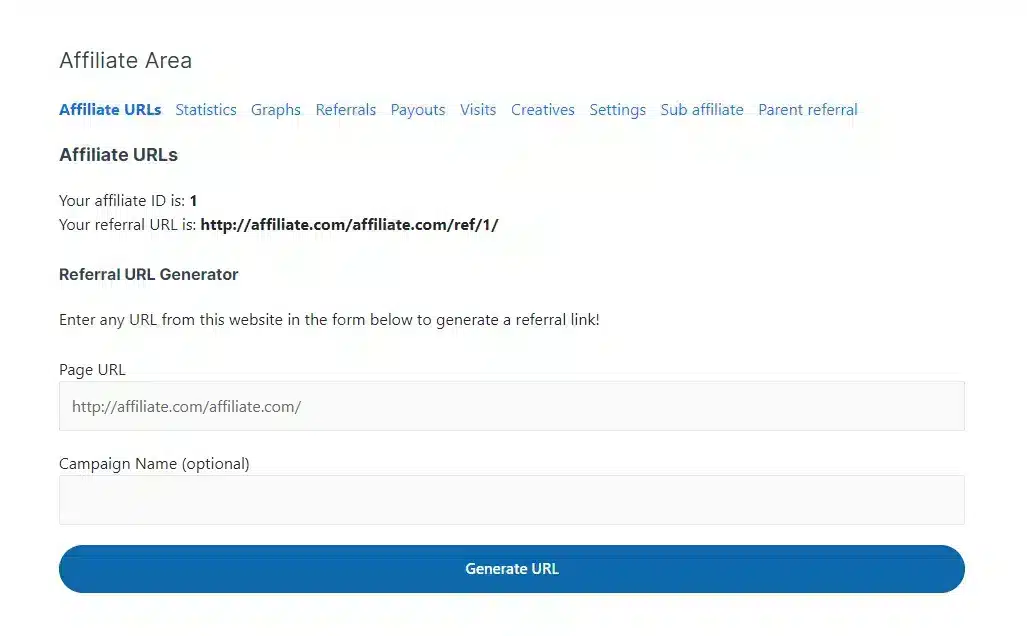
The add-on makes it easy for affiliates to recruit sub-affiliates using a unique referral link to register on your site.
2 Affiliates And Sub-Affiliates Earn Commissions On Their Sales
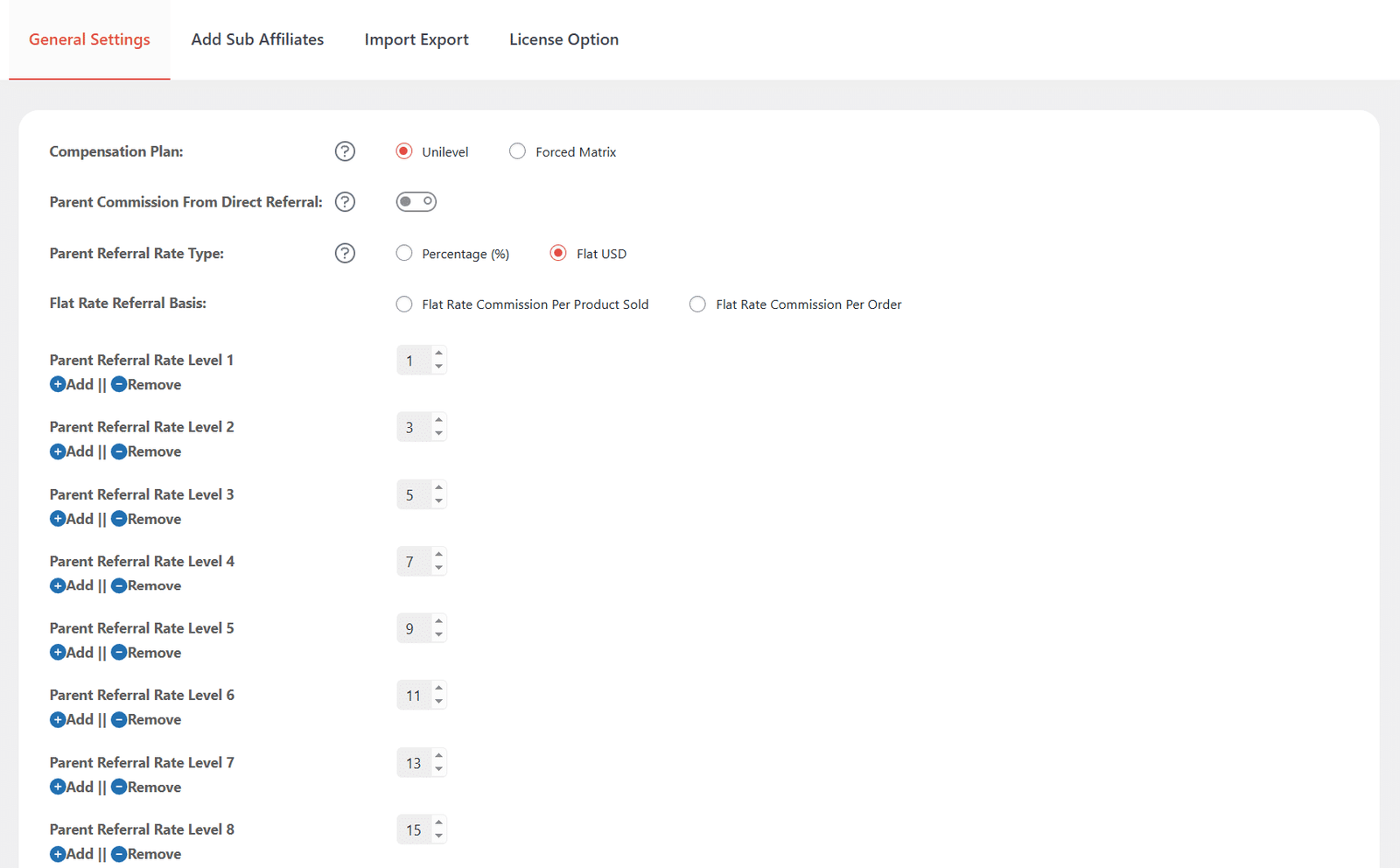
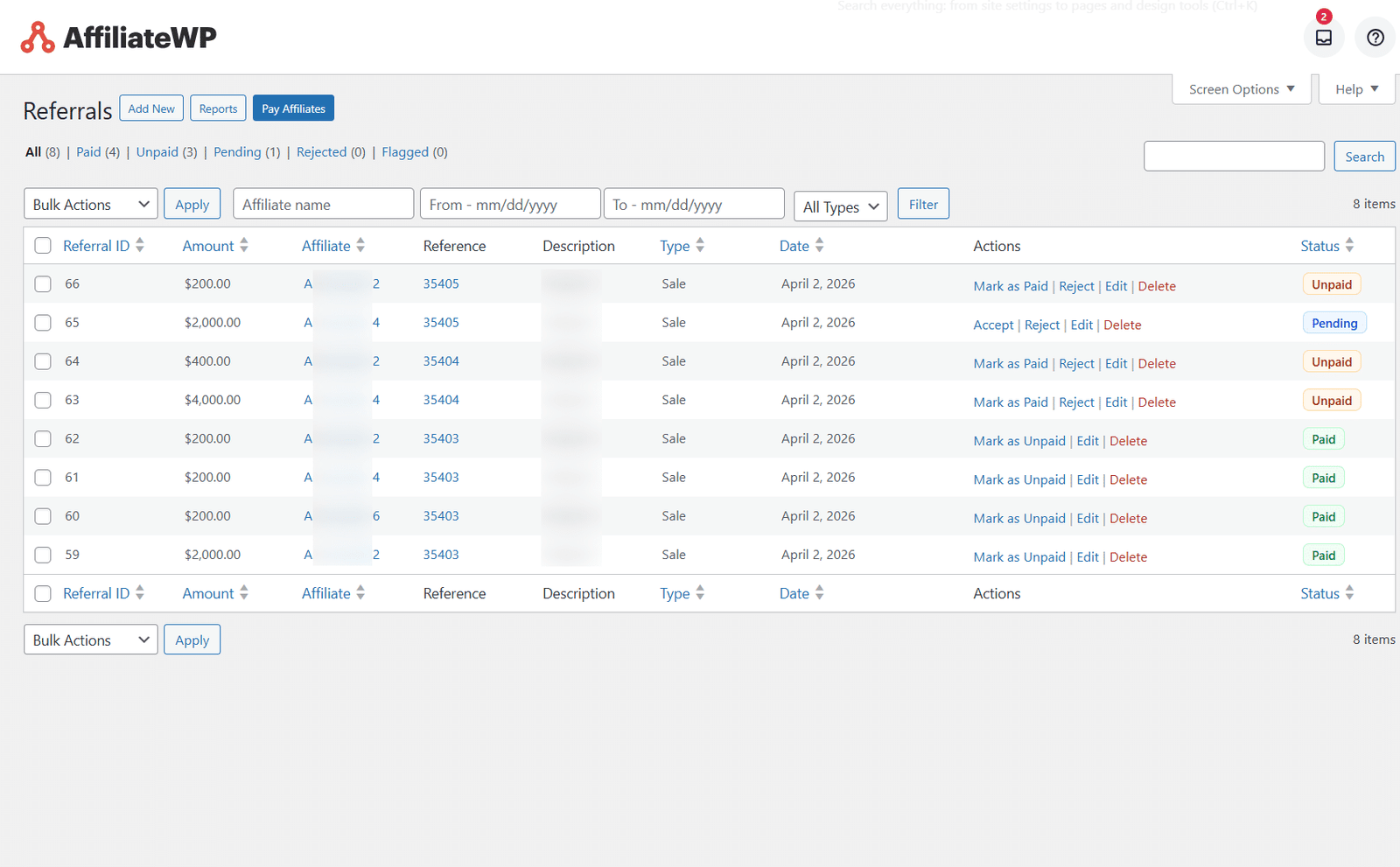
Sub Affiliates can sell any product through their own referral link, acting as a regular affiliate. Both the main affiliate and sub-affiliate will earn commissions on sales made. The parent affiliate’s commission can be set for up to 10 levels.
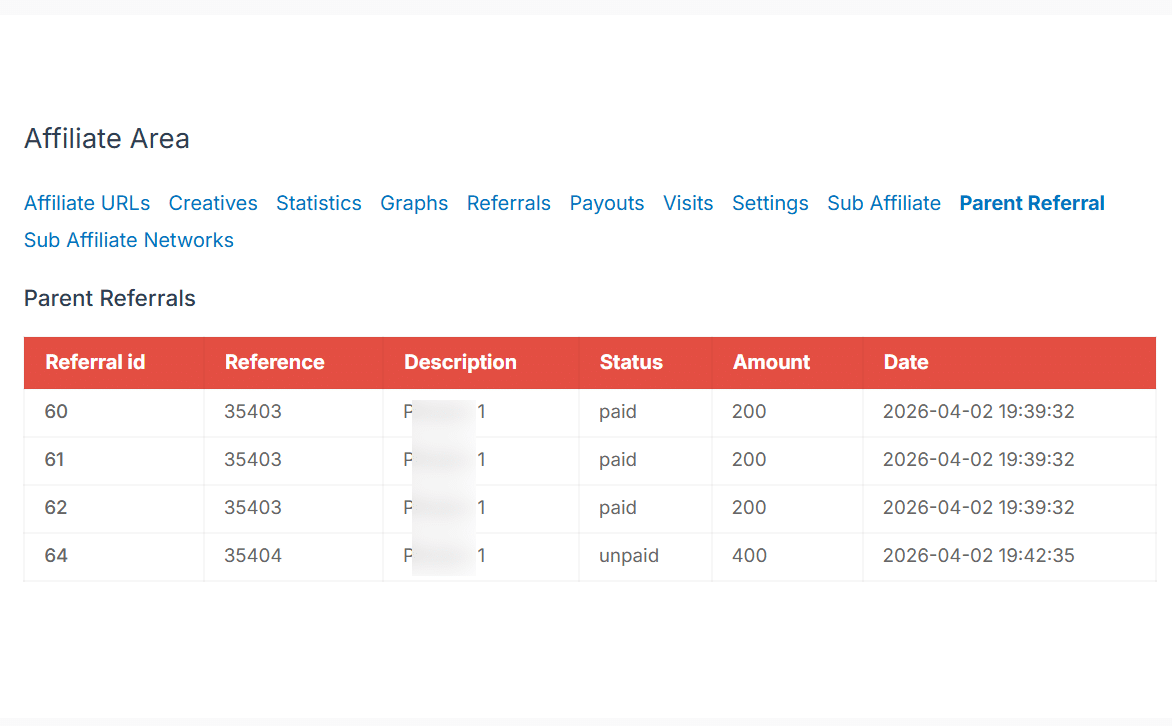
3 Affiliates Can Monitor Their Sub-Affiliate Network
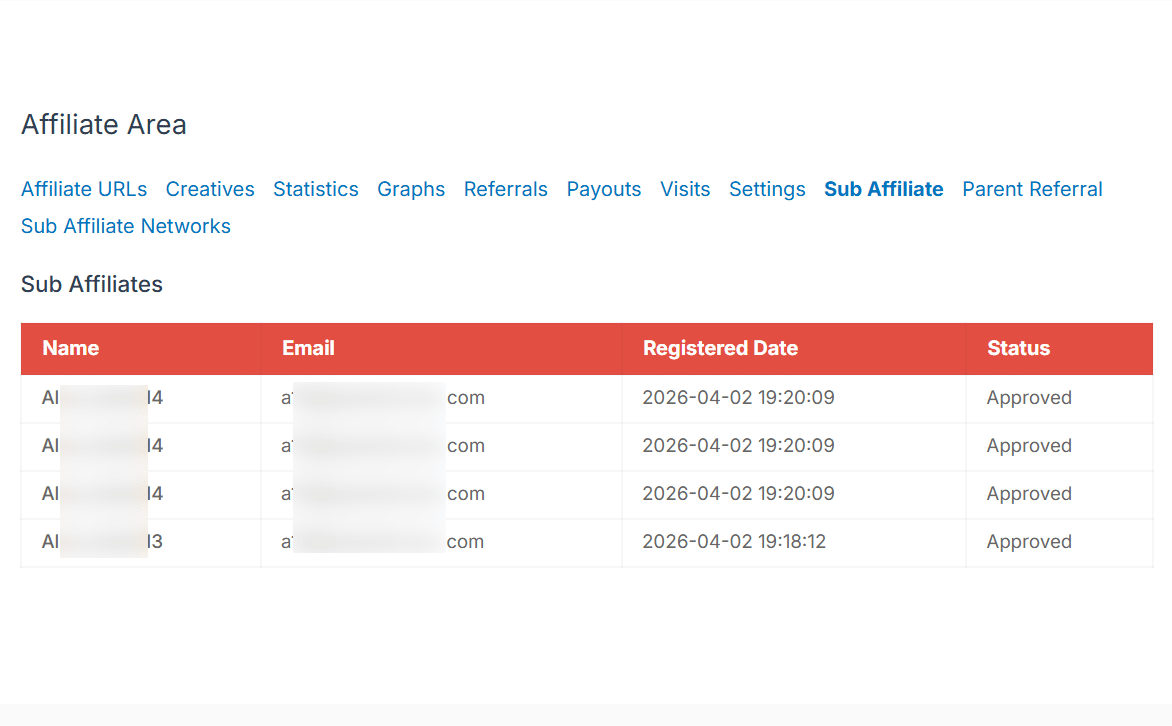
Each affiliate can view a list of their sub-affiliates and track their commissions from the front end.
4 Add Sub Affiliates
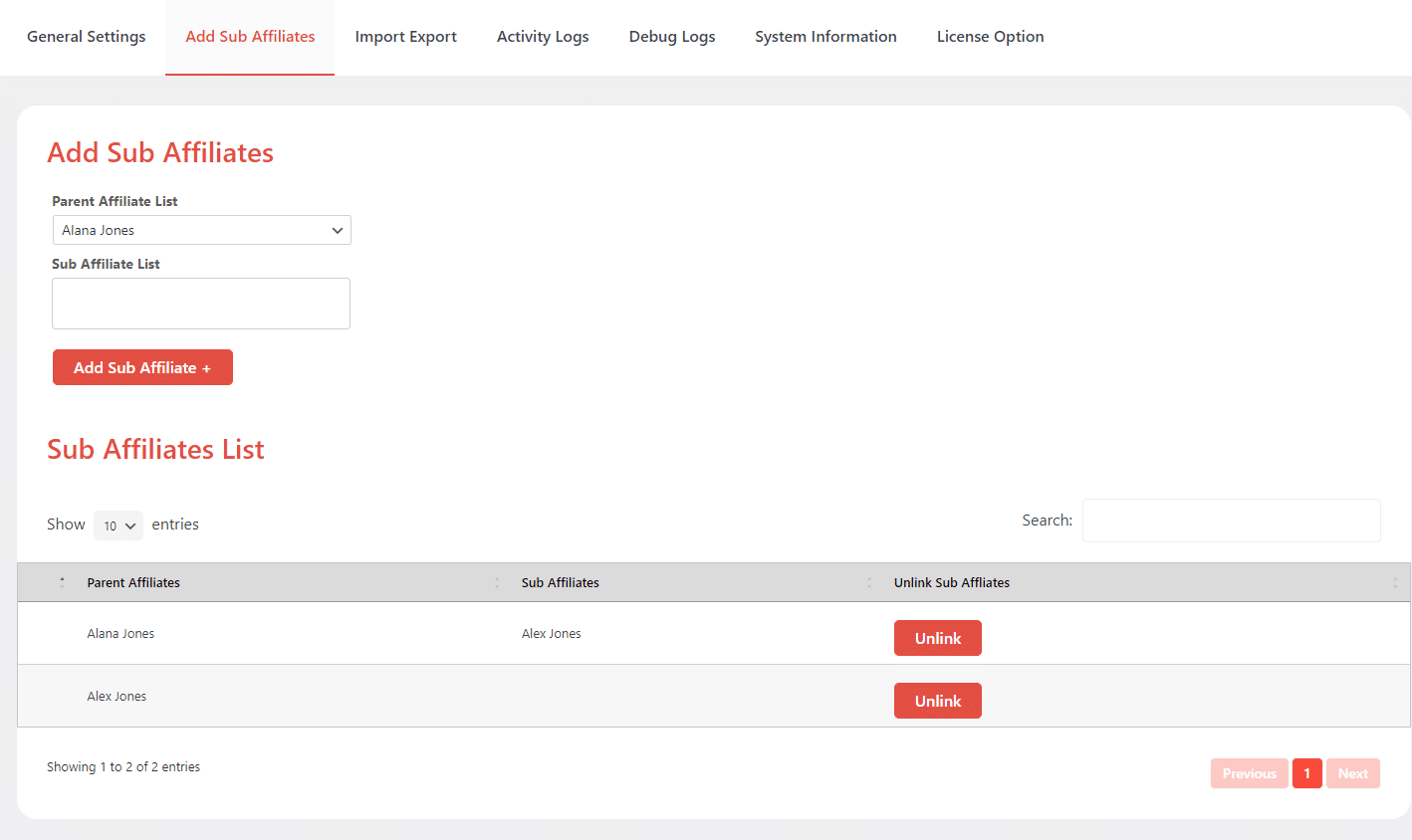
This tab allows admins to add sub-affiliates (child affiliates) to parent affiliates and shows the list of all of the sub-affiliates (child) along with their data, such as the Parent User Name. It also includes a button to unlink sub-affiliates.
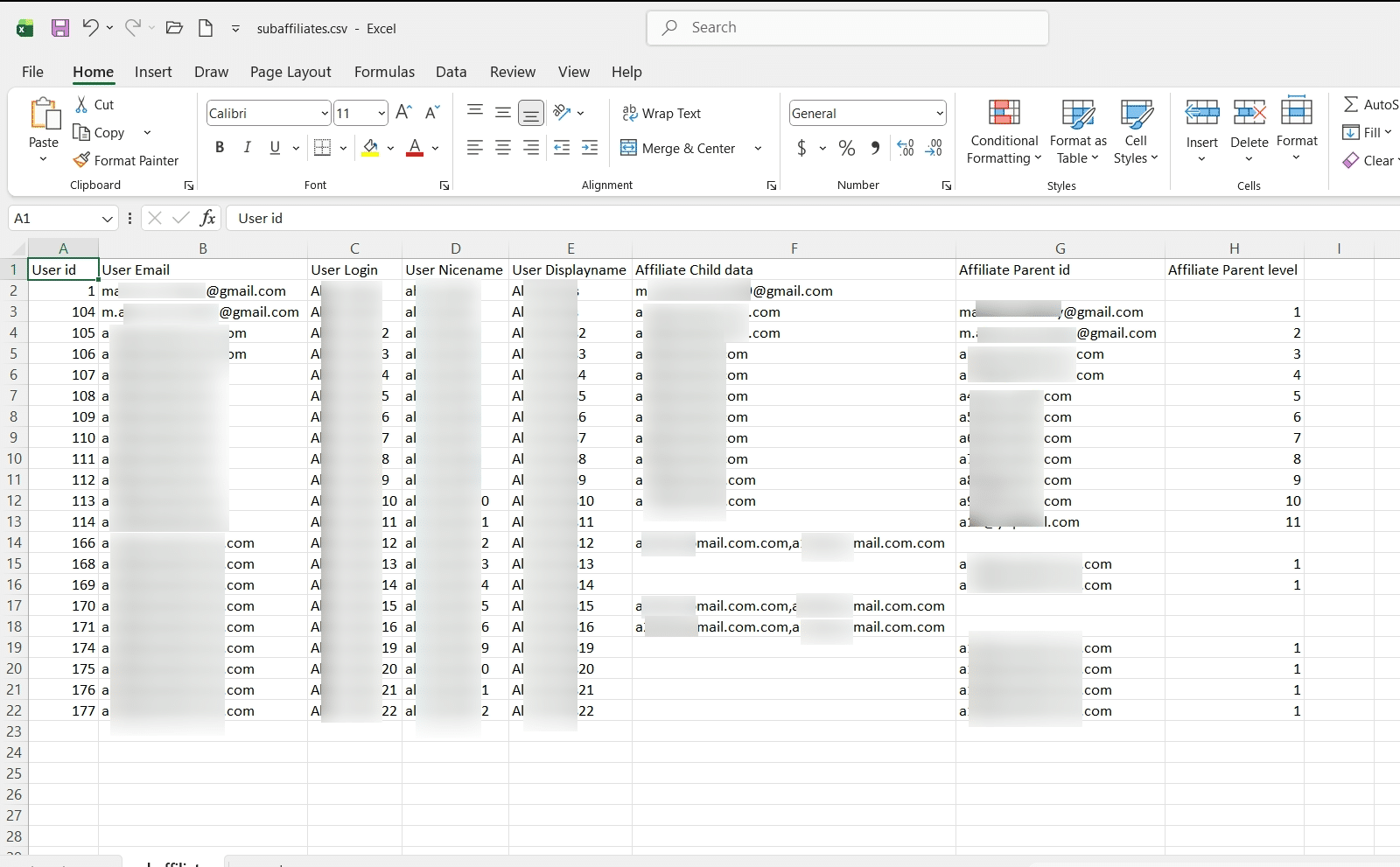
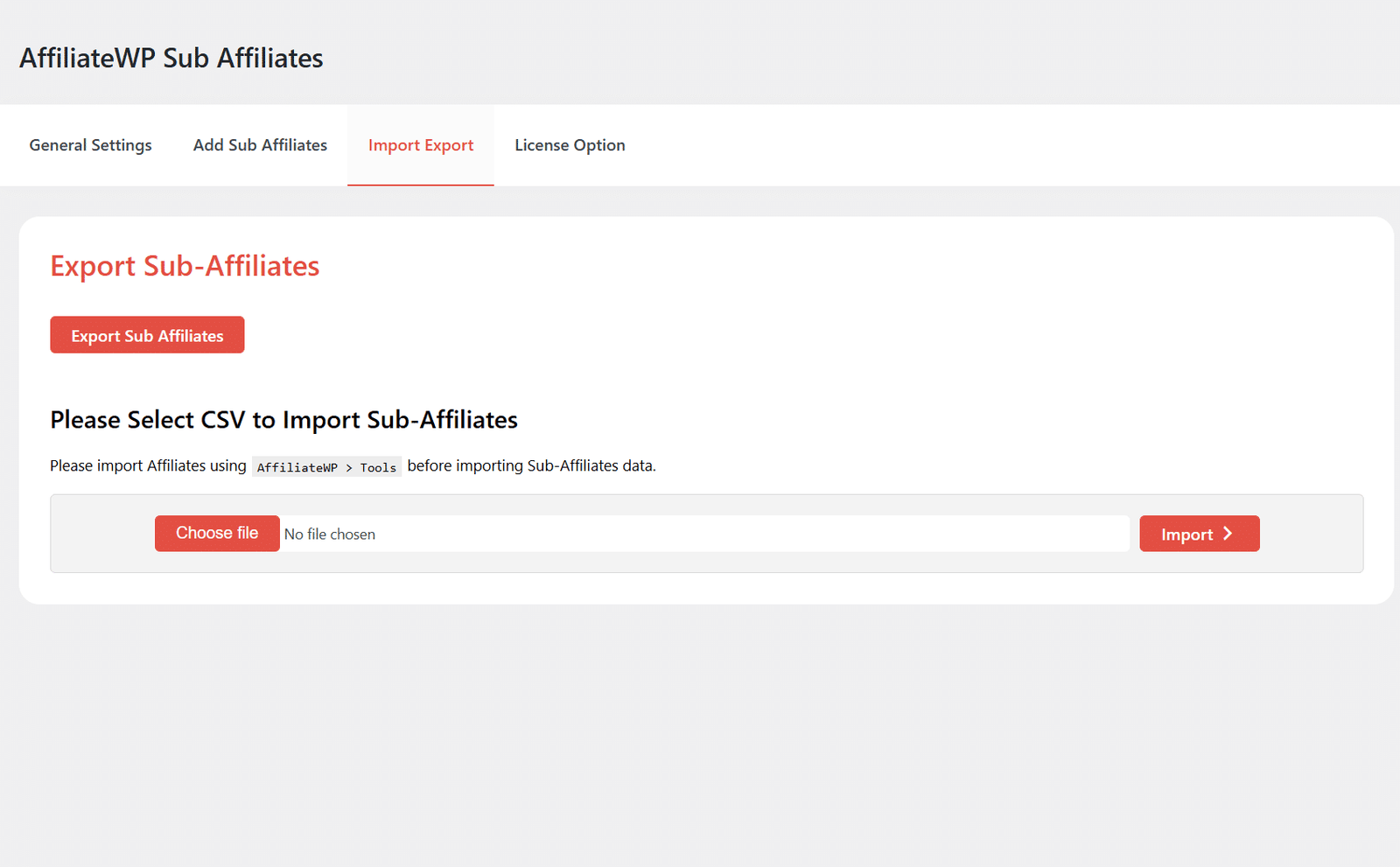
5 Import & Export Sub Affiliates
This tab allows you to manage the import and export of sub-affiliate information, enabling efficient data handling and seamless updates to your affiliate structure.
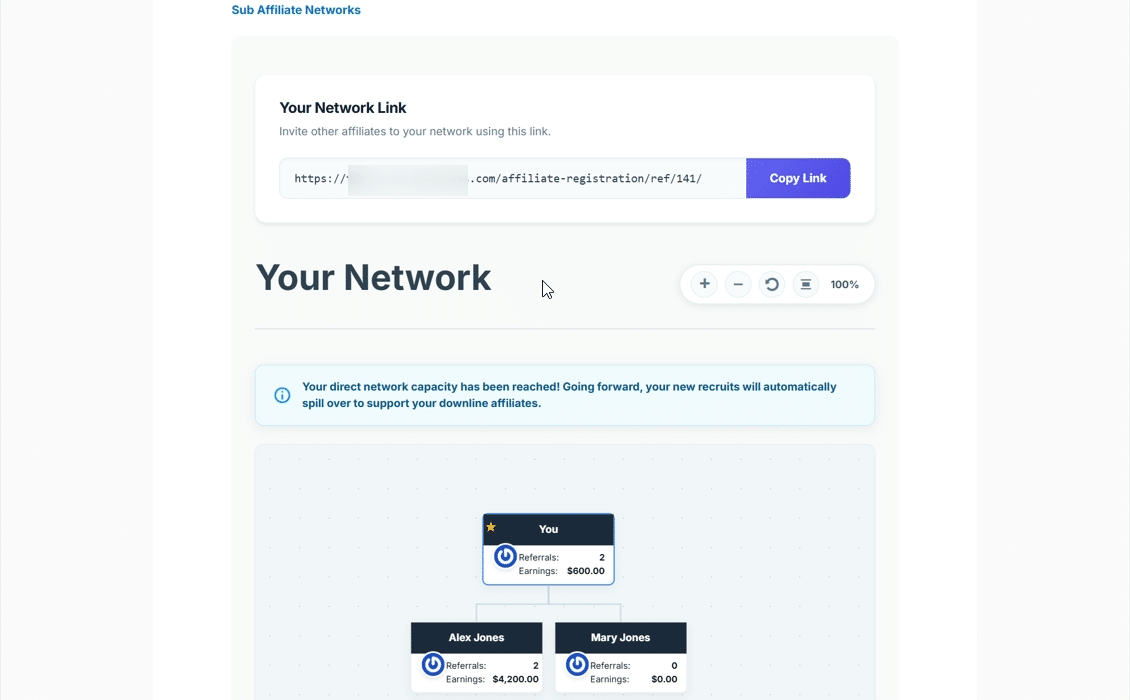
6 Sub Affiliate Network
Enable affiliates to grow their network by sharing a unique referral link and onboarding sub-affiliates. View a hierarchical structure of all child affiliates with interactive insights. Hover over each user to see key performance metrics like visits, referrals, conversion rate, and earnings.
Get The Plugin Now!
License for 1 site
1 year technical support & updates
Full documentation
Support forum
License for 3 sites
1 year technical support & updates
Full documentation
Support forum
License for sites
1 year technical support & updates
Full documentation
Support forum
Are You interested In Full Access Pass?
Get NowAffiliateWP Sub Affiliates Screenshots
What Our Happy
Customer Says

A terrific company with great plug-ins. I needed support for trying to figure out some functionality, and it went like all Support should go. I asked the question and I got a timely and thorough response. Keep up the good work everyone!

WooNinjas provided great customer service to me to solve an issue uploading quizzes into my website. They responded quickly and located and resolved the issue very well.

Great customer service, we had issues but the Wooninjas team didn’t give up and were very helpful in fixing my issue.

The plugins offered by the company are fantastic and their support team is the best, I have had the opportunity to use LearnDash Certificate Verify and Share and I am very satisfied with the results obtained. I highly recommend them.
Build Your Bundle & Save 20%
Pick any 3+ add-ons from the same category and get 20% off automatically at checkout. No coupons and extra steps required. Just choose the features you need and save instantly.
FAQ’s
We’re here to help.
The immediate parent will receive the main commission (as set in the AffiliateWP Settings). Subsequently, with the ‘Parent Referral Rate’ configured for 3 levels in our AffiliateWP Sub Affiliate addon, commissions will be distributed from the top. The first 3 affiliates will receive the designated commission, and consequently, the Level 4 sub-affiliate will not receive any amount.
The AffiliateWP Sub-Affiliate addon does not impose any limitations on the number of sub-affiliates you can have. A parent affiliate can have multiple sub affiliates, and these sub affiliates can, in turn, become parents to their own sub affiliates, creating a multi-level affiliate structure. It’s important to note that profit sharing is specifically between the affiliate parent(s) (Up to 10 levels) and their immediate sub-affiliates.
Our addon now supports a Forced Matrix Multilevel structure where the parent affiliate earns from multiple levels beyond the immediate sub-affiliate level, i.e., the parent affiliate earns profit from their direct sub-affiliates (Level 1) up to sub-affiliates (Level 10), but they do not receive profit from the sub-affiliates of their sub-affiliates (Level 11 and beyond).
No, both Affiliate and SubAffiliate have their individual Profit. Sub-Affiliates profit will be set from the AffiliateWP > Settings, while the Affiliates profit will be set from Sub Affiliates > General Settings.
The Affiliate commission can only be set from the General Settings tab. Commission can be selected based on Per product sale or Per order. Also, the parent affiliate’s commission can only be set up to 10 levels
Yes, an Affiliate can have multiple Sub-affiliates. There is no limitation on sub-affiliates.
On the backend, you can check the child details from the Add Sub Affiliates tab, while on the frontend, the Sub Affiliate tab will show the details.
Still have questions?
Contact us and we will clear up your doubts!

