TutorLMS Attendance Plugin

Years In Business
Sites Built
Plugins Developed
Repeat Clients
Add-On Requirements
 1.2.11
Current Version
 12 Sep 2026
Last Update
 6.8 Or Higher
WordPress Version
 3.4.0 or higher
TutorLMS Version
 7.4 Or Higher
PHP Version
Get the LMS Attendance Add-On for TutorLMS
With the TutorLMS Attendance add-on, you can easily keep track of your students’ online course attendance.
Attendance can be marked by students themselves or by administrators and instructors, as you prefer.
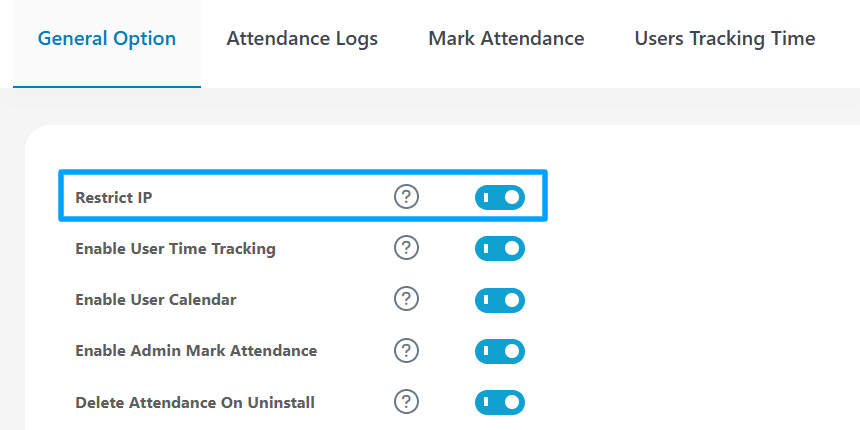
For better control, you can restrict check-ins by IP to prevent students from marking attendance from unauthorized locations. Admins can review Attendance Logs with reports grouped by course, lesson, or user.
You can also set minimum attendance time requirements, let students view an attendance calendar on their dashboard, and export or import attendance logs and time-tracking records in Excel.
TutorLMS Attendance plugin Features
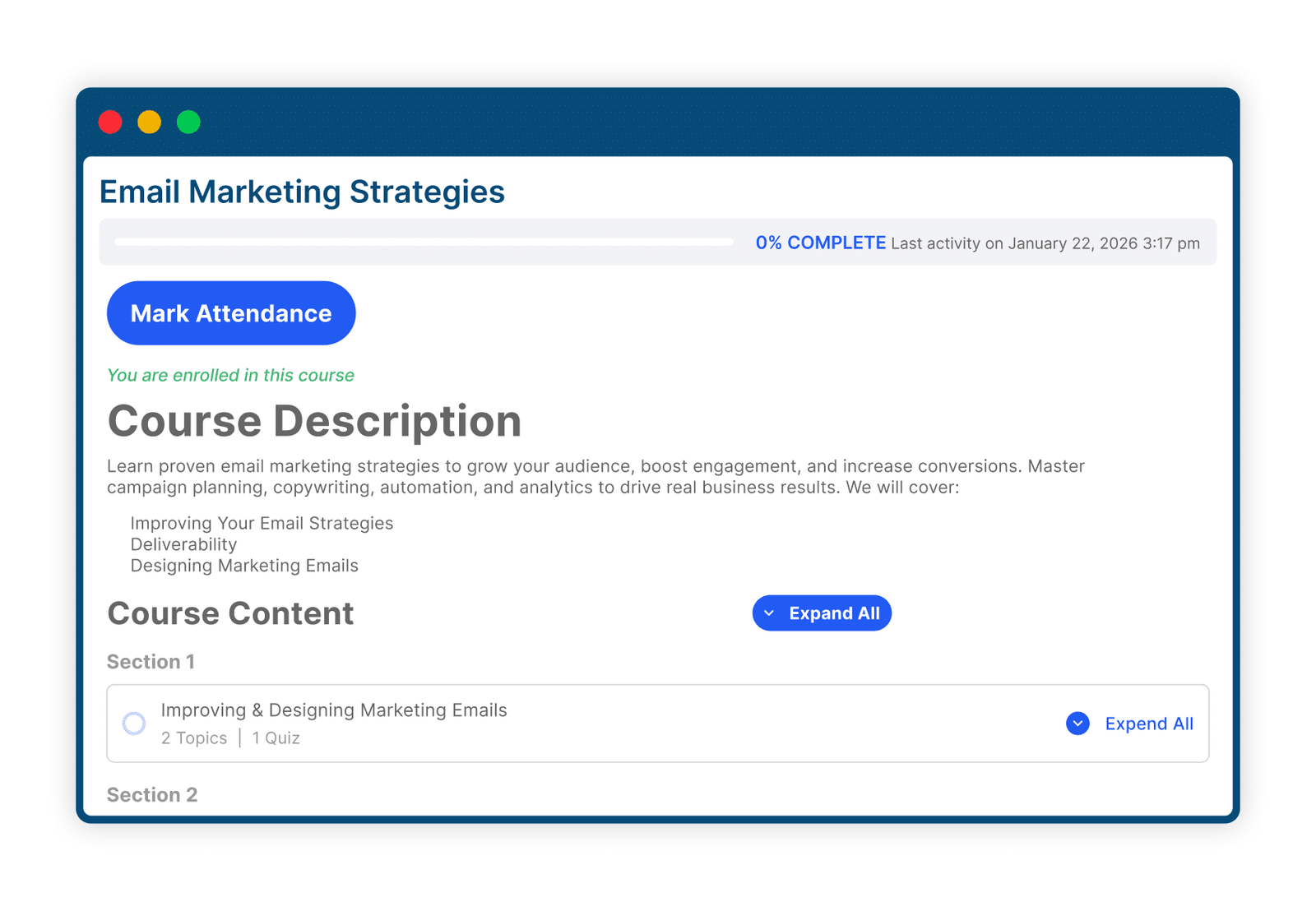
1 Mark Student Attendance
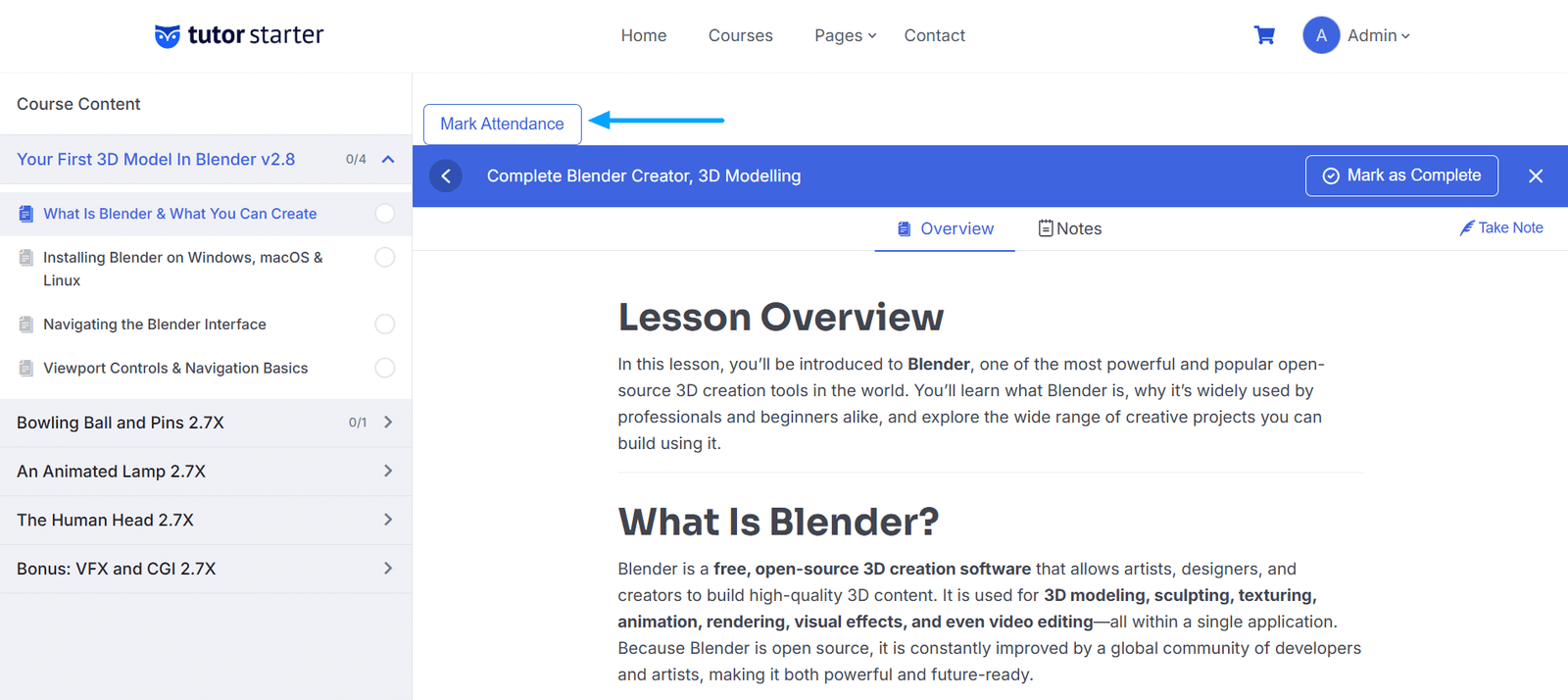
Students can mark their attendance on lessons and topics. If preferred, you can allow administrators and instructors to mark attendance for users from both the backend and the frontend.
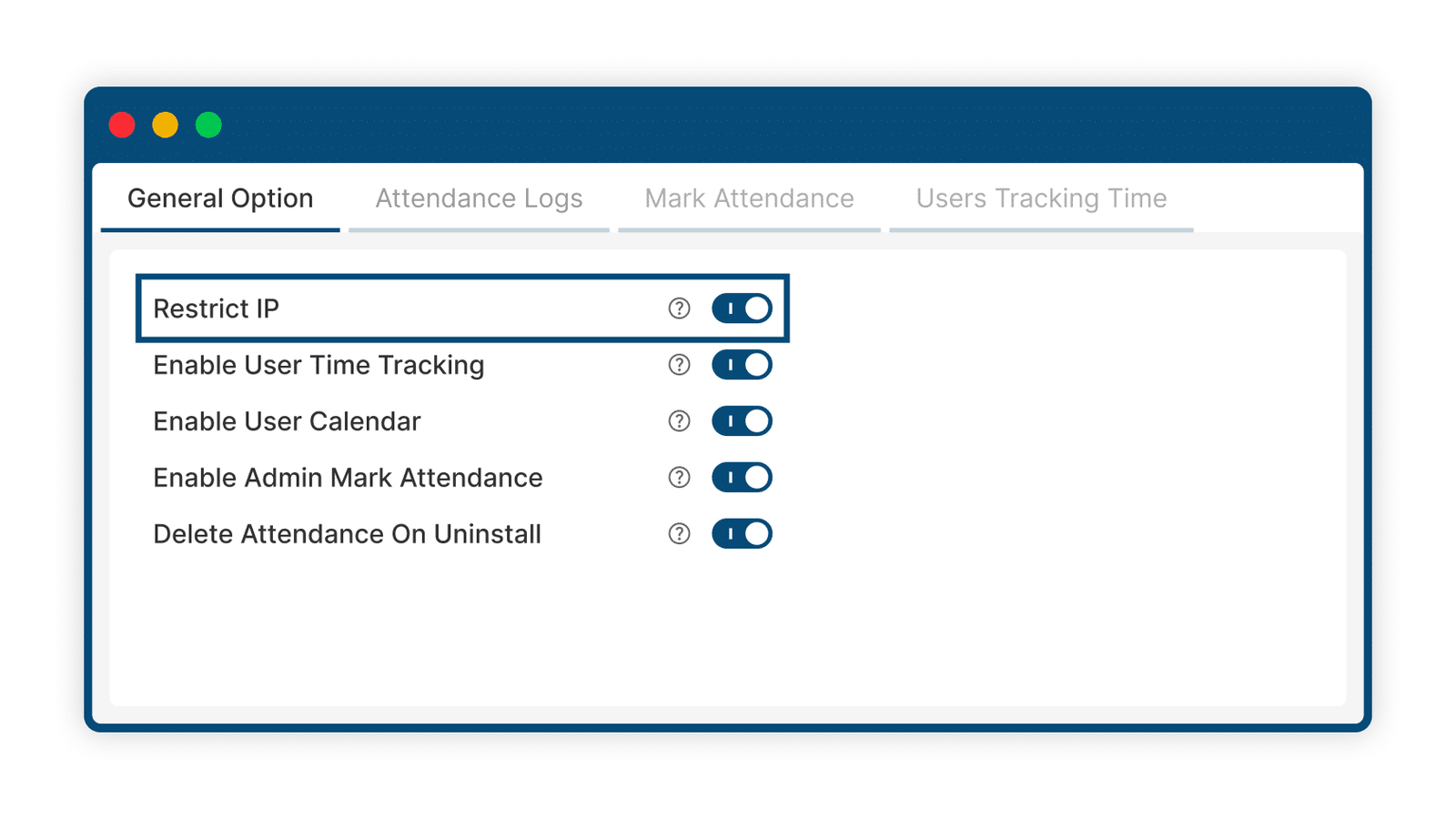
2 Restrict Attendance Tracking By IP
Maintain greater control over your students’ behavior by allowing students to mark their attendance only from a single IP address.
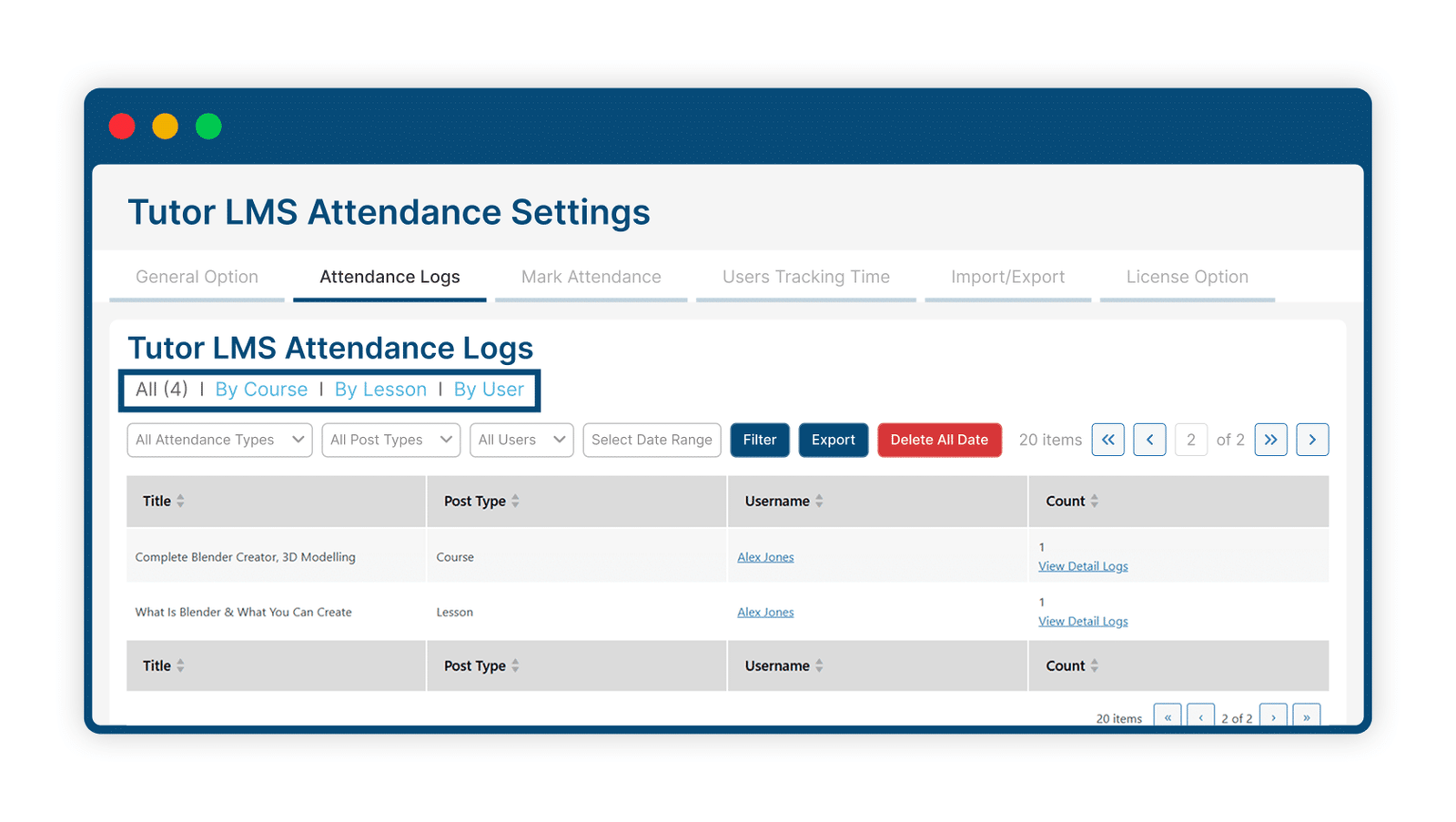
3 Collect And Review Course Attendance Data
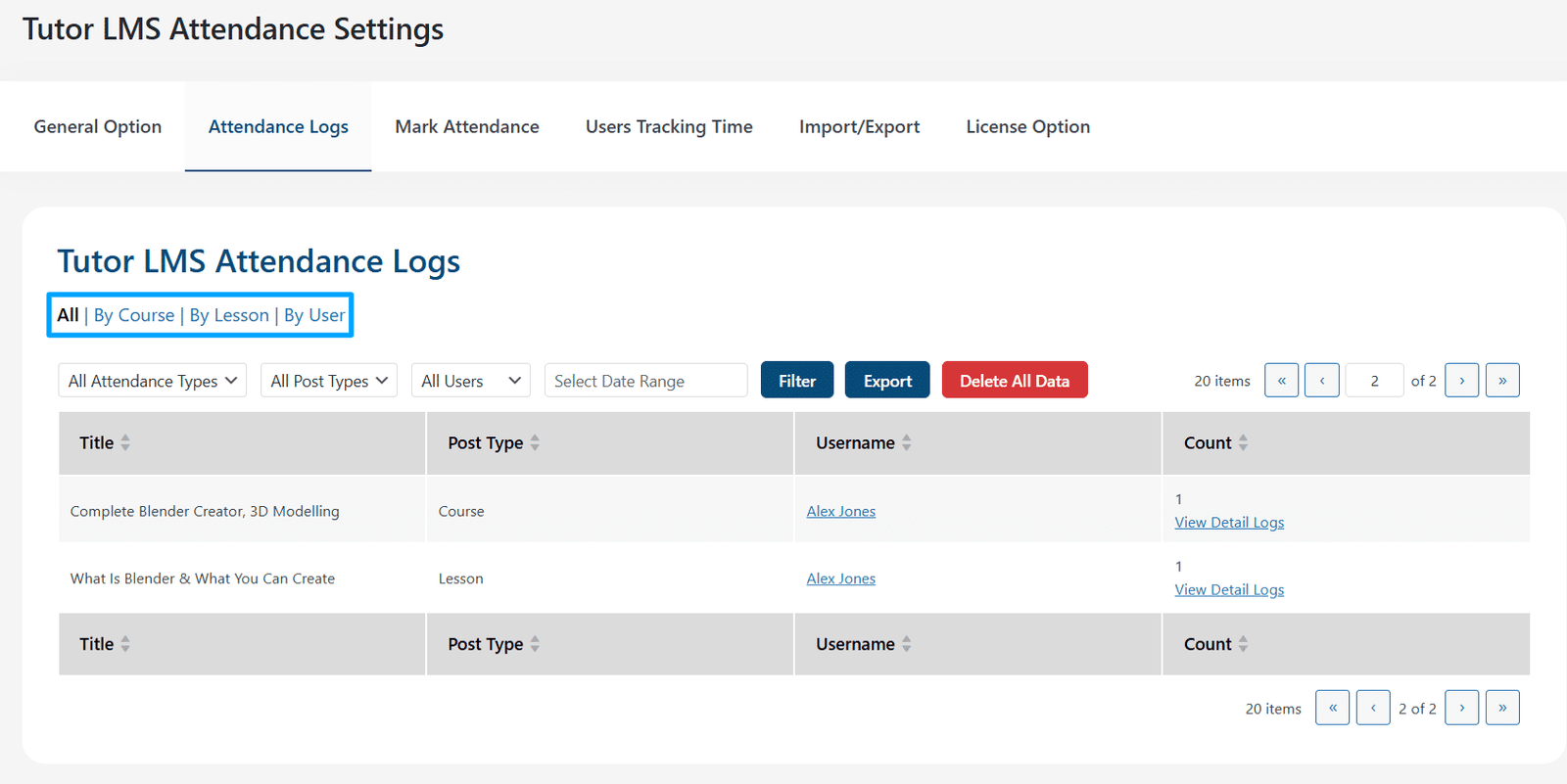
Administrators can view the attendance counts for all enrolled students on the Attendance Logs tab of the settings page. Attendance reports can be grouped by “Course,” “Lesson,” or “Users.”
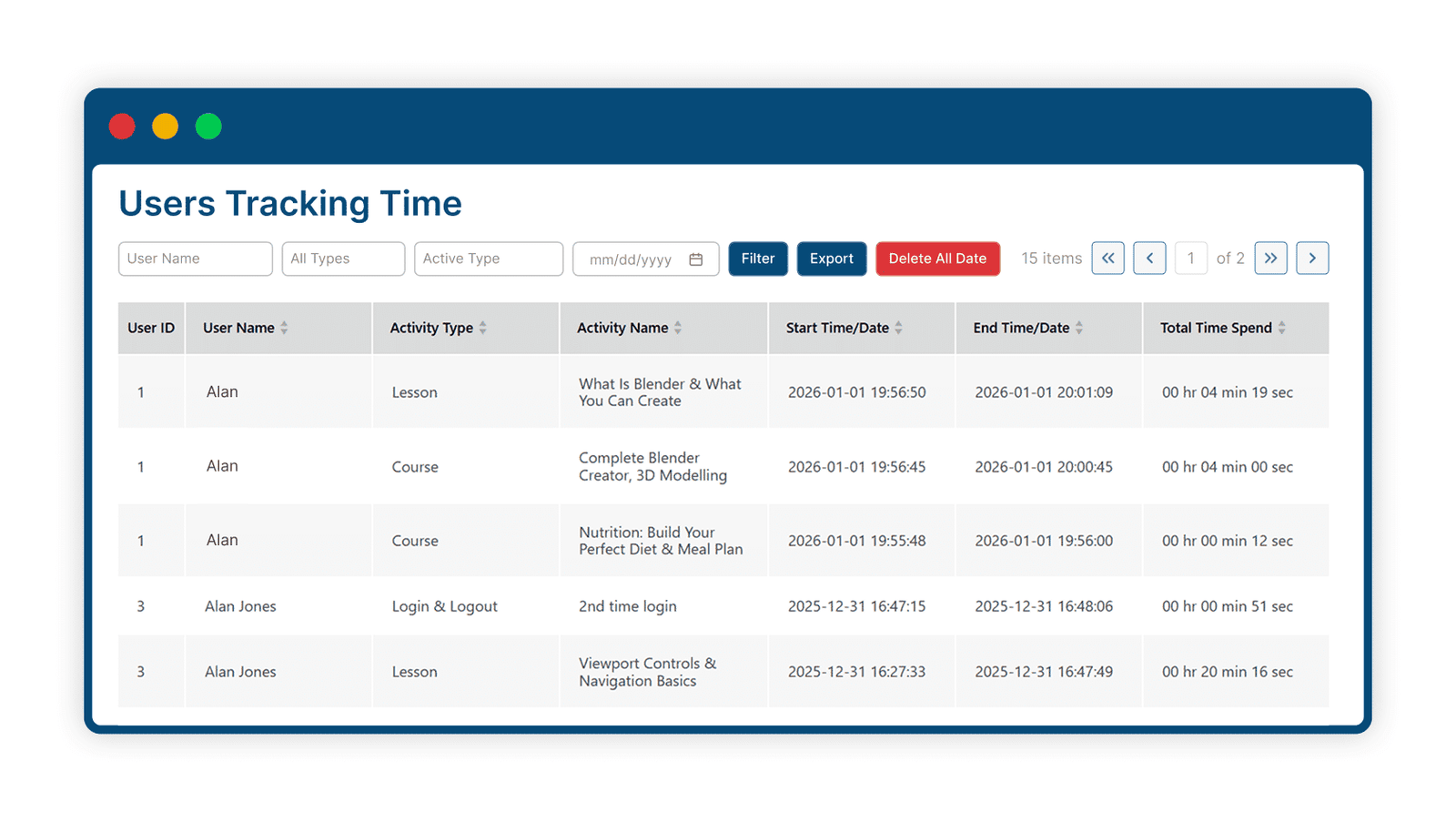
4 User Time Tracking
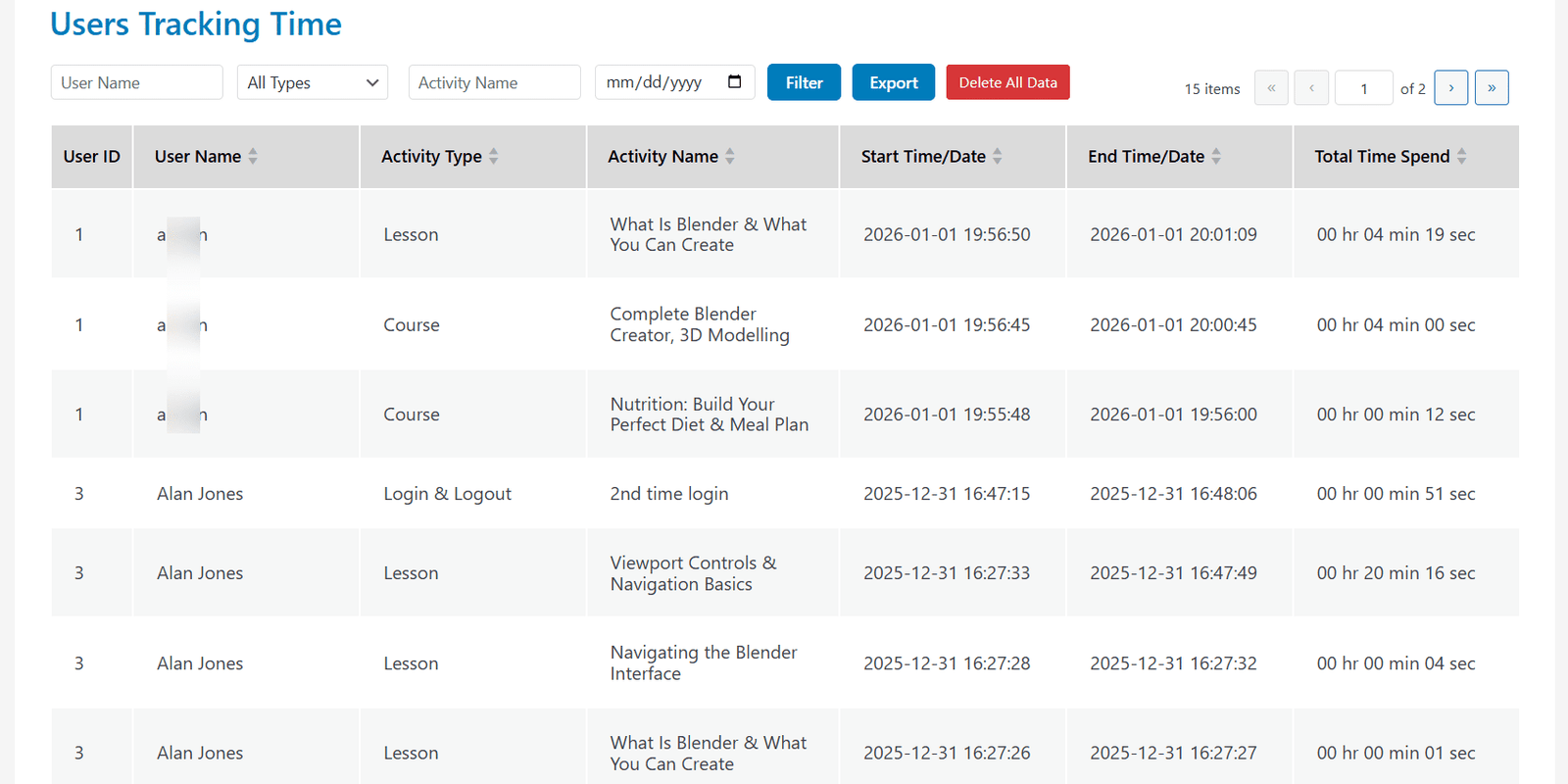
Administrators can track learners’ daily login and logout times, as well as the time spent on each course and lesson page.
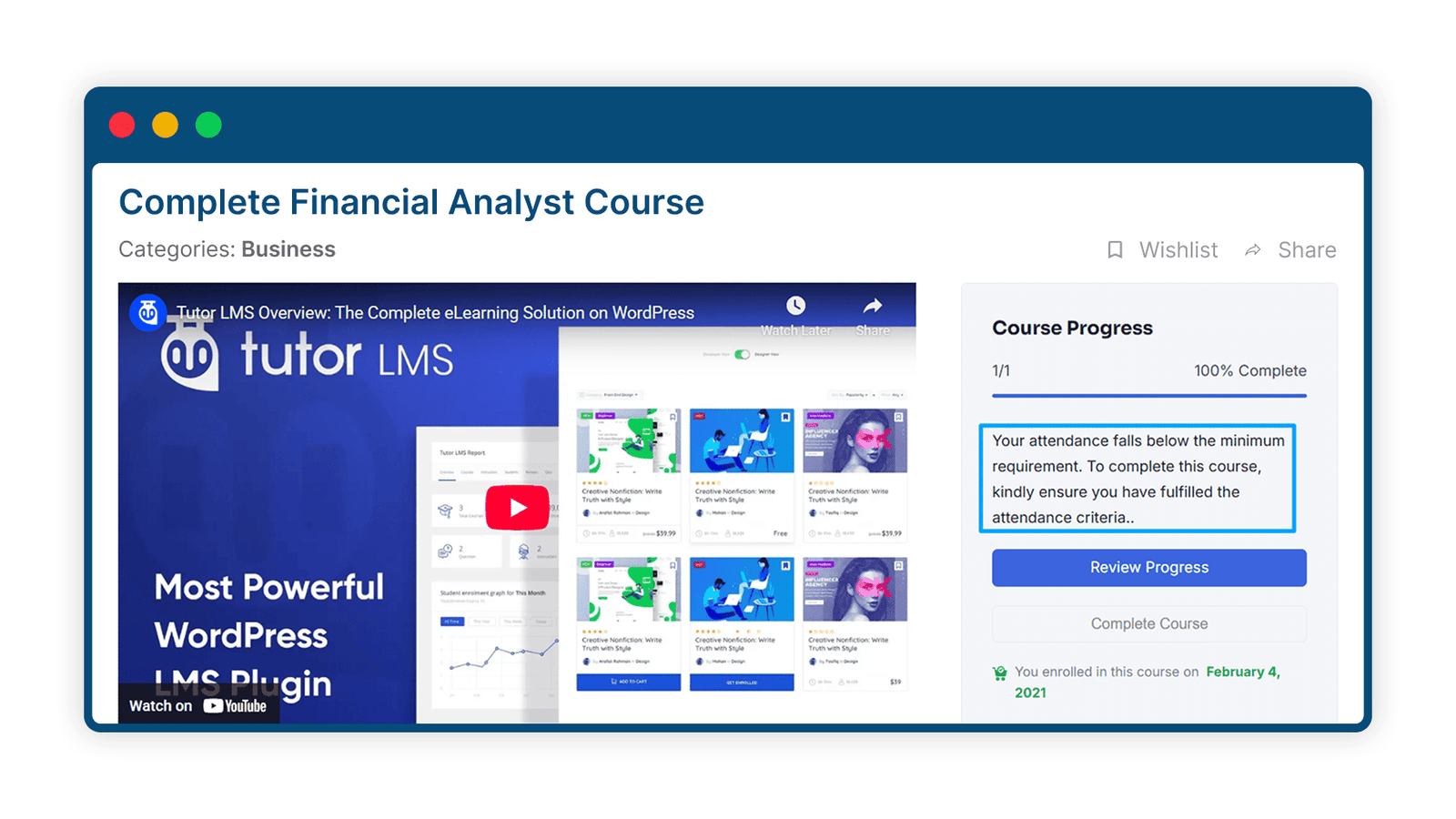
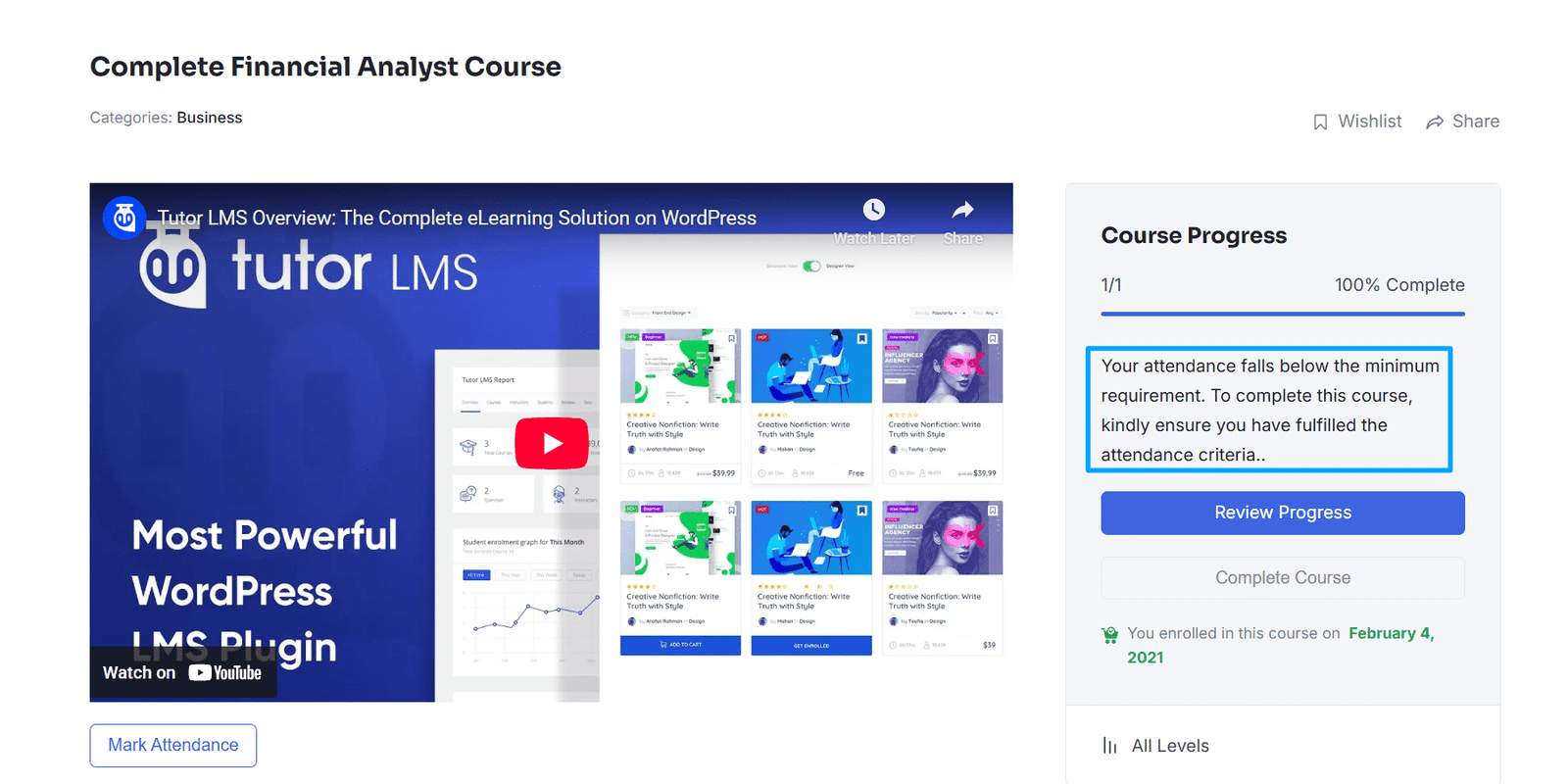
5 Minimum Attendance
Administrators can ensure that students spend a minimum amount of time on the course each day.
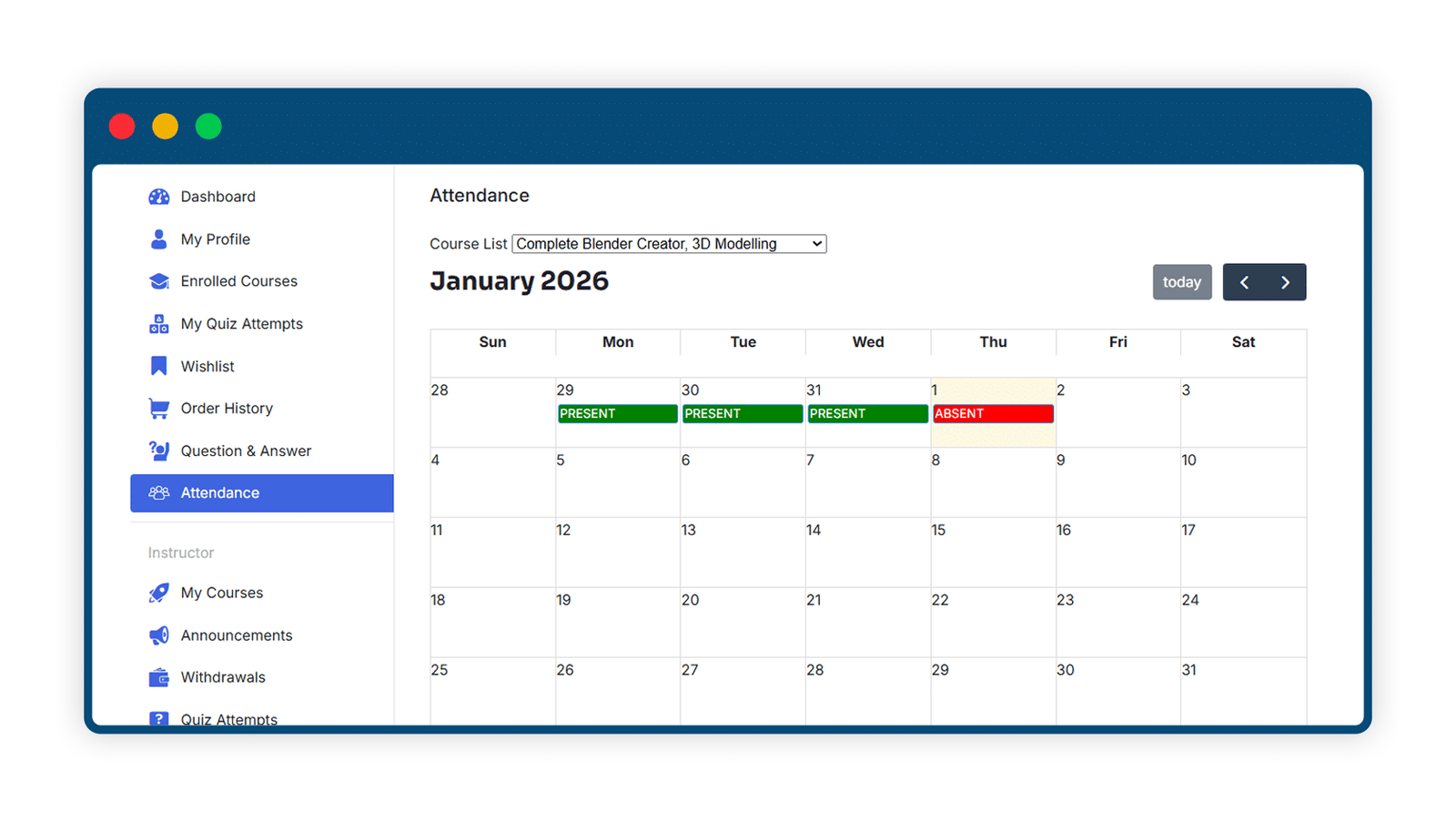
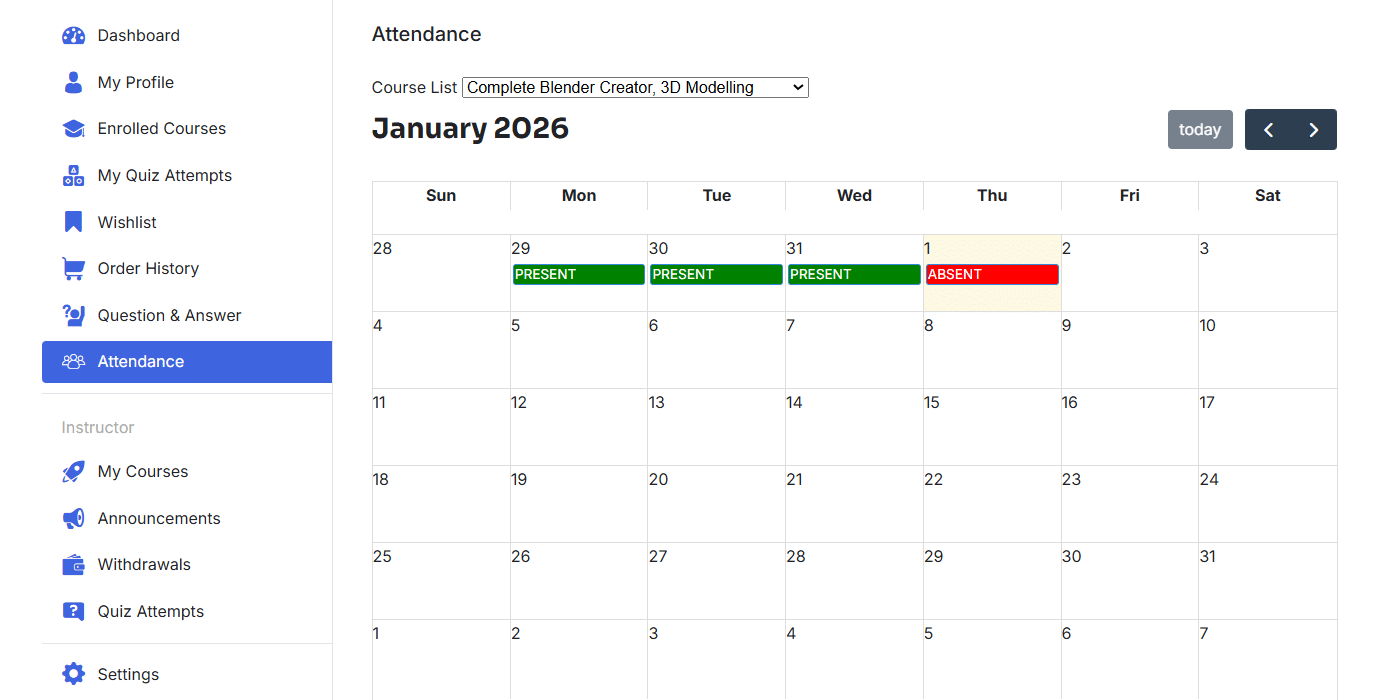
6 Attendance Calendar on the Frontend
Students can check their attendance in the courses on the frontend dashboard.
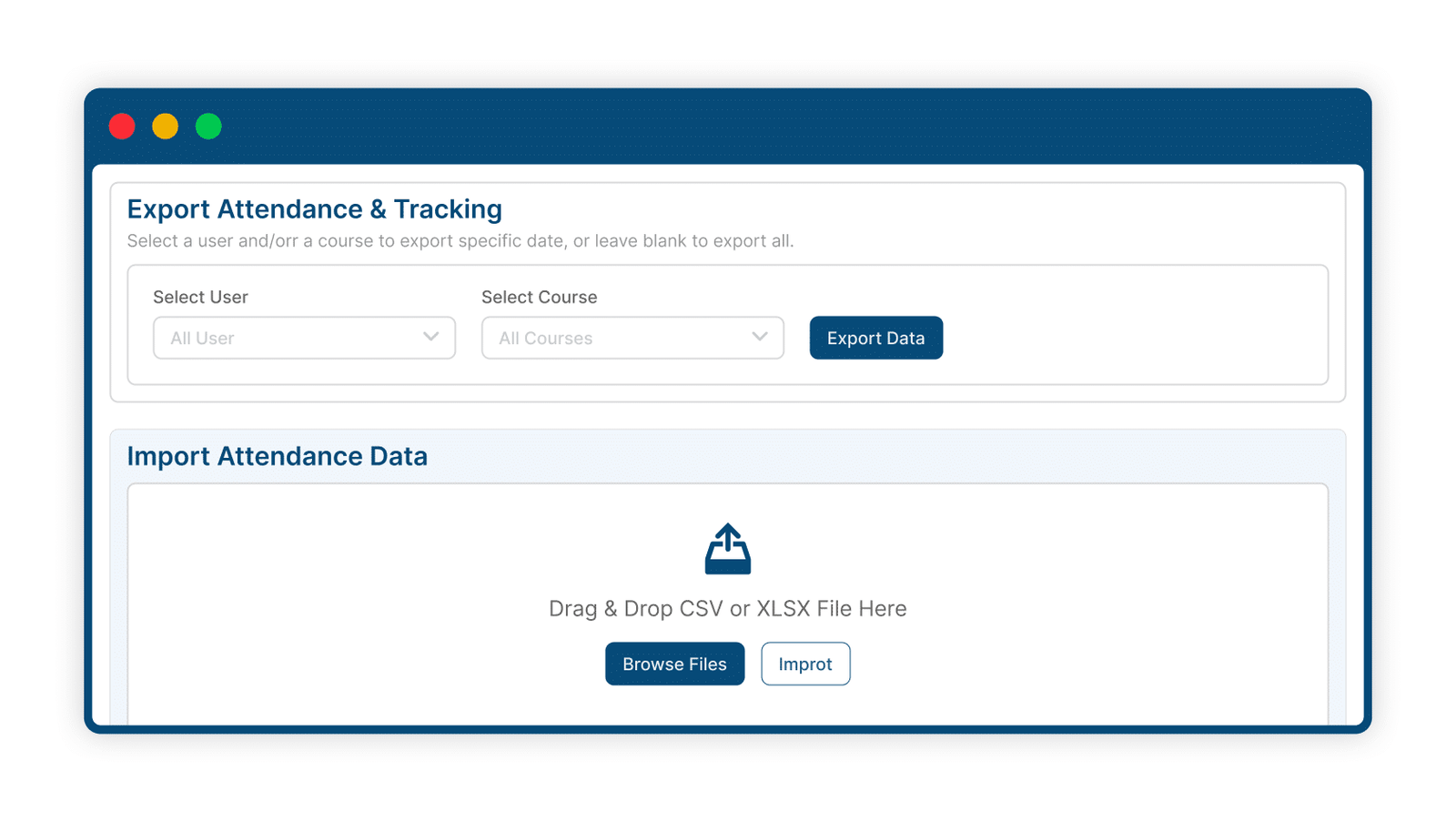
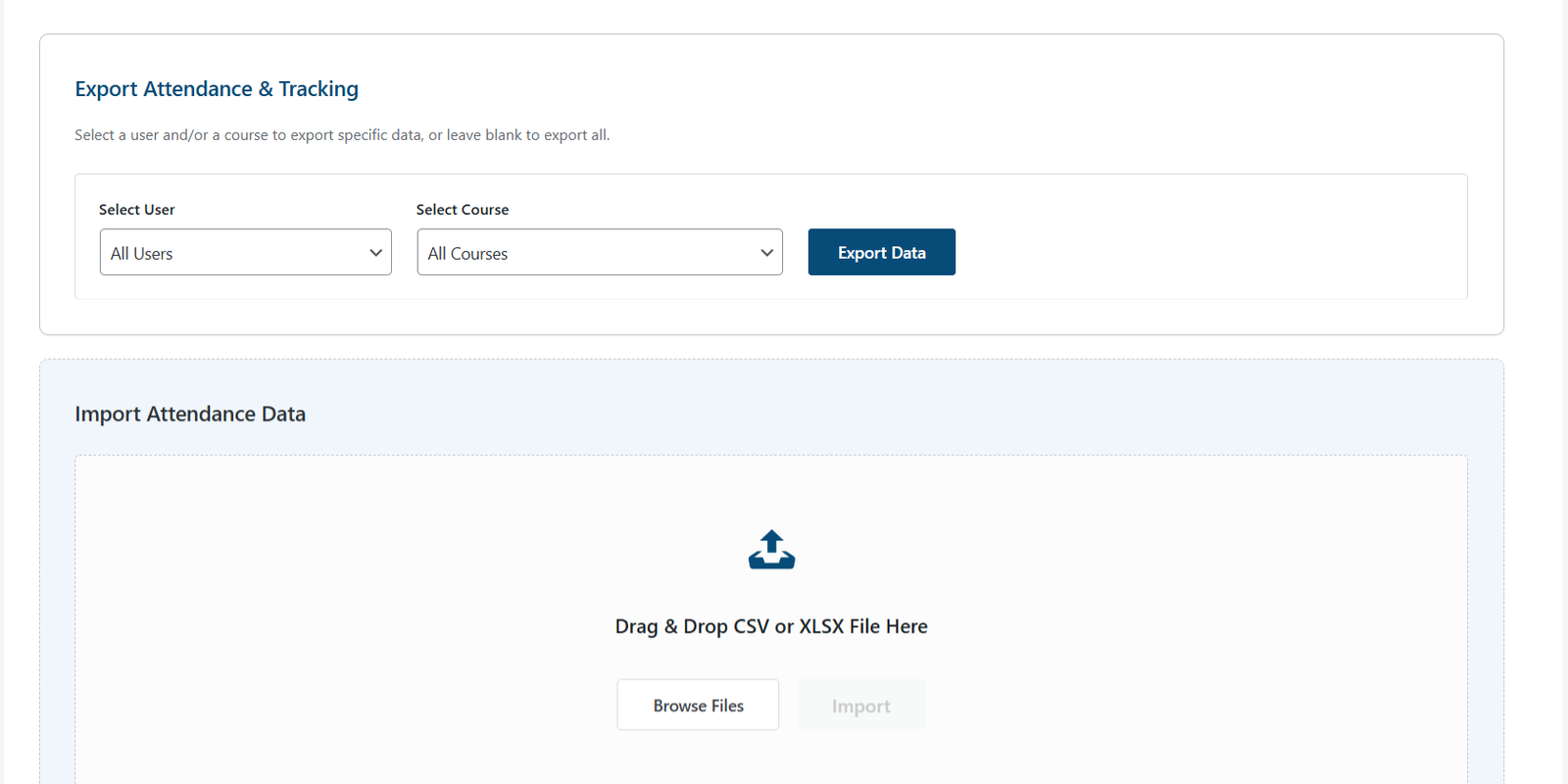
7 Import/Export Attendance Information
Administrators can export students’ attendance logs and user time-tracking logs to Excel files and import students’ attendance logs.
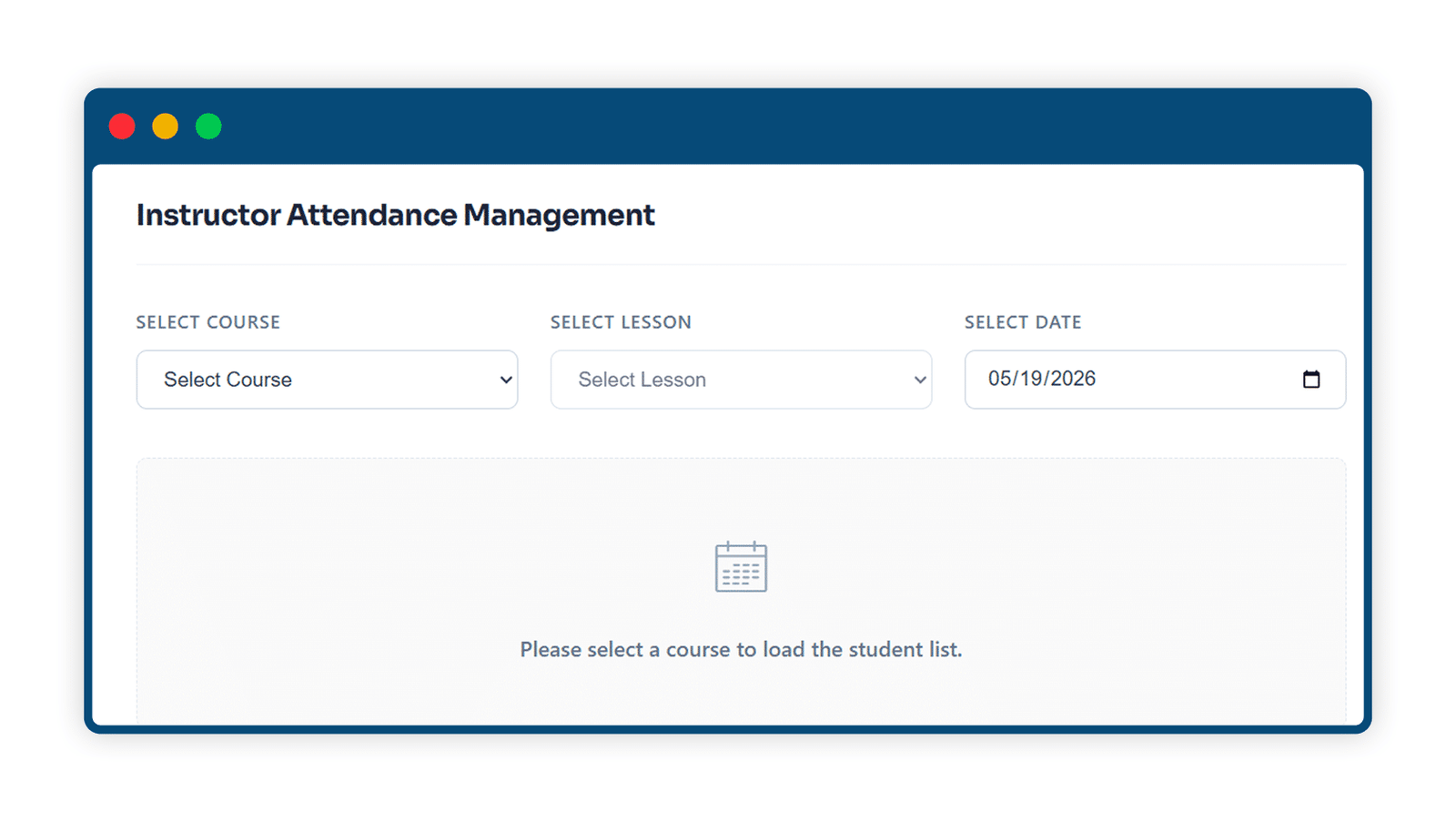
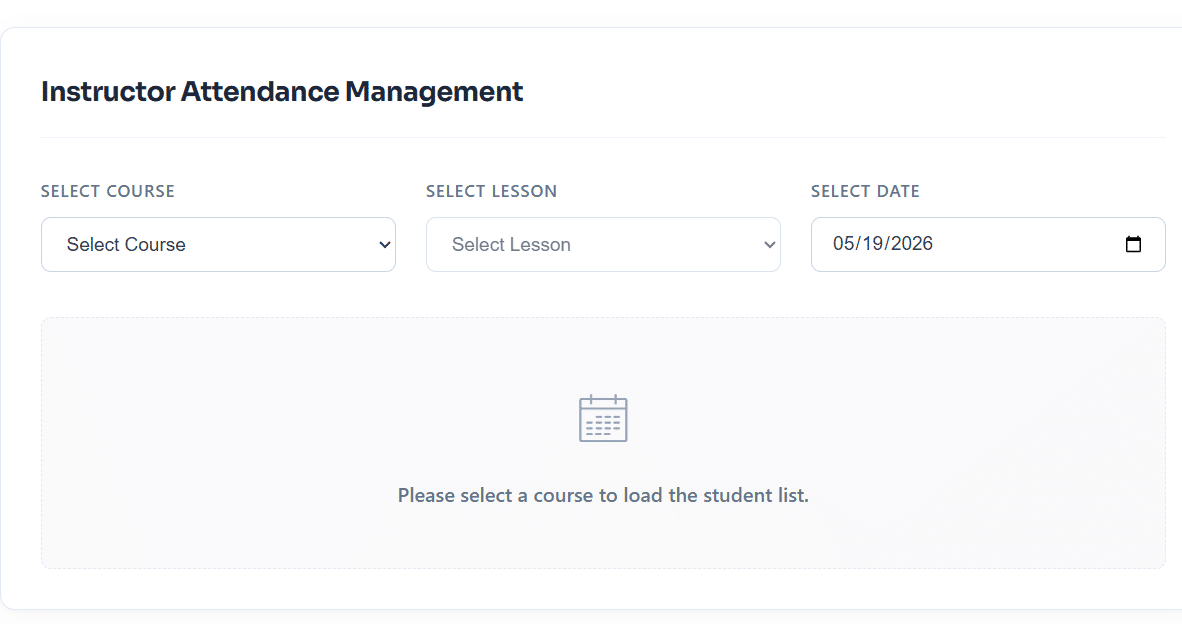
8 Empower Instructors with Attendance Management
Enable instructors to mark course and lesson attendance directly from the Tutor LMS dashboard with a dedicated attendance management tab. Simplify administrative tasks, improve tracking accuracy, and keep learner records up to date with ease.
Get The Plugin Now!
License for 1 site
1 year technical support & updates
Full documentation
Support forum
License for 3 sites
1 year technical support & updates
Full documentation
Support forum
License for sites
1 year technical support & updates
Full documentation
Support forum
Are You interested In Full Access Pass?
Get NowTutorLMS Attendance Screenshots
What Our Happy
Customer Says

A terrific company with great plug-ins. I needed support for trying to figure out some functionality, and it went like all Support should go. I asked the question and I got a timely and thorough response. Keep up the good work everyone!

WooNinjas provided great customer service to me to solve an issue uploading quizzes into my website. They responded quickly and located and resolved the issue very well.

Great customer service, we had issues but the Wooninjas team didn’t give up and were very helpful in fixing my issue.

The plugins offered by the company are fantastic and their support team is the best, I have had the opportunity to use LearnDash Certificate Verify and Share and I am very satisfied with the results obtained. I highly recommend them.
Build Your Bundle & Save 20%
Pick any 3+ add-ons from the same category and get 20% off automatically at checkout. No coupons and extra steps required. Just choose the features you need and save instantly.
FAQ’s
We’re here to help.
Yes. Along with export, you can import student attendance logs. This is handy if you’re moving records, fixing data, or maintaining a consistent LMS attendance tracking system across cohorts.
Yes. Students can check an attendance calendar from their frontend dashboard. It helps learners keep track of their own participation and reduces support requests about missed attendance.
Admins can view attendance counts in the Attendance Logs area inside settings. Reports can be grouped by Course, by Lesson, or by Users, which makes reviewing patterns and gaps quicker for online course attendance management.
You can choose either method. Students can mark attendance on lessons and topics, or you can keep it instructor-led and have admins/instructors handle attendance. That flexibility is useful for different training styles and attendance policies.
Admins and instructors can mark attendance for users from the backend or frontend, which covers most manual use cases. If you need corrections, the workflow is still admin-controlled, so attendance can be managed by staff instead of students. This is part of the add-on’s tutorlms attendance management approach.
Yes. It’s designed to work with your current TutorLMS courses, lessons, and enrolled users. You can enable it and start lms student attendance tracking without rebuilding your course content.
Yes. Admins can export attendance logs and time-tracking logs to Excel files for reporting, audits, or internal records. This is helpful when you need clean data from your TutorLMS Attendance plugin outside WordPress.
Yes. You can restrict check-ins so students can only mark attendance from a single IP address. This is useful when you want more control over how learners track attendance in LMS courses, especially for structured cohorts.
Yes. Alongside attendance check-ins, it includes user time tracking so admins can see daily login/logout times and time spent on course and lesson pages. That makes it more than just a checkbox—it’s a practical LMS attendance tracking system for activity monitoring too.
You can set a minimum daily attendance time so students must spend a minimum amount of time in the course. This helps you enforce basic participation rules as part of your online course attendance management process. If you’re using completion rules in TutorLMS, this pairs well with your existing setup for stronger accountability.
Still have questions?
Contact us and we will clear up your doubts!

