WooCommerce Composite Products

Years In Business
Sites Built
Plugins Developed
Repeat Clients
 1.0.3
1.0.3
Current Version
 16 Jul 2026
Last Update
 6.8 Or Higher
WordPress Version
 10.0 Or Higher
WooCommerce Version
 7.4 Or Higher
PHP Version
Add-On Overview & Features
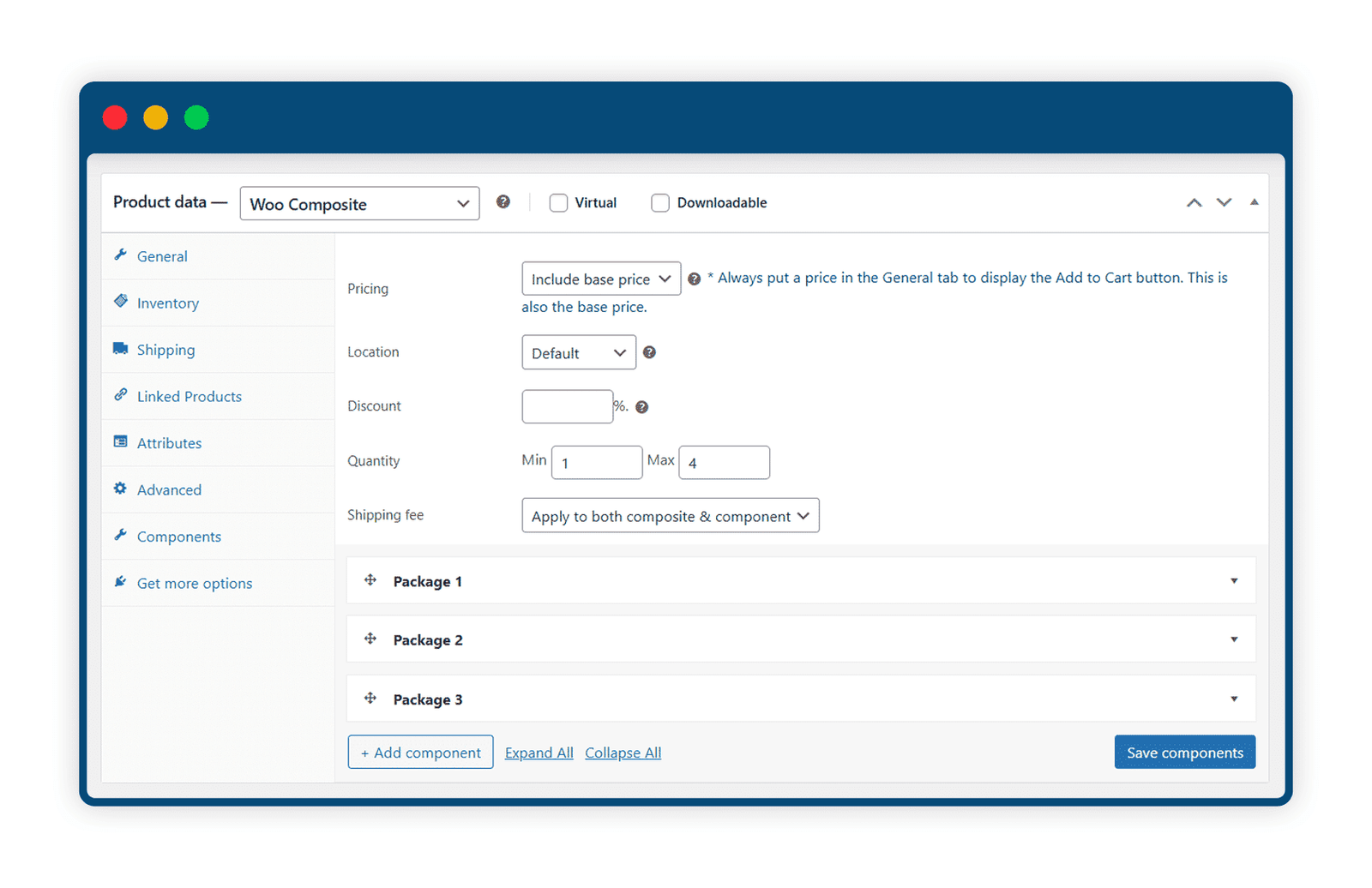
WooCommerce Composite Products makes it easy to sell product kits with different parts. You can let customers choose what they want in the kit, set prices your way, and show if items are in stock. You can also choose which parts are required and which are optional.
This tool is simple for store owners to use and gives shoppers a smooth experience when building their perfect product bundle. It’s a great way to offer customizable products in your WooCommerce store.
Key Features Of Our WooCommerce Composite Products
1 Fully Customizable Composite Builder
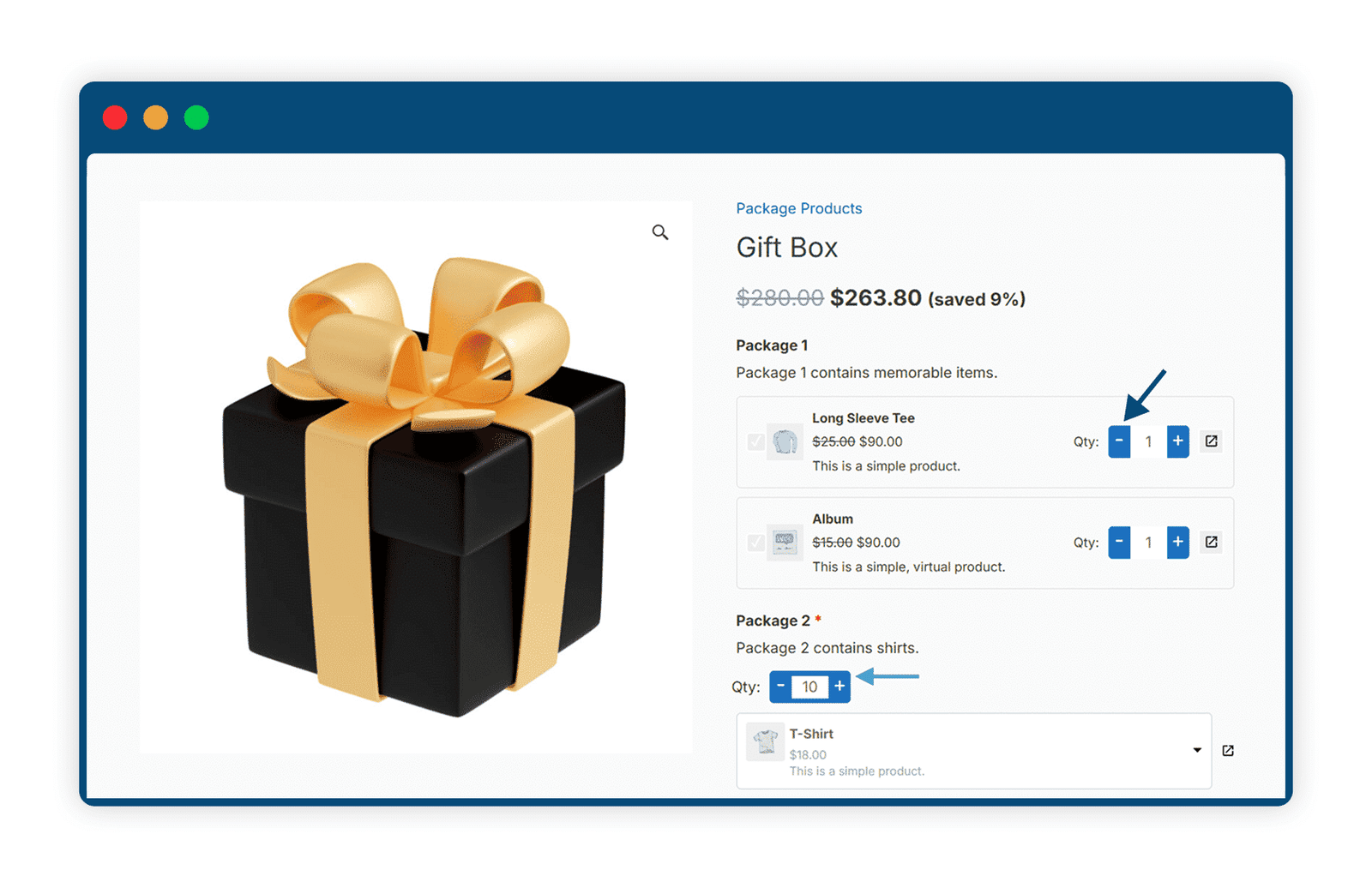
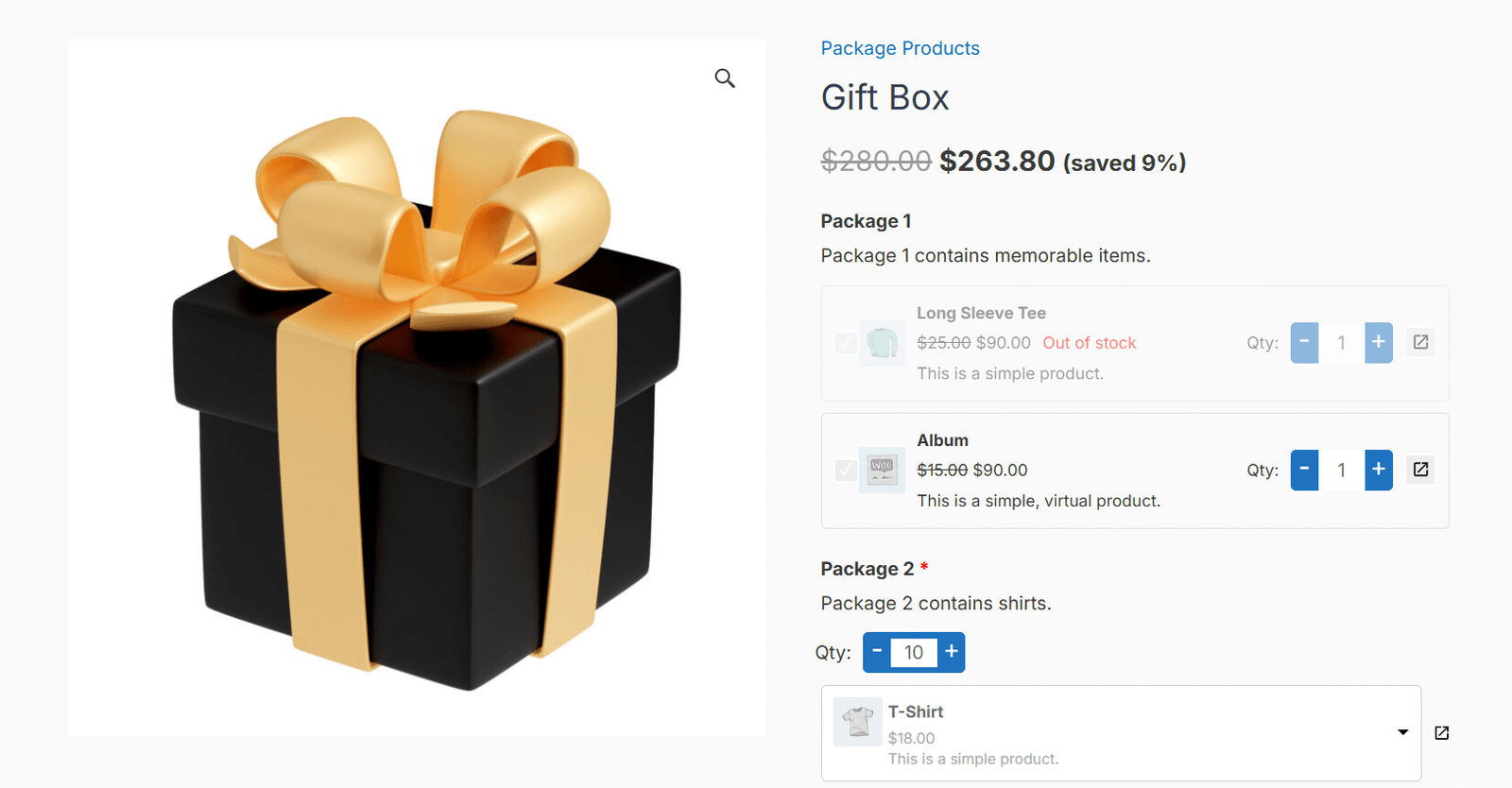
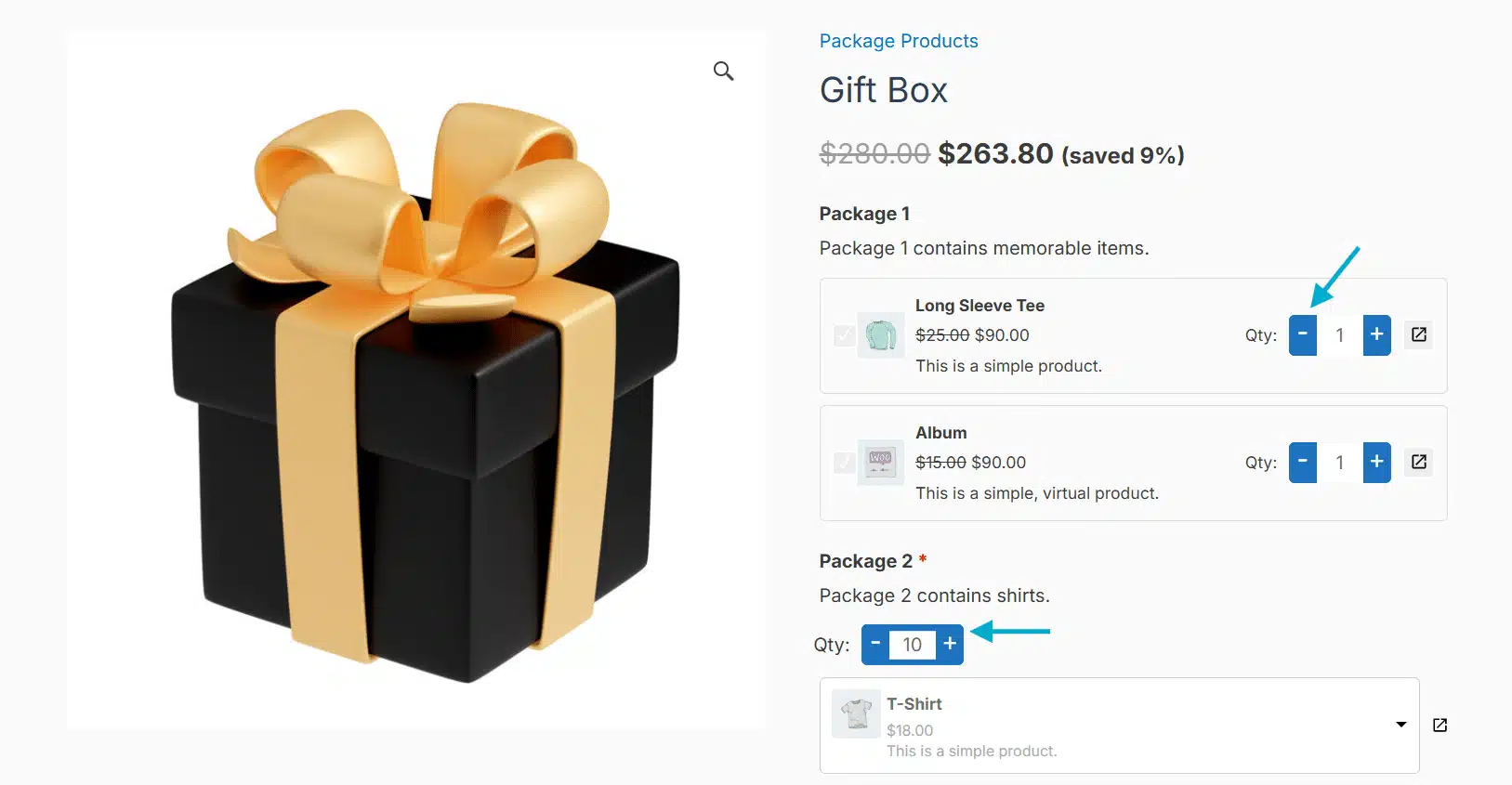
With WooCommerce Composite Products, you can build custom product bundles by combining different items or categories. Each of the parts can have its own rules, like required or optional choices, default selections, and set quantity limits. You can also control the price based on what the customer picks. It’s an easy way to sell mix-and-match or build-your-own products in your WooCommerce store, giving shoppers more choice and boosting your sales.
2 Real-Time Pricing and Availability
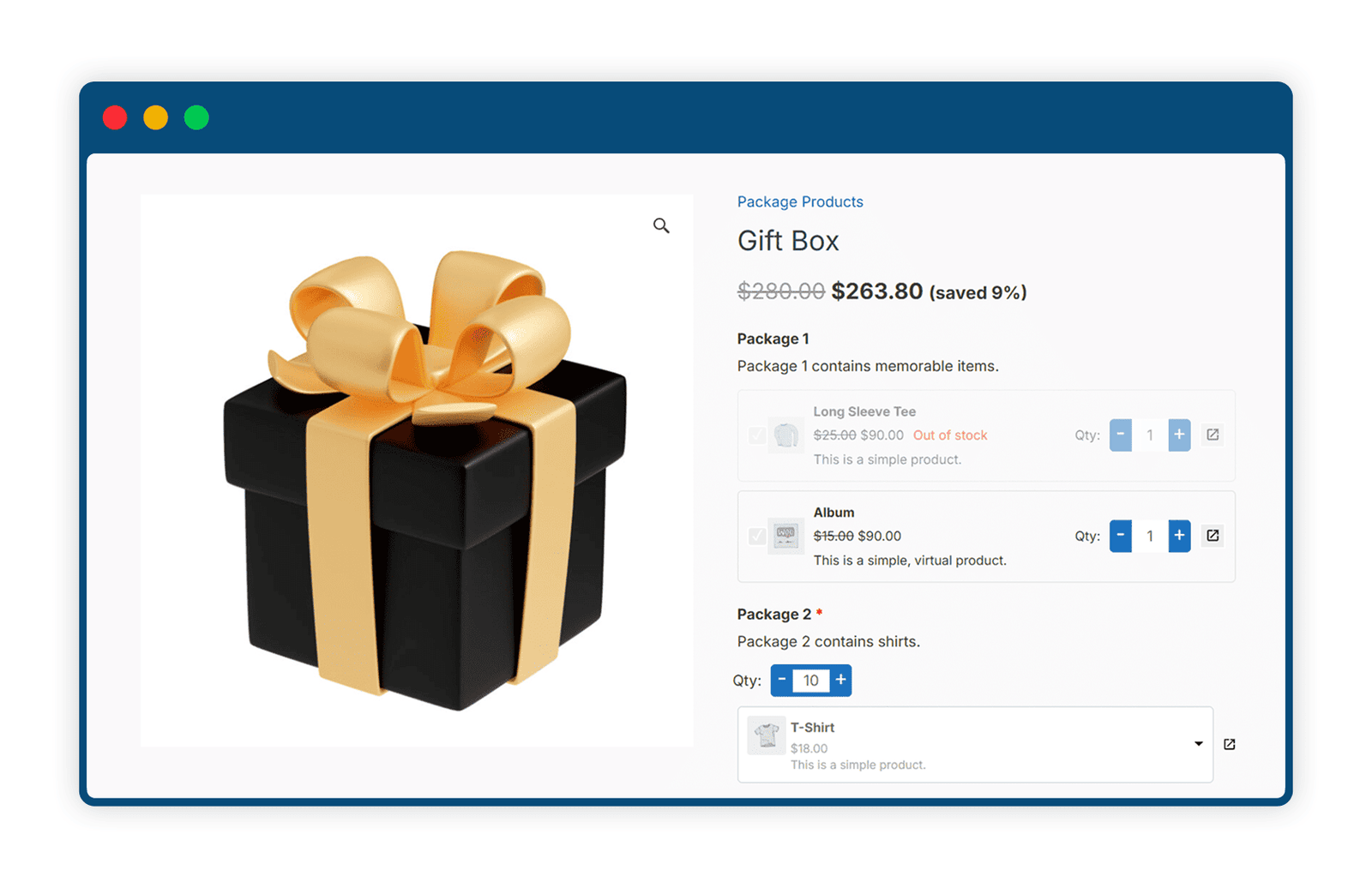
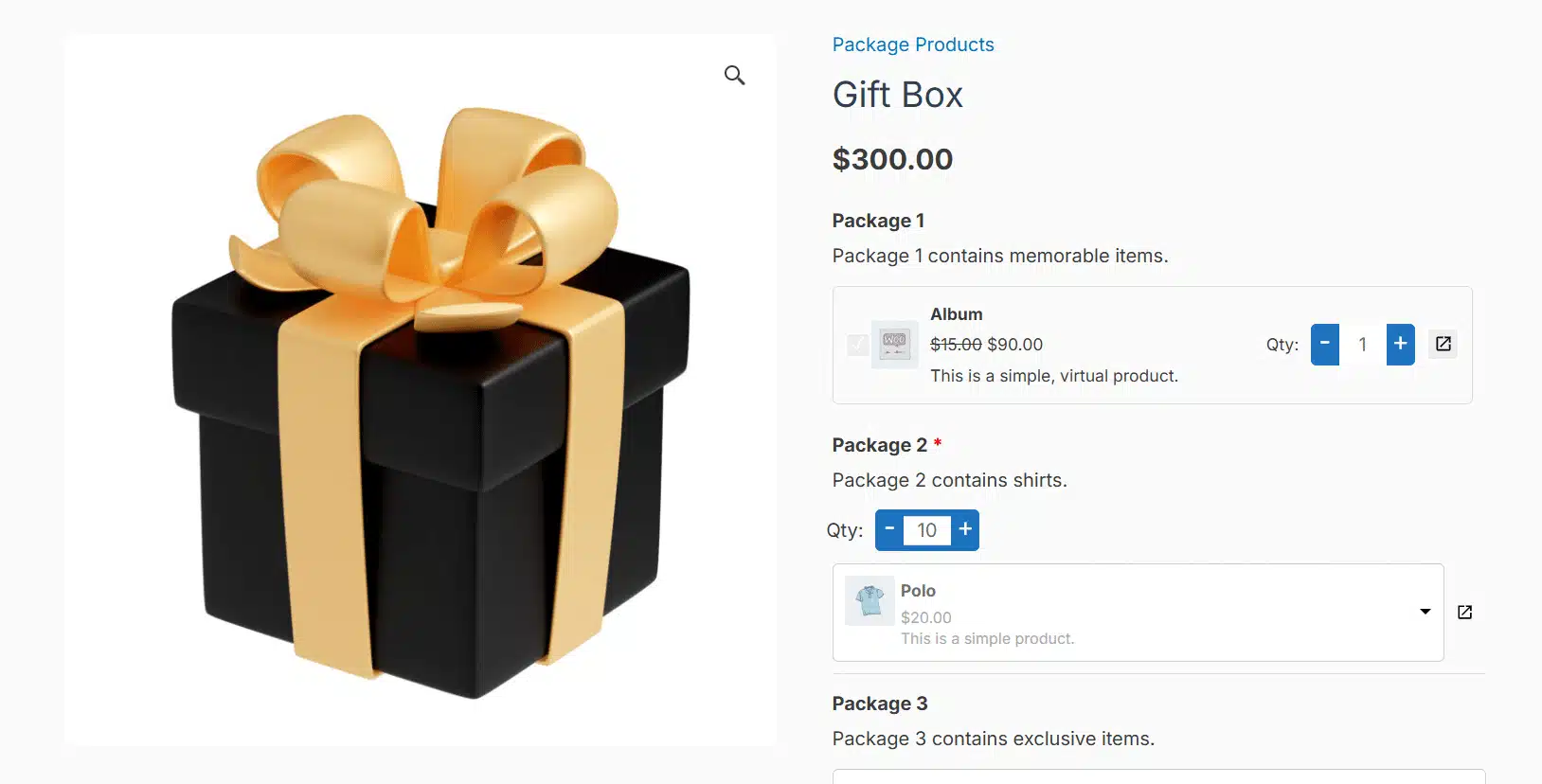
Display updated total prices instantly as customers select or remove items from their bundle. Out-of-stock products can be hidden from view automatically to ensure accuracy and reduce friction. This keeps the interface clean and avoids customer disappointment.
3 Custom Design and Layout Controls
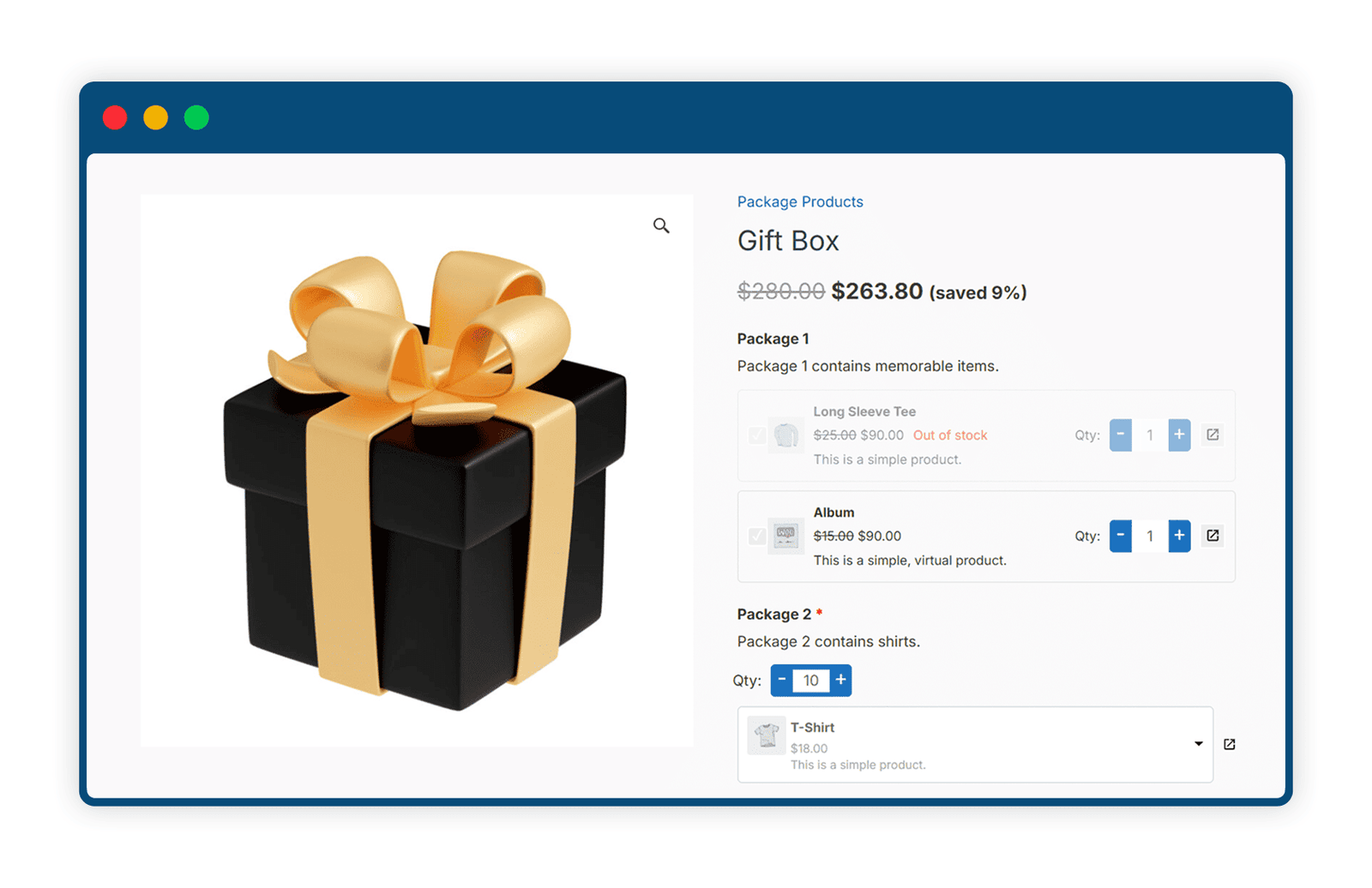
With WooCommerce Composite Products, you can customize the product page to fit your store’s look. Choose to show or hide images, descriptions, stock info, prices, and quantities, whatever works best for your brand. You can also control how the gallery looks and whether product links are shown. It’s simple to set up and keeps everything clean, user-friendly, and on-brand.
4 Flexible Cart and Checkout Visibility
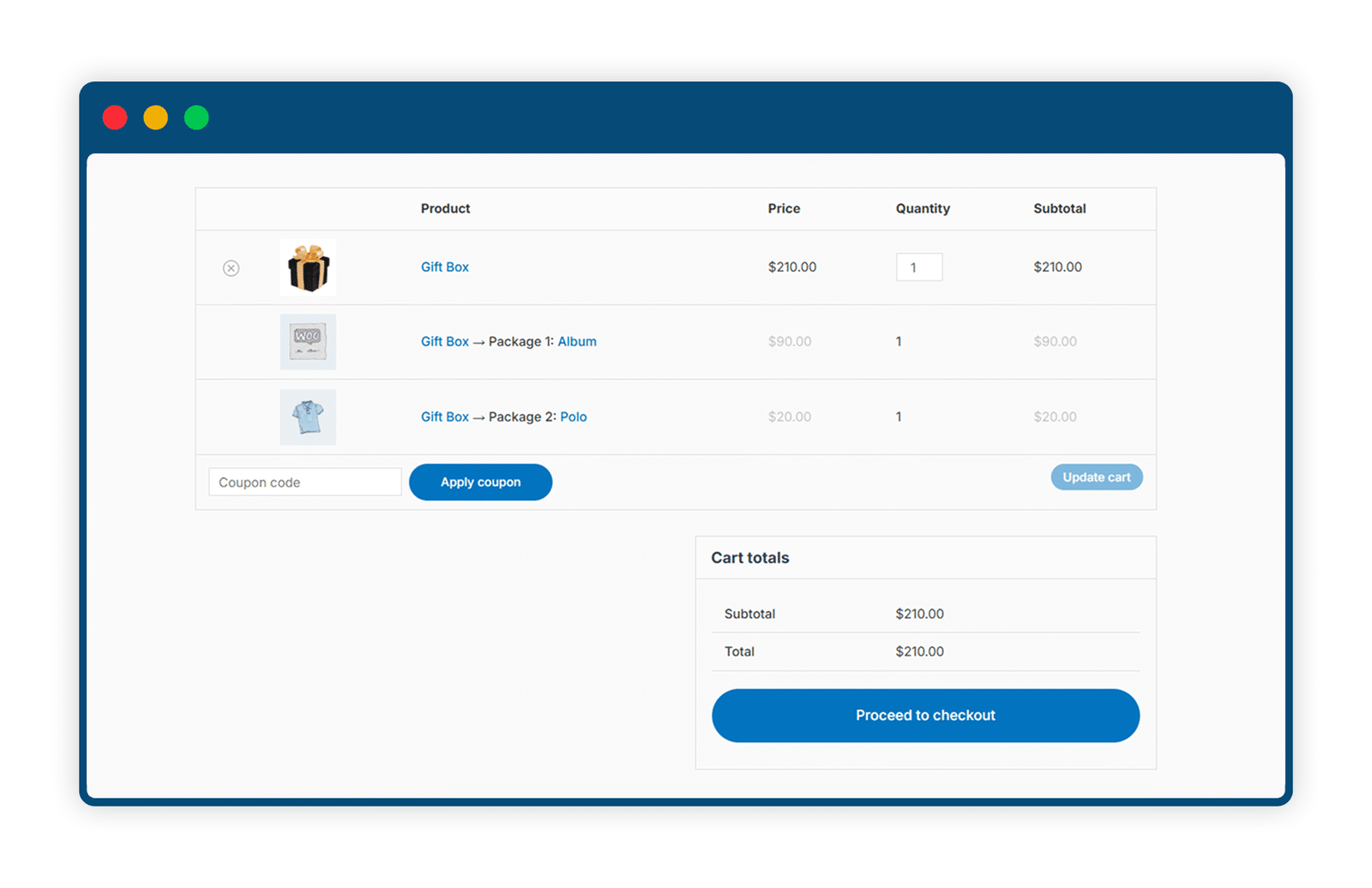
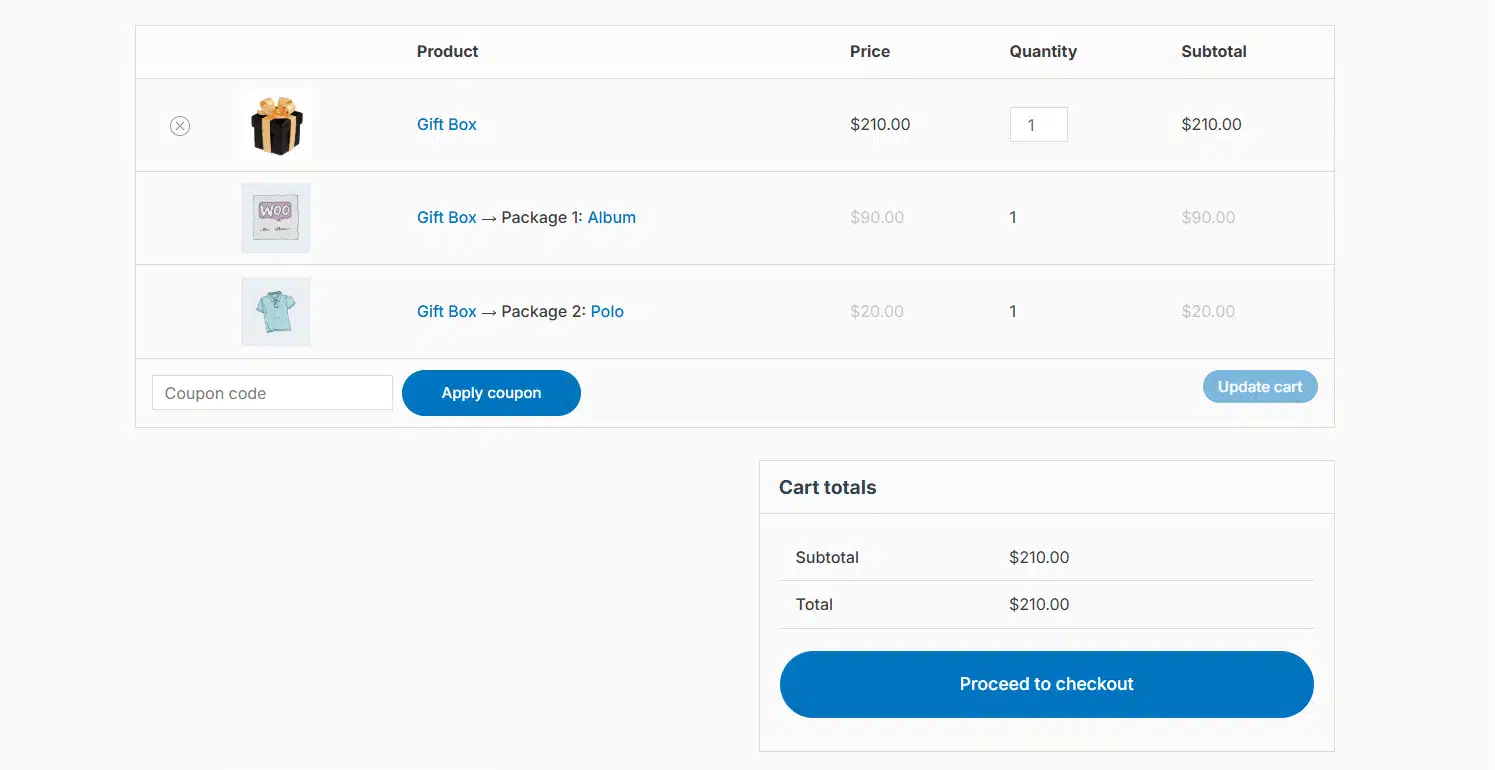
Decide exactly how composite and component products appear in the cart and during checkout. Show only the main product, list components under it, or use separate lines, all based on your store’s needs. This helps streamline order presentation and improve customer clarity.
5 Editable Product Texts and Labels
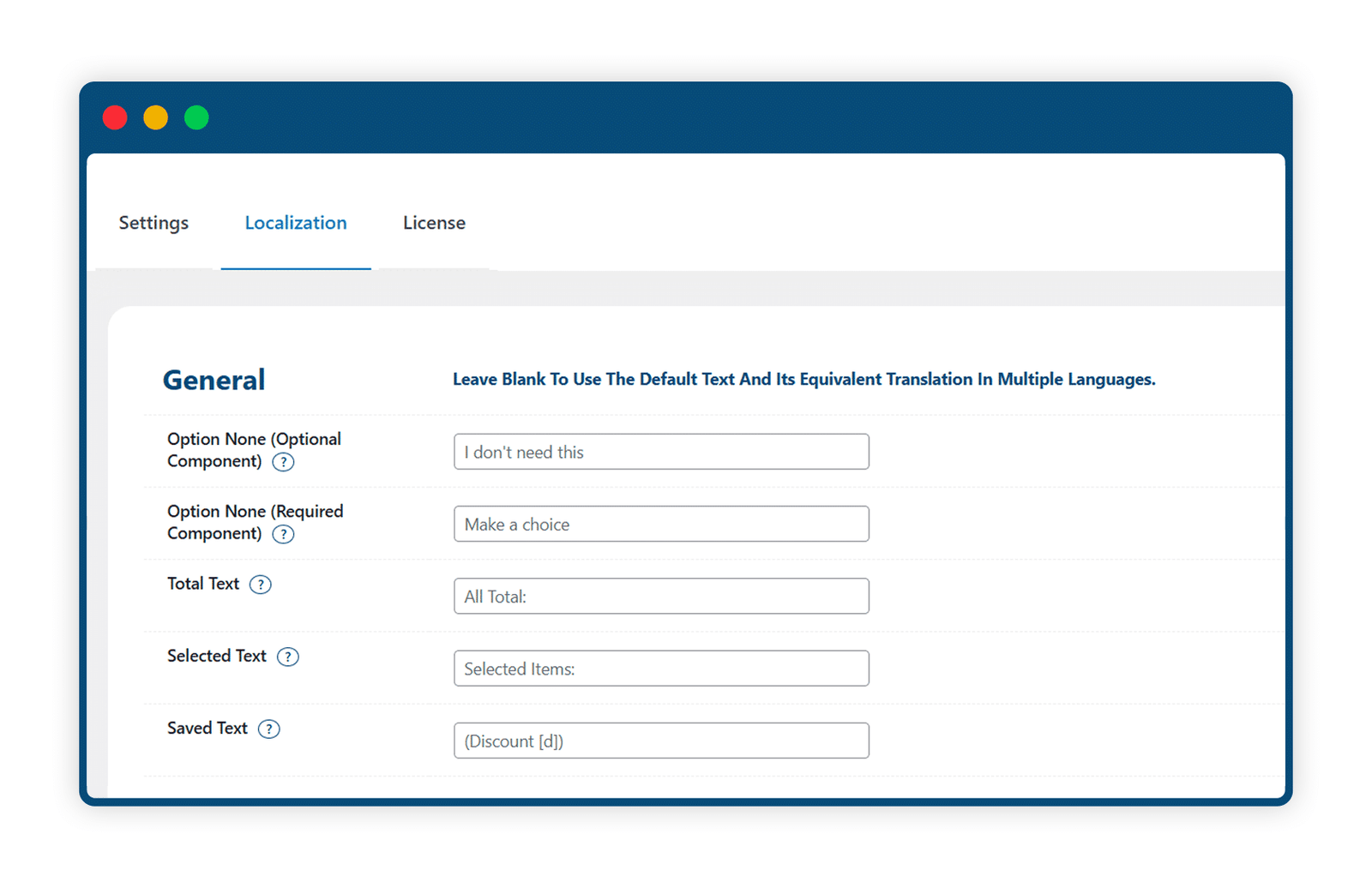
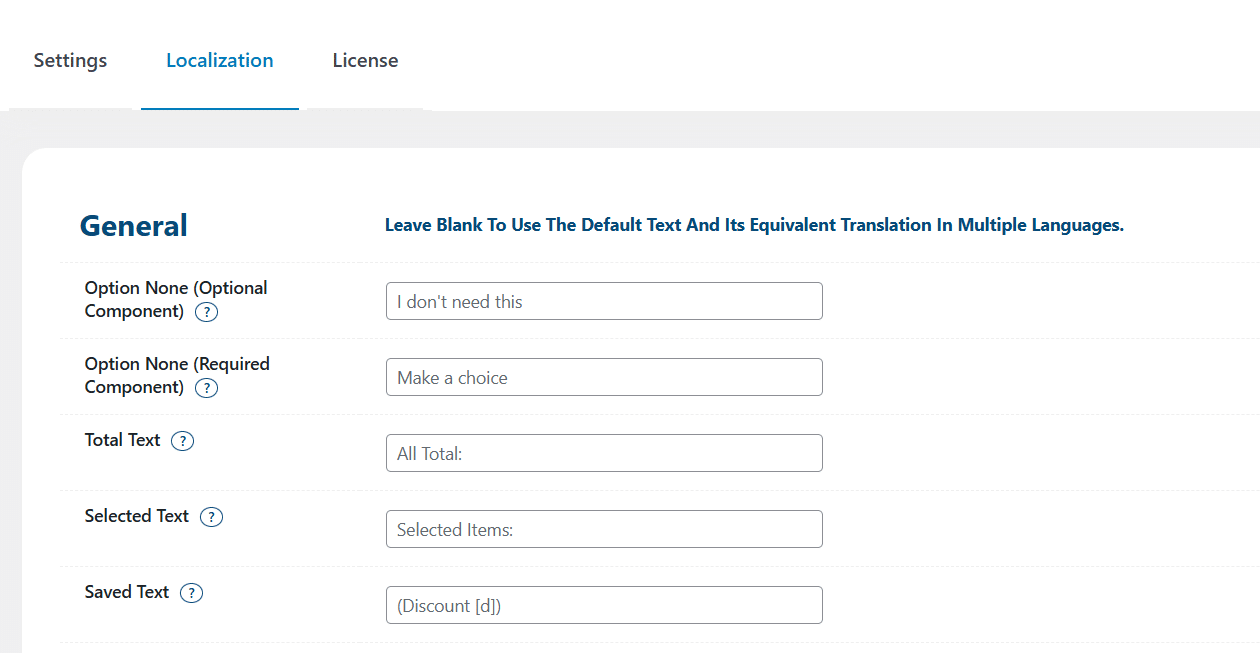
WooCommerce Composite Products lets you change all the visible text on the product page. You can edit labels like dropdown hints, total price, selected item names, and quantity fields to match your brand’s voice. If you don’t add custom text, it will just use the regular WooCommerce wording. This makes your store feel more personal and on-brand for your customers.
6 Accurate Inventory Integration
Each component in a composite product is tied to real WooCommerce inventory, ensuring accurate stock management. If an item runs out of stock, it’s automatically updated across the composite builder. This integration is essential for physical kits and high-volume stores.
7 Admin-Friendly Controls
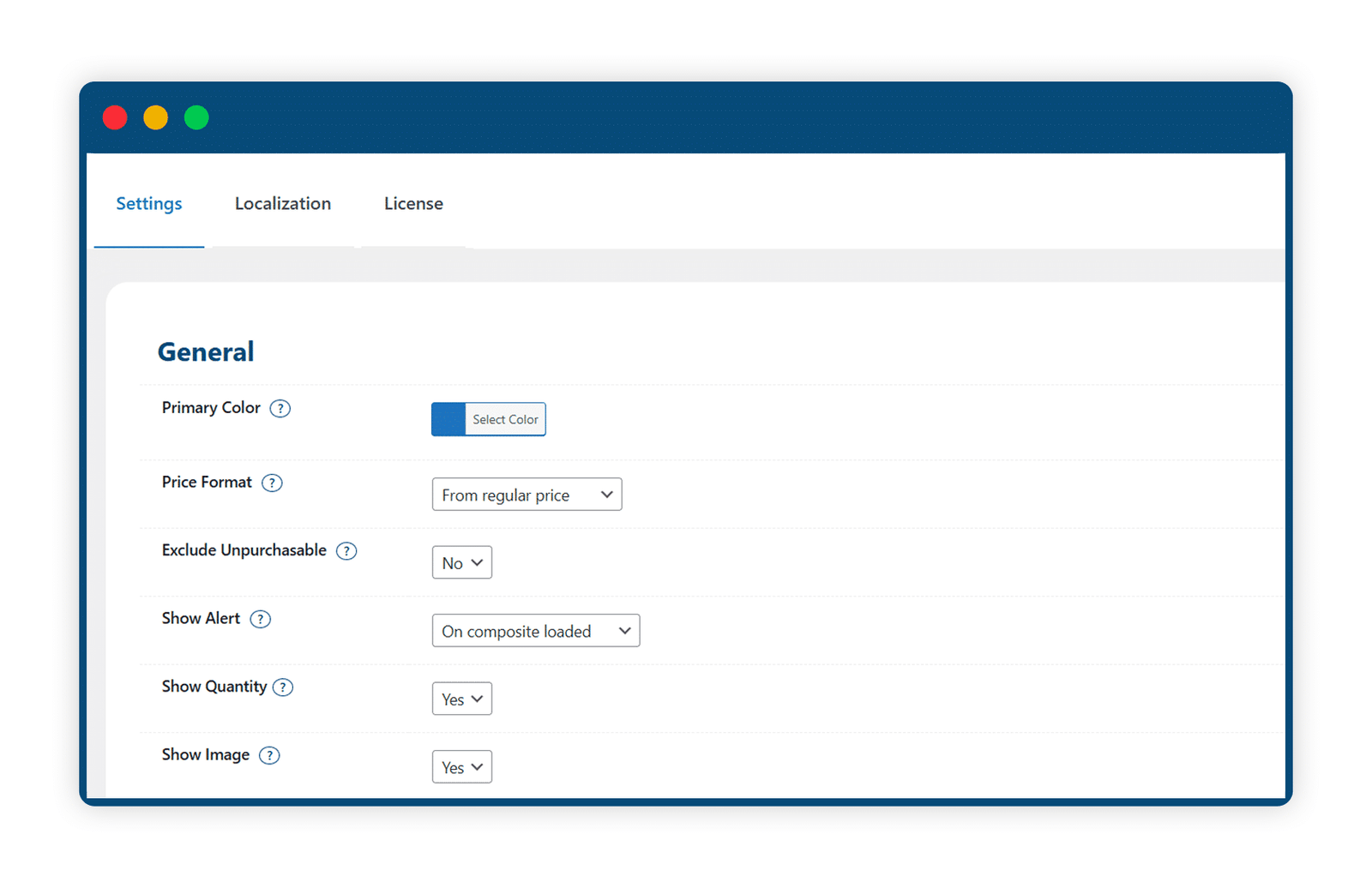
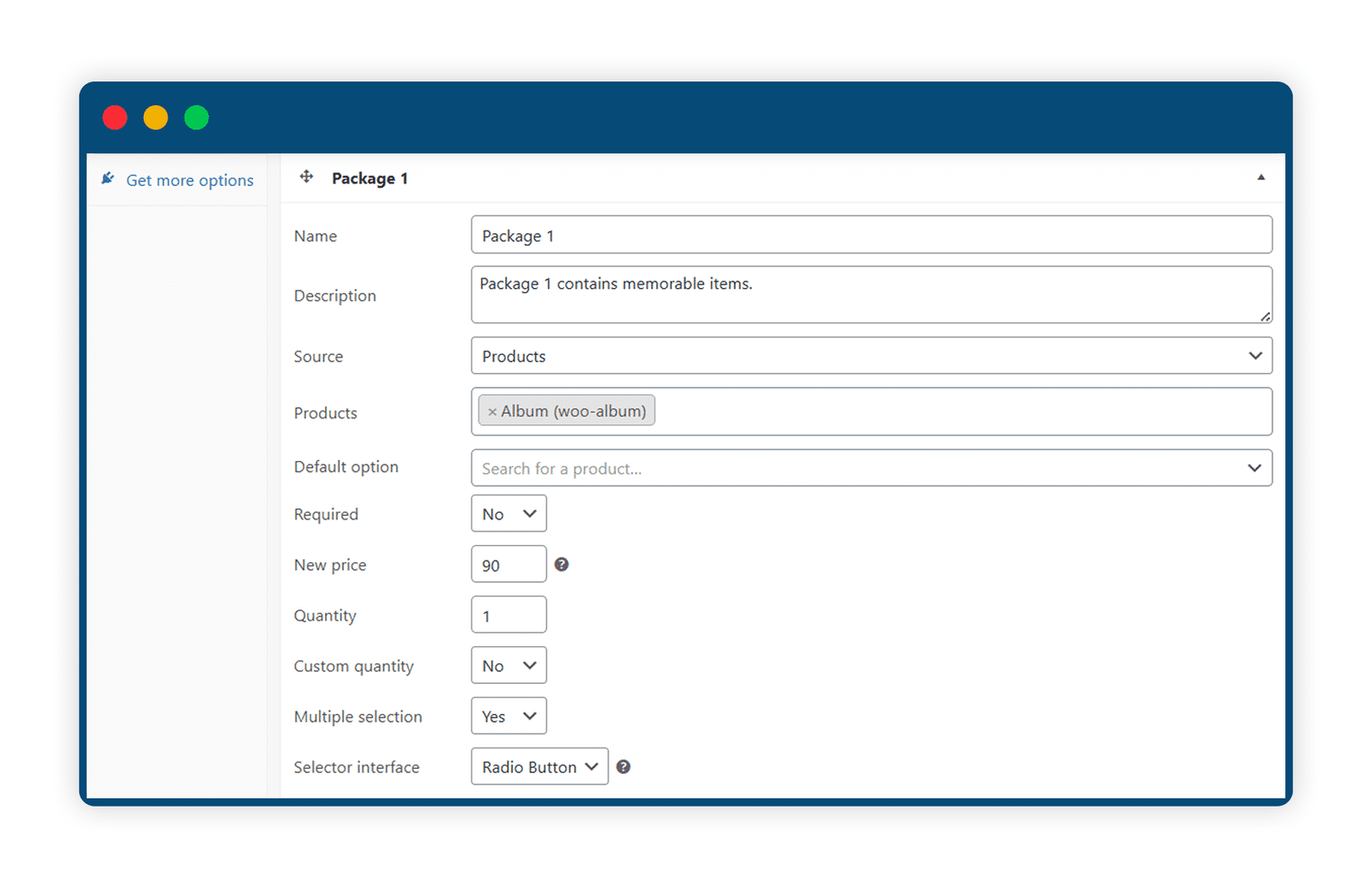
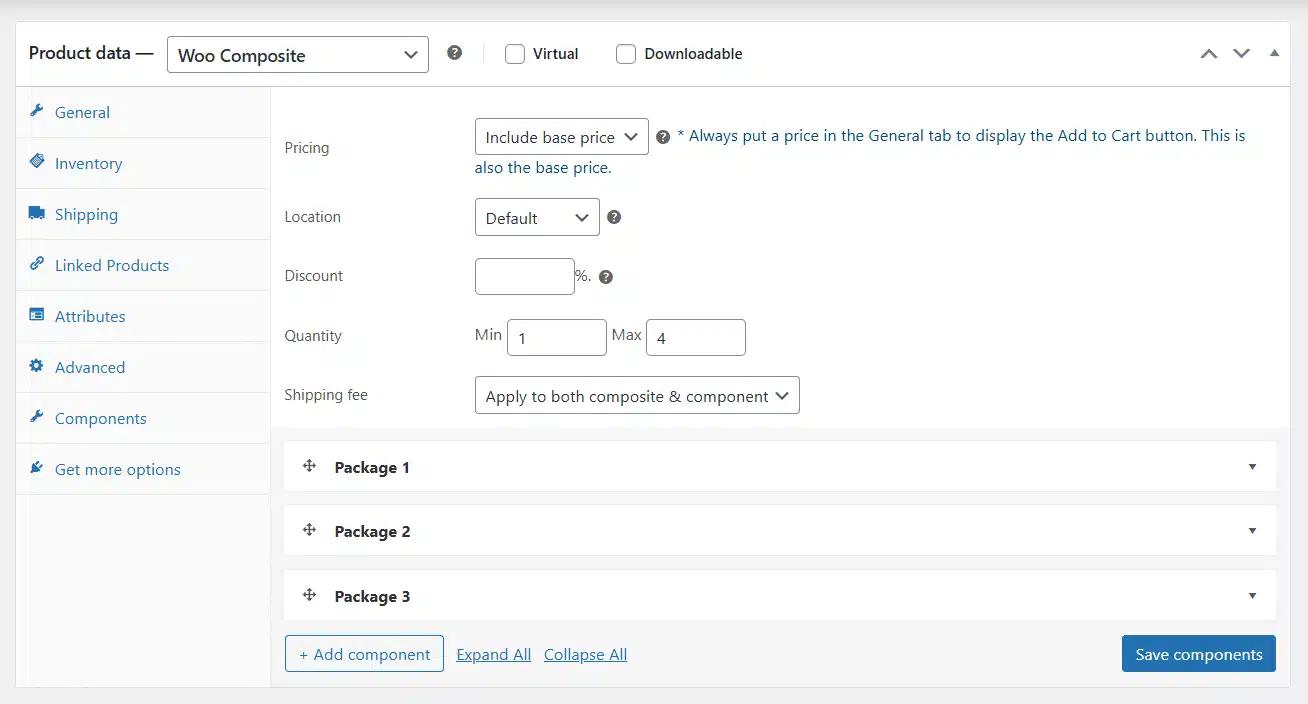
WooCommerce Composite Products gives you a special settings panel where you can control how your product bundles work on the shop, cart, and checkout pages. You can change button text, show or hide certain parts, and adjust the layout, all without any coding. It’s an easy way to set things up just how you want, so your store works better for you and your customers.
Get The Plugin Now!
License for 1 site
1 year technical support & updates
Full documentation
Support forum
License for 3 sites
1 year technical support & updates
Full documentation
Support forum
License for sites
1 year technical support & updates
Full documentation
Support forum
Are You interested In Full Access Pass?
Get NowWooCommerce Composite Products Screenshots

What Our Happy
Customer Says

A terrific company with great plug-ins. I needed support for trying to figure out some functionality, and it went like all Support should go. I asked the question and I got a timely and thorough response. Keep up the good work everyone!

WooNinjas provided great customer service to me to solve an issue uploading quizzes into my website. They responded quickly and located and resolved the issue very well.

Great customer service, we had issues but the Wooninjas team didn’t give up and were very helpful in fixing my issue.

The plugins offered by the company are fantastic and their support team is the best, I have had the opportunity to use LearnDash Certificate Verify and Share and I am very satisfied with the results obtained. I highly recommend them.
Build Your Bundle & Save 20%
Pick any 3+ add-ons from the same category and get 20% off automatically at checkout. No coupons and extra steps required. Just choose the features you need and save instantly.
FAQ’s
We’re here to help.
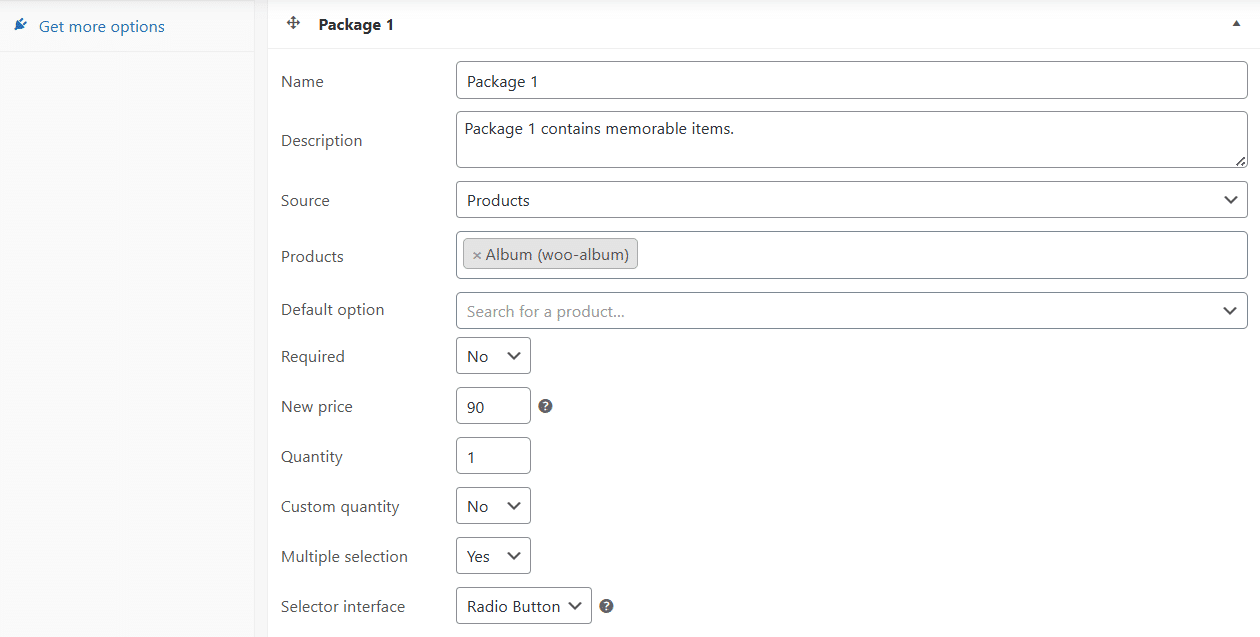
If a component’s “New price” is set to “50,” then all products in that component will show a price of 50 on the composite product page, no matter their original price.
For example:
• Product A originally costs $200, but on the composite product page, it will show $50.
• Product B originally costs $700, but on the composite product page, it will also show $50.
If the “New price” is set to “50%” (with the % sign), then all products in that component will be priced at 50% of their original price on the composite product page.
For example:
• Product A originally costs $200, so on the composite product page, it will show $100 (which is 50% of $200).
• Product B originally costs $700, so on the composite product page, it will show $350 (which is 50% of $700).
If a component’s “Quantity” option and “Custom Quantity” option are both provided by the administrator in the product edit page, then the “Custom Quantity” option will be given higher priority than the “Quantity” option. In short, the composite product’s page will be rendered based on the “Custom quantity” option.
If a composite product’s component doesn’t have the “Source” option chosen on its edit page, the composite product page will show all WooCommerce products in that item’s section by default.
If no text is entered by the admin in the “Localization” tab, then the default text set for every option will be used.
The WooCommerce Composite Products Addon requires the WooCommerce plugin to be installed before activating it.
Still have questions?
Contact us and we will clear up your doubts!

